Verifying Setup
48
X‐63/X‐63i/X‐62/X‐33/X‐32InstallationandCalibrationManual P/N:7010‐0697
String Line Verification
Setup
1. SetaZeroSlopeusingalaser.
2. Setupastringlinethelengthofthemachine’sreach,andthensetupthestringlevel.
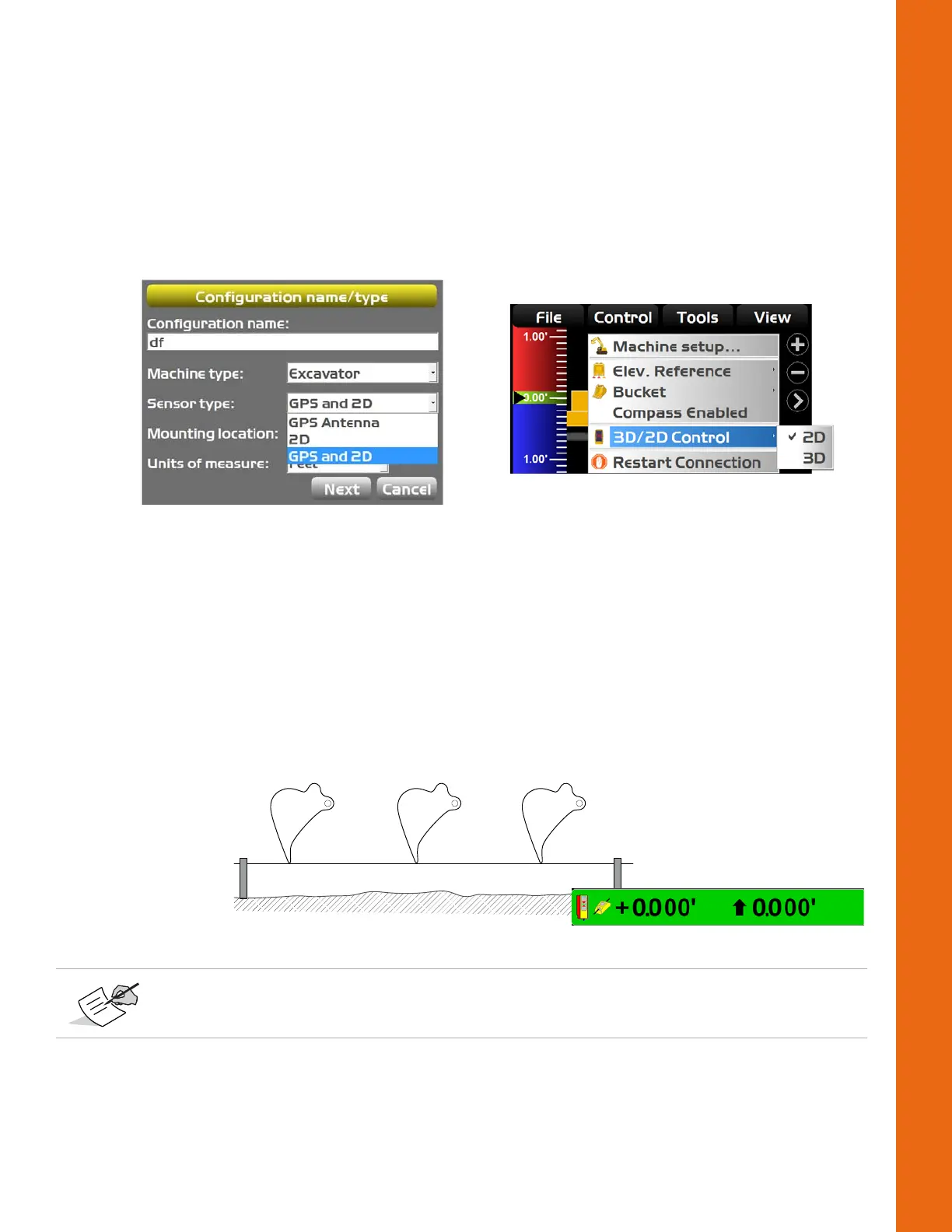
3. EnsurethatyourmachineconfigurationissetupforGPSand2Din3D‐MC(Figure66).
4. TapTopconMenuButtonControl3D/2DControl2Dtoplacethemachineinto2Dmode
(Figure66).
Figure66:MachineSetupforStringLineVerification
5. Crea teaflatplanesurfacein3D‐MC.
Test
1. Extendthemachineimplementssothatthebucketisatthefarendofthestringline.
2. Lowerthebuckettothestring,andzerothebucketin3D‐MC.
3. Positionthebucketonthestringatseveralpoints,andcomparetheelevationreadingsshownin
3D‐MC;elevationreadingsshouldbezeroforeachposition(Figure62).
Figure67:MovetheBucketandCompare3D‐MCMeasurements
4. Ifthemeasurementsreadzerofrompointtopoint,thetestisdone.Iftheydonot,see
“Troubleshooting”onpage49.
Reasonableaccuracyiswithin0.10´.Ifthemachineiswellmaintainedandthe
measurementsmadewithinthisguideareprecise,accuracyshouldbeevenbetter.



 To Next Page