Calibration
MachineCalibration
31
X‐63/X‐63i/X‐62/X‐33/X‐32InstallationandCalibrationManual P/N:7010‐0697
Bucket Sensor Calibration
Therearetwooptionstomountthebucketsensor:directlyonthebucket,ormountedonthedog‐
bone.Becausethedog‐boneoptionrequiresextrastepsbeforecalibratingthebucket,thisprocedure
willbediscussedfirst.Ifmountingthebucketsensordirectlyonthebucket,skipto“Bucket‐Mounted
Calibration”onpage34.
Dog-bone Sensor Calibration
Thedog‐bonesensorcalibrationrequiresboththepitchandtherollcalibration.Whenperformingthe
dog‐bonesensorca libration,abuilder’slevelisrequiredtocorrectlypositionthedog‐boneatzero
degrees.
1. Positionthemachineonastablesurfacefreeofobstructions,androtatethebodyparalleltothe
tracks.
2. In3D‐MC,tapTopconMenuButtonControlMachinesetup,selecttheapplicablemachine
fileforthejob,andtapEdit.
3. TapNext tonavigatetotheBucketSensorMountingscreen.
4. TaptheSensorID(bucket)box,andselecttheserialnumberofthesensor.
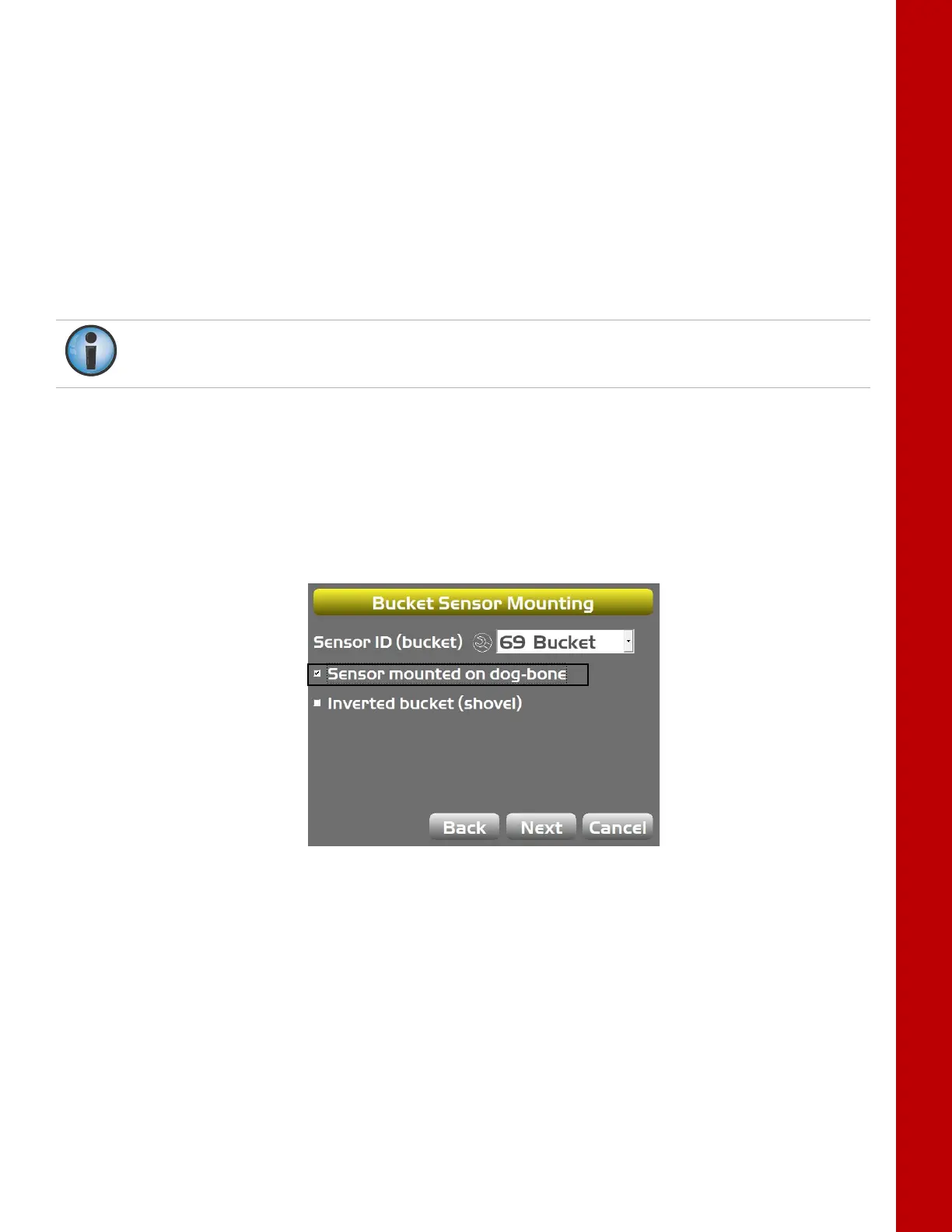
5. ChecktheSensormountedondog‐bonecheckbox,andtapNext(Figure38).
Figure38:CheckSensorMountedonDog‐bone.
6. Setthedog‐bone(elements3and4)horizontalusingabuilder’slevel,andsetelements3and2
verticalwitheitheraplumbboborasurveyinstrument.
7. Onceallelementsarelevel,tapSetnexttoPitch,enterthevalue,andtapSetagain.
8. TapSetnexttoRoll,enterthevalue,andtapSetagain(Figure39onpage32).
Thedog‐bonecalibrationcomparesthe sticksensortothedog‐bonesensortodeterminebucket
angle.Thesticksensormustbeproperlycalibratedbeforeattemptingthedog‐bonecalibration.



 To Next Page