Calibration
MachineCalibration
37
X‐63/X‐63i/X‐62/X‐33/X‐32InstallationandCalibrationManual P/N:7010‐0697
Multiple Bucket Calibration
Ifausingaquickcouplertoswitchbuckets,mountthesensortothequickreleasemechanism,not
thebucket.ThegeometryofeachbucketmustthenbedeterminedandcanbesavedintheExcavato r
Bucketsscreen.Whencalibratingmultiplebuckets,youmustperformtheverticalandflatbucket
calibrationsforeachbucket;see“BucketEdgeCalibration”onpage40.
Theprocessforcalibratingmultiplebucketsisthesameasthatdescribedin“BucketSensor
Calibration”onpage31.
Tilt Bucket Calibration
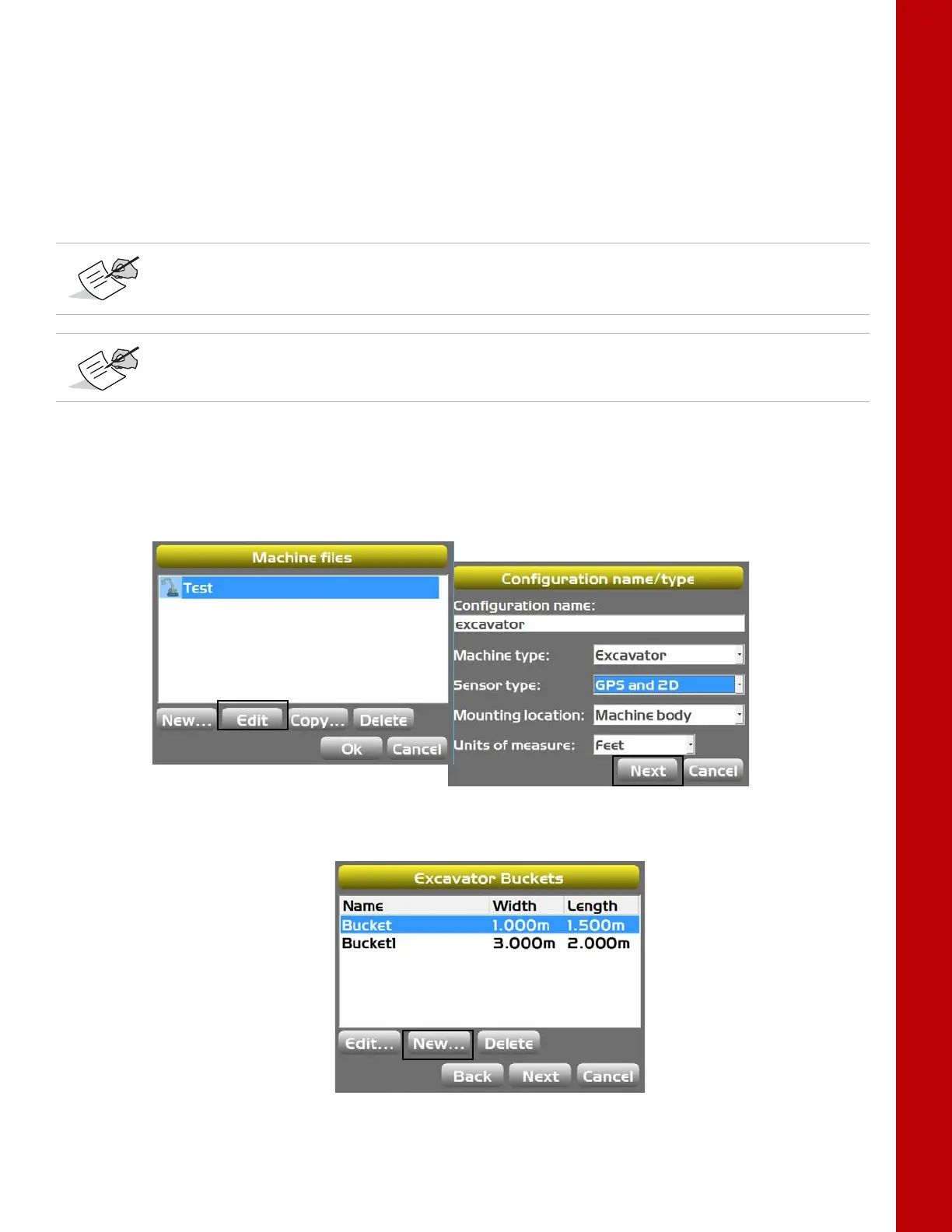
1. In3D‐MC,tapTopconMenuButtonControlMachinesetup.Selecttheapplicablemachine
fileforthejobandtapEdit.TheConfigurationname/typescreenappears(Figure47).
2. TapNextuntilyoureachtheExcavatorBucketsscreen,andthentapNew(Figure48).
Figure47:NavigatetoExcavatorBucketsScreen
Figure48:CreateNewBucket
Whenusingaquickcoupler,onlythegeometrydifferencebetweenbucketsmustbe
calculated.Thecalibrationprocessasdescribedin“BucketSensorCalibration”onpage31
willremainthesameforthesensor.
Ifsettingupatiltbucket,selecttheTiltbucketcheckbox,andreferto“T iltBucket
Calibration”onpage37forinformationoncalibrationthetiltbucketsensor.



 To Next Page