Calibration
MachineCalibration
21
X‐63/X‐63i/X‐62/X‐33/X‐32InstallationandCalibrationManual P/N:7010‐0697
Entering Sensor Information
Powerupthesystemandallowsever alminute sforthe3D‐MCsoftwaretodetectthesensors.
Beforecalibratingthesensorsontheexca vatorsystems,setupeachsensorin3D‐MC.Youwillneedthe
followinginformation:
•
thelasttwodigitsofthesensor’sserialnumber
•
thephysicalorientationofthesensormounting
Step1:Selectthelocationforeachsensortoeasilyidentifyitduringthecalibrationandsetupprocesses.
1. In3D‐MC,tapTopconMenuButtonControlMachinesetup.
2. SelectacurrentmachinefileandtapEdit,ortapNewtocreat eanewmachinefile.
Refertothe3D‐MCReferenceGuideP/N7010‐0911fortheforfurtherinformationoncrea tinga
machinefile.
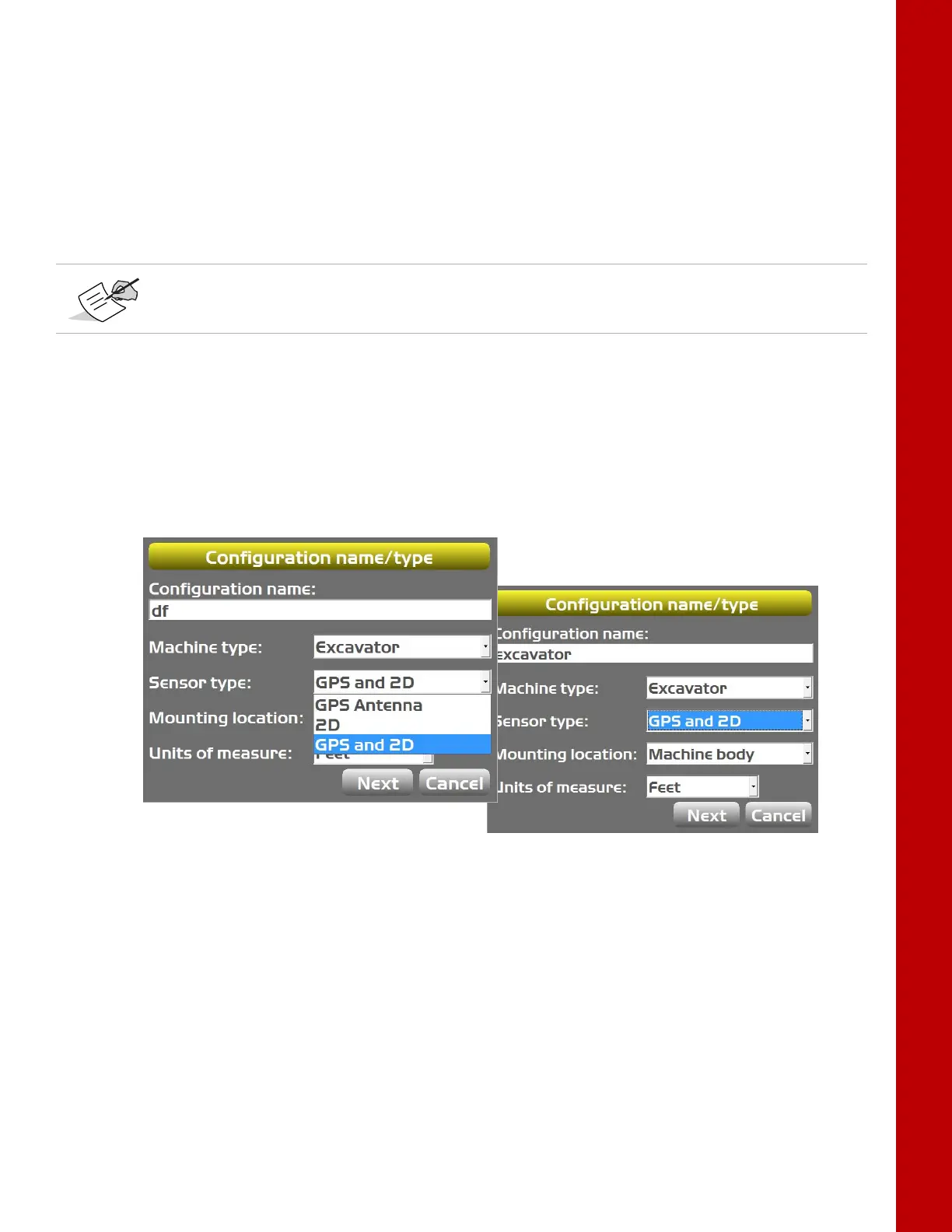
3. OntheConfigurationname/typescreen,enterorselecttheappropriatedataasneeded
(Figure20).
Figure20:Configurationname/typeScreen
4. TapNexttonavigatetotheExc avatorOptionsscreenandselectMC‐R3,MC‐i3(SITELINK),or
MC‐i3(UHF/SS)asthePositionInput(Figure21onpage22).
Whenenteringsensorinformation,makenoteofeachsensor’sserialnumberandits
orientation.TS‐i3sensororientation isonlyleftorright.



 To Next Page