Calibration
MachineCalibration
22
X‐63/X‐63i/X‐62/X‐33/X‐32InstallationandCalibrationManual P/N:7010‐0697
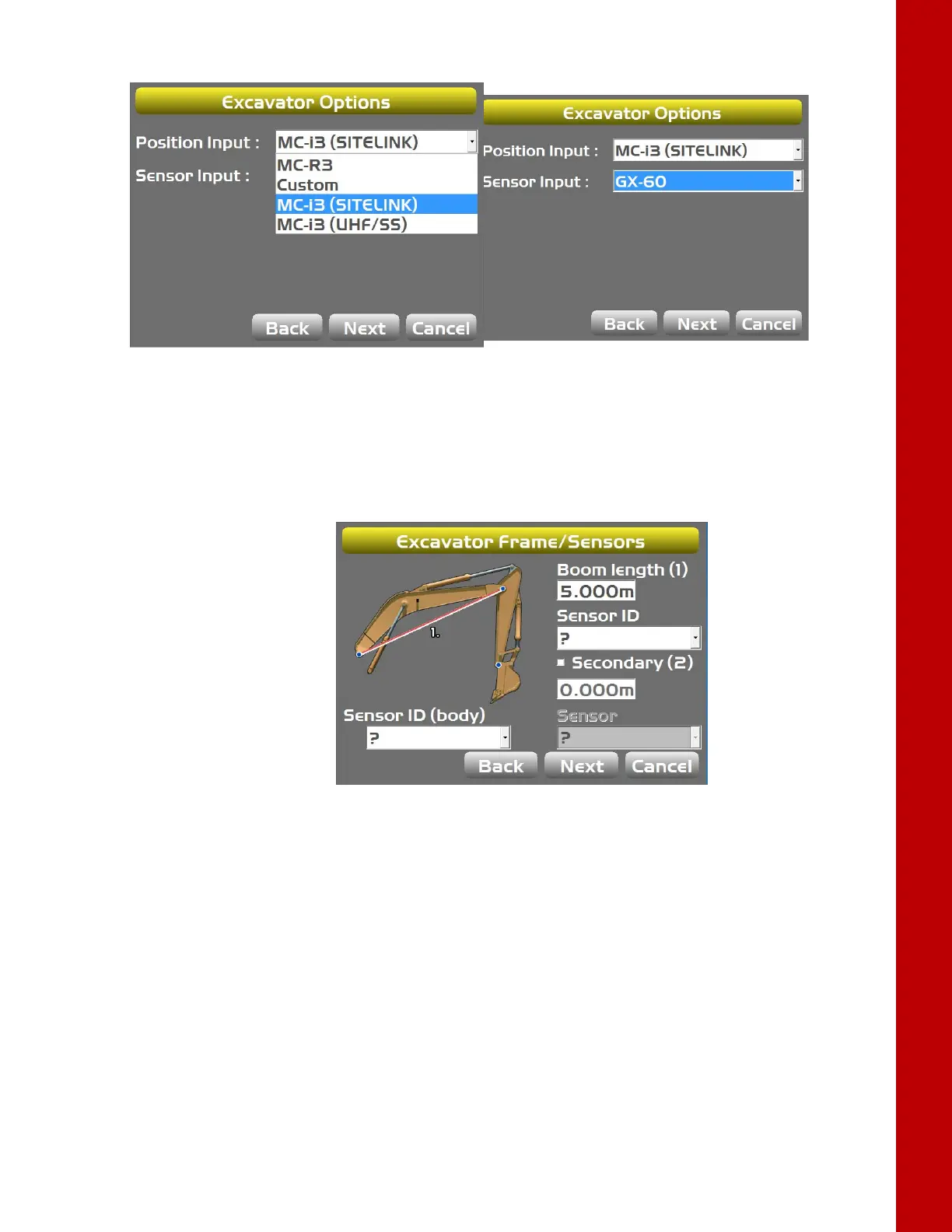
5. SelectGX‐60orGX ‐30forSensorInput(dependingonyoursystemconfiguration).
Figure21:SelecttheAppropriatePositionandSensorInput
6. TapNexttonavigatetotheExc avatorAntennaMountingscreen,andselecttheappropriate
valuesasneeded.
7. TapNexttonavigatetotheExcavatorAntennaHeightsscreen,andselecttheappropriatevalues
asneeded.
8. TapNexttonavigatetotheExc avatorFrame/Sensorscreen(Figure22).
Figure22:SelectBodyandBoomSensorID
9. TaptheappropriateSenso rIDboxandselecttheserialnumber(lasttwodigits)ofthesensor
correspondingtothemachineelement.
10. Repeatstep8fortheremainingsensors.



 To Next Page