Calibration
MachineCalibration
38
X‐63/X‐63i/X‐62/X‐33/X‐32InstallationandCalibrationManual P/N:7010‐0697
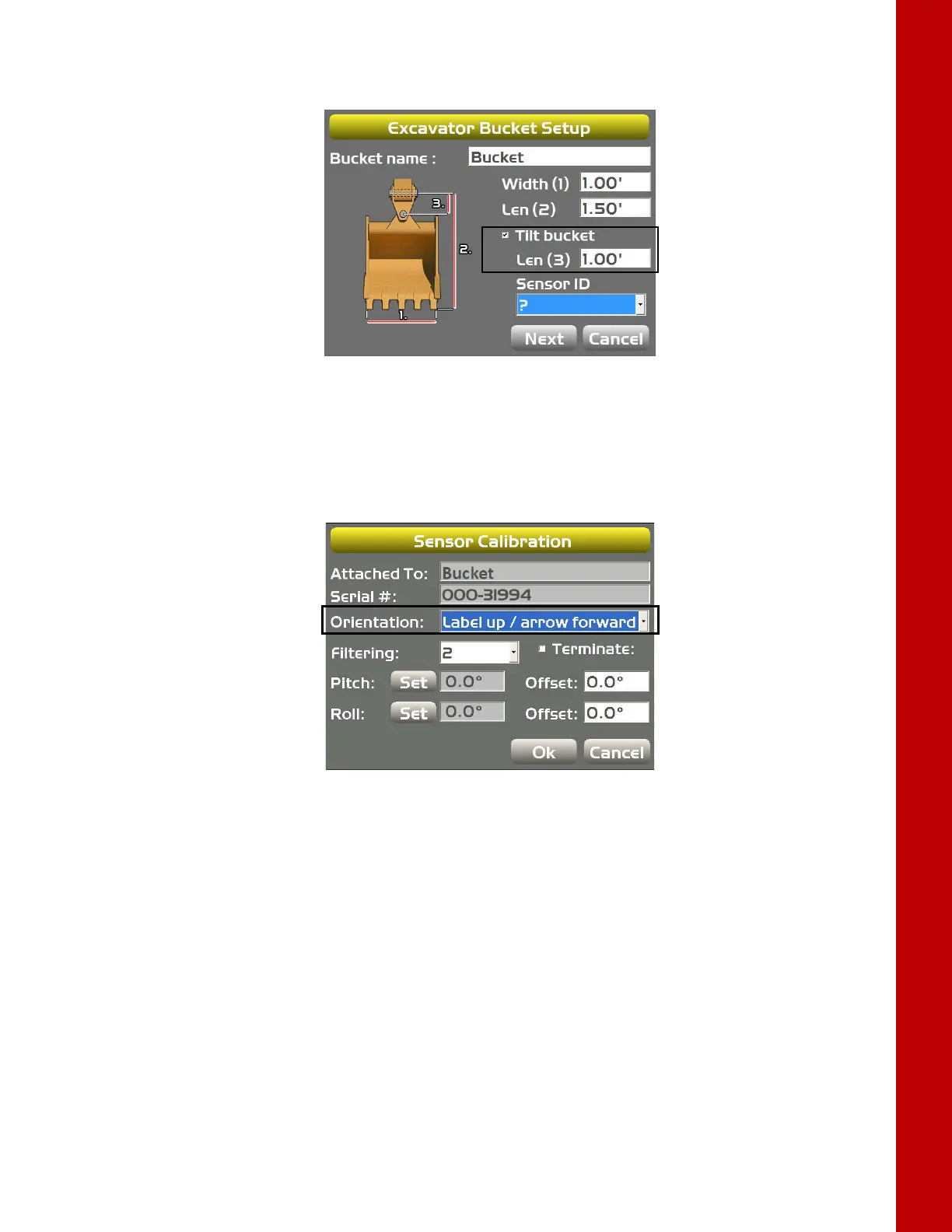
3. EnterthebucketWidthandLength,andselecttheTiltbucketcheckbox(Figure49).
4. EnteravalueforthetiltbucketLength(3),andselectaSensorIDforthetiltbucketsensor.
Figure49:EnterTiltBucketMeasurements
5. Adjustthebucketuntilthetiltpinishorizontal.
6. Usingacarpenter’slevel,adjustthecrossslopeofthebucketuntilthebucketislevel.
7. In3D‐MC,taptheWrenchiconnexttotheSensorID.
8. Selectthesensor’sOrientationbasedonthisposition(Figure50).NotethatTS‐i3sensor
orientationisonlyleftandright.
Figure50:SelectTiltSensorOrientation



 To Next Page