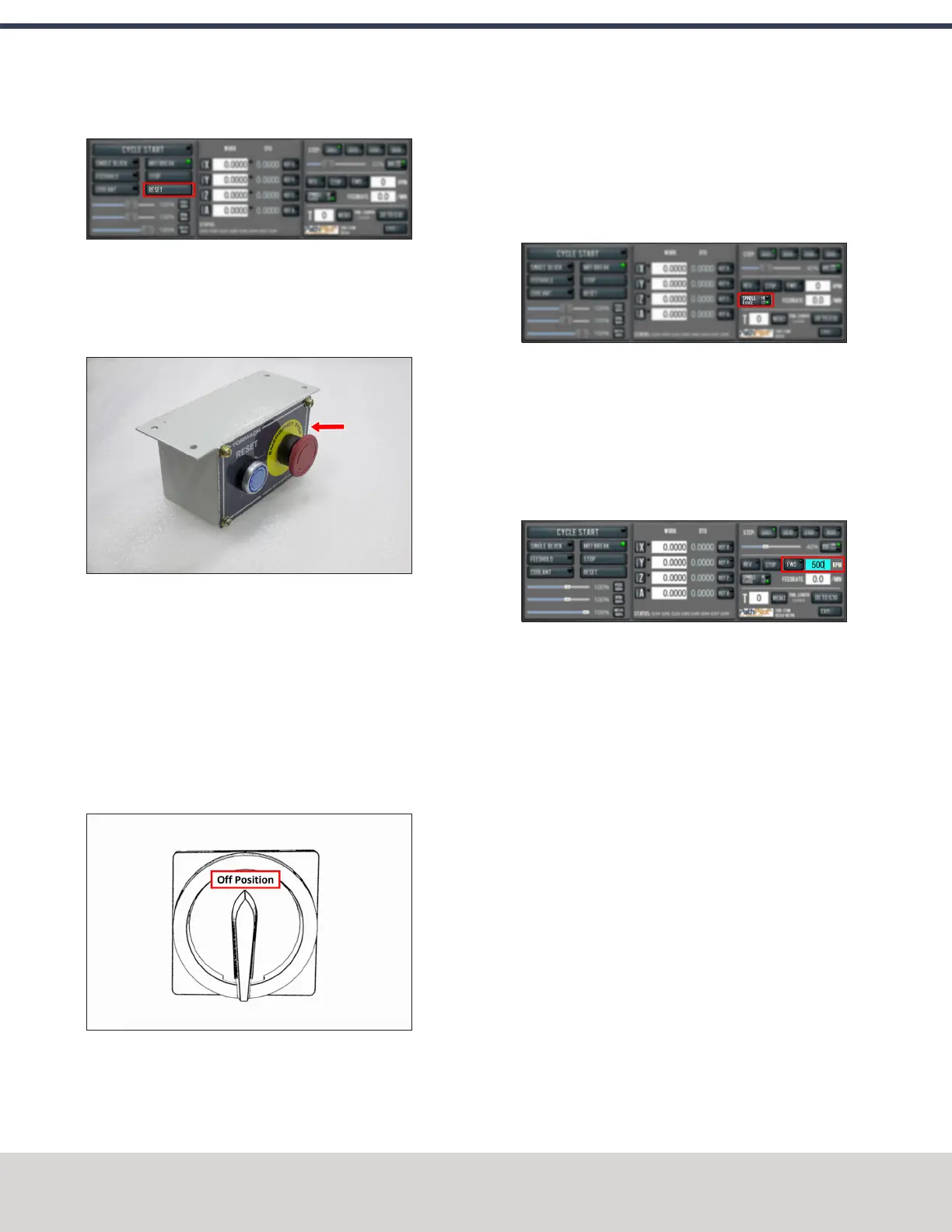
12. Select Reset.
Figure 4-36: Reset button.
Power Off the Machine
1. Push the Emergency Stop button on the operator box to
lock it into the disabled position.
Figure 4-37: Example of the Emergency Stop button
locked in the disabled position.
With the Emergency Stop button in the disabled position
all motion and spindle function stops, and the Reset
button is disabled. On the operator box, the blue Reset
LED goes off. From the PathPilot interface, on the Status
tab, the Machine OK light goes off.
2. From the PathPilot interface, select Exit.
3. When prompted, select OK.
4. Turn the Main Disconnect switch to OFF.
Figure 4-38: Example of the Main Disconnect switch
in the Off position.
Mains power is disconnected from the machine.
Verify Spindle Function
You must confirm that the spindle correctly operates.
1. Open the spindle door and locate the spindle belt.
2. From the PathPilot interface, confirm that the Spindle
Range button matches the spindle belt position.
Figure 4-39: Spindle Range button.
If necessary, select Spindle Range to match the spindle's
belt position.
3. Close and latch the spindle door.
4. From the PathPilot interface, in the RPM DROfield, type
500. Then select the Enter key.
5. Select FWD.
Figure 4-40: Spindle controls.
The spindle rotates clockwise (viewed from above) at
500 rpm.
6. Select STOP.
The spindle stops rotating.
7. Select REV.
The spindle rotates counterclockwise (viewed from
above) at 500 rpm.
8. Select STOP.
The spindle stops rotating.
9. In the RPM DROfield, type 1000. Then select the Enter
key.
10. Select FWD.
The spindle rotates clockwise (viewed from above) at
1000 rpm.
11. Repeat the procedure at 1000 rpm.
Verify Axes Function
You must confirm that the axes correctly operate.
©Tormach® 2020
Specifications subject to change without notice.
Page 52 Tormach 1100MX Operator's Manual (Version 0720A)
For the most recent version, see tormach.com/support
4: INSTALLATION



 To Next Page