For information, see "Use a Probe with PathPilot"
(page125).
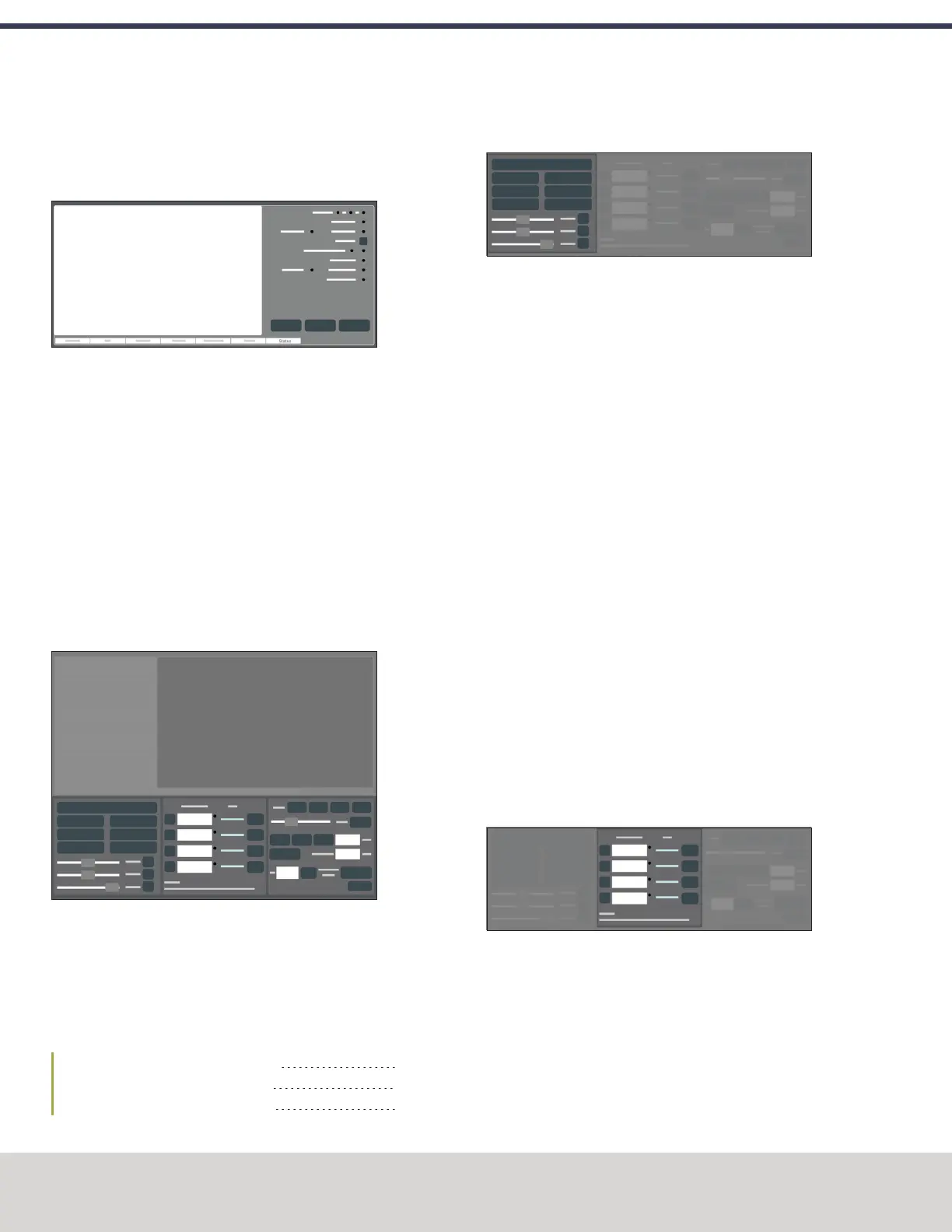
6.2.7 Status Tab Reference
Figure 6-9: Status tab.
From the Status tab, you can do the following activities:
l View diagnostic machine information.
For information, see "Troubleshooting" (page201).
l Read error messages.
l Configure your internet connection.
For information, see "Enable an Internet Connection"
(page122).
l Update or install a previous version of PathPilot.
For information, see "Manage PathPilot Versions" (on
the next page).
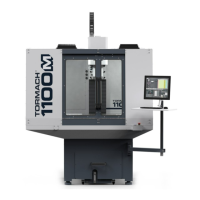
6.3 PERSISTENT CONTROLS SECTION REFERENCE
Figure 6-10: Persistent Controls section.
The Persistent Controls section makes up the bottom half of
the screen. Unlike the Notebook section, the areas that display
in the Persistent Controls section don't change — they display
regardless of the activity you're doing. Activities are grouped
into the following areas:
6.3.1 Program Control Area Reference 98
6.3.2 Position Status Area Reference 98
6.3.3 Manual Control Area Reference 99
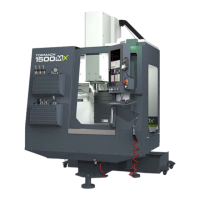
6.3.1 Program Control Area Reference
Figure 6-11: Program Control area.
From the Program Control area, you can do the following
activities either before starting or while running a G-code
program:
l Reset the machine.
For information, see "Bring the Machine Out of Reset"
(page131).
l Start, stop, or pause a G-code program.
For information, see "Start a Program" (page134); "Stop
Machine Motion" (page134); "Use the Feed Hold
Function" (page135).
l Turn coolant on or off.
For information, see "Operate the Coolant Pump"
(page156).
l Use overrides to change the feed rate, spindle speed,
and maximum velocity.
For information, see "Use the Feed Rate Override
Function" (page135); "Use the Maxvel Override
Function" (page136); "Use the Spindle Override
Function" (page137).
l Manually control a G-code program.
For information, see "Use M01 Break Mode" (page136);
"Use Single Block Mode" (page136).
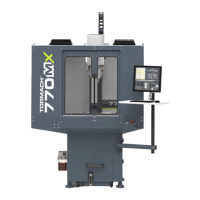
6.3.2 Position Status Area Reference
Figure 6-12: Position Statusarea.
From the Position Status area, you can do the following
activities either before starting or after running a G-code
program:
l Reference the machine axes.
For information, see "Reference the Machine"
(page148).
©Tormach® 2020
Specifications subject to change without notice.
Page 98 Tormach 1100MX Operator's Manual (Version 0720A)
For the most recent version, see tormach.com/support
6: PATHPILOT INTERFACE OVERVIEW


 To Next Page