4: INSTALLATION
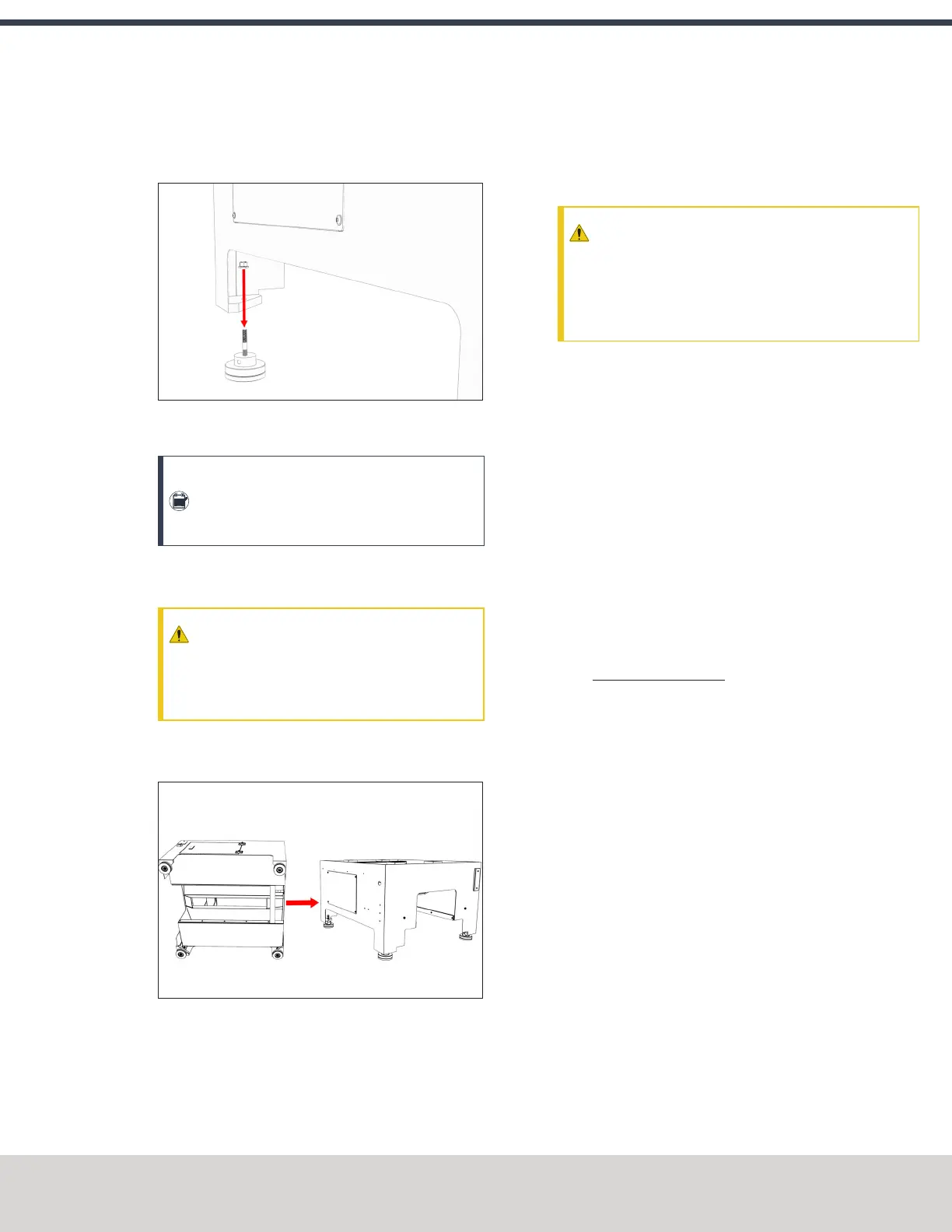
17. Put one foot assembly into the corner of the Machine
Stand, and then use one M12 washer and one M12 nut
to secure the foot assembly in place by hand.
Figure 4-4: One foot assembly aligned with the corner
of the Machine Stand.
Note: Only attach the feet so that they're
finger-tight. You'll tighten them completely
after you've leveled the stand.
Repeat this step for the remaining three foot
assemblies.
CAUTION! Team Lift Required:You must have
the aid of more than one person to lift and
move the object. The object is heavy, and lifting
it by yourself can cause serious injury.
18. Lift the Machine Stand off the floor, and set it down on
its feet.
Figure 4-5: The Machine Stand moved onto its newly
installed feet.
19. (Optional) Level the feet as needed with a 3/8 in. (or 10
mm) adjustment bar.
20. Securely tighten all four of the feet to the Machine Stand
with a 19 mm wrench.
4.6 UNPACK THE MACHINE CRATE
CAUTION! Sharp Objects Hazard: Before opening the
shipping crate, you must put on work gloves and
safety eyewear that meets ANSI Z87+. If you don't,
the shipping crate and steel straps could cut you,
causing serious injury.
1. Put on work gloves and eye protection.
2. Cut and remove the steel straps on the shipping crate
with snips.
3. Disassemble the shipping crate with a hammer and pry
bar. Start with removing the top, followed by the four
sides.
4. Remove and discard the plastic wrap from the machine.
5. Inspect the item(s):
l Photograph any damage that may have occurred
during shipping.
l Verify the received goods against the packing list.
If there is any damage or shortages, you must contact
Tormach within 30 days of receipt. Email
support@tormach.com to contact Tormach Technical
Support for guidance on how to proceed.
6. Cut and remove the shipping straps securing the drip
guard to the pallet, and set aside for later installation.
©Tormach® 2020
Specifications subject to change without notice.
Page 41 Tormach 1100MX Operator's Manual (Version 0720A)
For the most recent version, see tormach.com/support



 To Next Page