4: INSTALLATION
Install the Left Side Panel
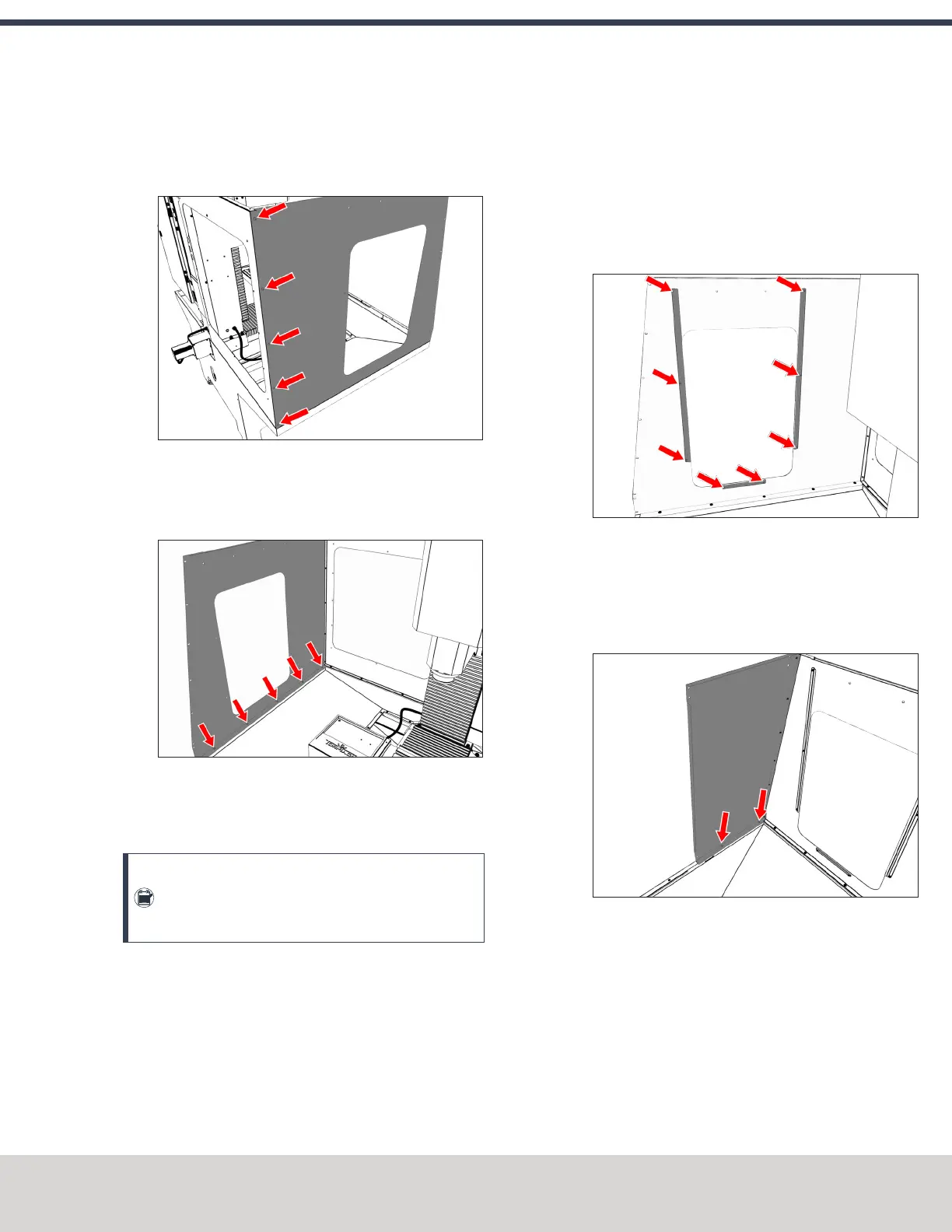
1. Attach the left side panel to the left rear panel with five
M5 × 0.8 - 10 screws.
Figure 4-85: Left side panel attached to the left rear
panel.
2. Attach the left side panel to the left chip pan with five
M6 × 1.0 - 12 screws.
Figure 4-86: Left side panel attached to the left chip
pan.
Install the Left Side Window Retainers
Note: To make it easier to install all components,
don't install the side windows at this time. Wait until
later in the procedure.
1. Push a strip of rubber trim on to the edges of:
l Two light gray vertical window retainers
l One light gray horizontal window retainer
When finished, use shears or a knife to cut the excess
trim.
2. Loosely install two vertical window retainers (light gray)
on both sides of the left side panel's window opening
with two sets of three M5 × 0.8 - 10 screws.
Don't fully tighten the screws. Leaving the window
retainers loose makes it easier to install the side
windows.
3. Loosely attach one horizontal window retainer (light
gray) to the bottom of the left side panel's window
opening with two M5 × 0.8 - 10 screws.
Figure 4-87: Side window retainers attached to the
left side panel.
Install the Left Front Panel
1. Attach the left front panel to the left chip pan with two
M6 × 1.0 - 12 screws.
Figure 4-88: Left front panel attached to the left chip
pan.
©Tormach® 2020
Specifications subject to change without notice.
Page 71 Tormach 1100MX Operator's Manual (Version 0720A)
For the most recent version, see tormach.com/support



 To Next Page