48
The S-4 Sculpting Sampler - Ofcial Manual
49
The S-4 Sculpting Sampler - Ofcial Manual
Audio Engine
3
Audio Engine
3
NOTES
NOTES
Recording onto a Tape
Tape can be used for recording audio and samples. Audio can be recorded
from the Audio Line Inputs or from the Internal Microphone. It is also
possible to record the output of the tracks for use in the tape buffer.
▌ SETTING UP AUDIO INPUTS TO RECORD
1. Press [CONFIG] to open the conguration settings
2. Turn (SELECT) to navigate to select the ‘AUDIO’ option. Also press the
[DOWN], or [UP], Action buttons to navigate in the menu.
3. Press [OPEN], or Press (SELECT) to open the audio sub-menu.
4. Navigate to highlight the ‘INPUT MODE’ option.
5. Turn any of the 8 parameter knobs to adjust the setting.
• LINE: Audio Line Inputs In 1 / In 2.
• MIC. Microphone. Internally front panel access to mic.
• HEADSET. Connected USB headset microphone.
6. The microphone audio input gain can also be adjusted if using the mic.
Navigate to highlight the ‘MIC GAIN’ option and turn any of the 8
parameter knobs to adjust the setting.
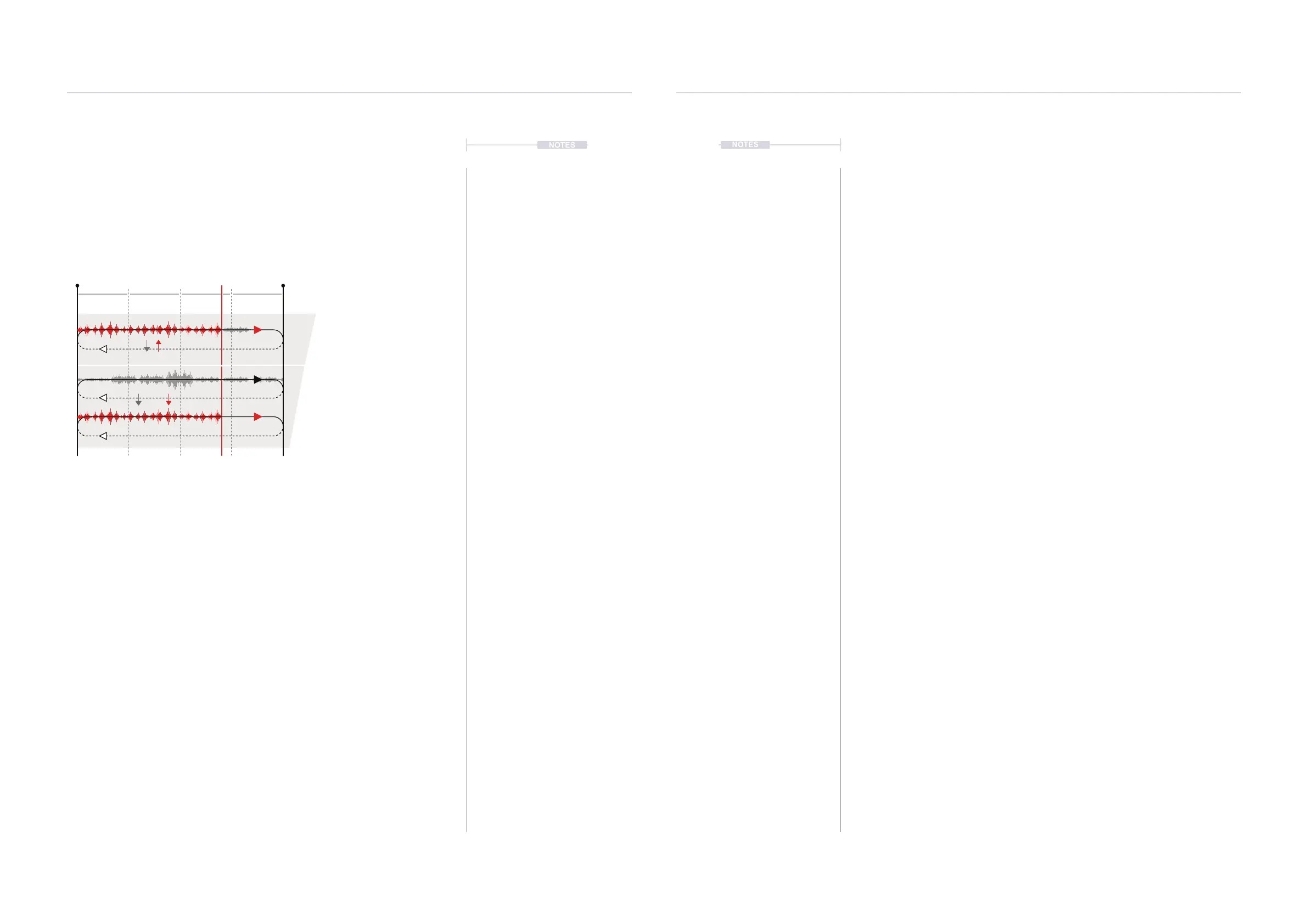
Overdub
SOS
Record
Records and adds to any existing
audio on the current tape. Select
using [OVERDUB].
Sound on Sound controls the amount
of existing original tape audio recorded
with a new recording or overdub.
Creates a new, clean tape and
records onto this tape. Existing
tape continues to loop playback.
Select using [RECORD].
Recordings are made to the device
audio buffer, not the sample library.
Arm
Arm
Rec Start Rec Length
Play/Rec Head
Bar
1
Bar
2
Bar
3
Bar
4
Bar
5
SOS
SOS
New
Old
▌ PREPARING TO RECORD
1. Select the desired track 1-4 and ensure that a tape device is assigned
to the material slot.
2. Set up the audio inputs as previously described for the desired audio
source to record from.
3. If required, toggle ‘MONITOR’ On/Off. When on the assigned audio
source will be audible. The audio level is visible on the meter top right of
the page header.
4. Set or check the tempo.
• Tape Tempo is synchronised to the Global Tempo. To ensure
playback is by default the same as the recorded audio, set the Tape
(TEMPO) Knob 2, to the same as the Global Tempo. Global Tempo
is set by Turning (SELECT).
5. Adjust the start position.
• Turn (START) to adjust the start position of the tape.
• To change the start position quantize resolution or set to free
adjustment, Push and Turn (START). The pop-up mode select list is
presented to select from.
• The tape markers will reect the resolution selected.
6. Adjust the length position.
• Turn (LENGTH) to adjust the end position of the tape.
• To change the end position quantize resolution or free adjustment,
Push and Turn (LENGTH). The pop-up mode select list is presented
to select from.
• The tape markers will reect the resolution selected.



 To Next Page