52
The S-4 Sculpting Sampler - Ofcial Manual
53
The S-4 Sculpting Sampler - Ofcial Manual
Audio Engine
3
Audio Engine
3
NOTES
NOTES
Tape Editing
A number of classic tape characteristics can be applied to a recording.
Speed and pitch variations are typical elements that not only add character
but can transform the sound creatively.
Speed Tempo Scale - Press + Turn (Speed)
Keylock
Playback speed of the tape will
affect the pitch of the audio. Adjust
based on the scale selected.
Tempo adjustment of a tape will
affect the grid based timing. Classic
tape sampling techniques affect pitch
when editing a sample.
Selects a note scale for quantizing
any speed changes in order to
maintain a level of musicality.
Keylock disconnects pitch and time for granular
or tape style playback.
Scale Options available:-
0. Chromatic
1. Fifths
2. Pentatonic
3. Octaves
4. Hex Aeolian
5. Major
6. Free
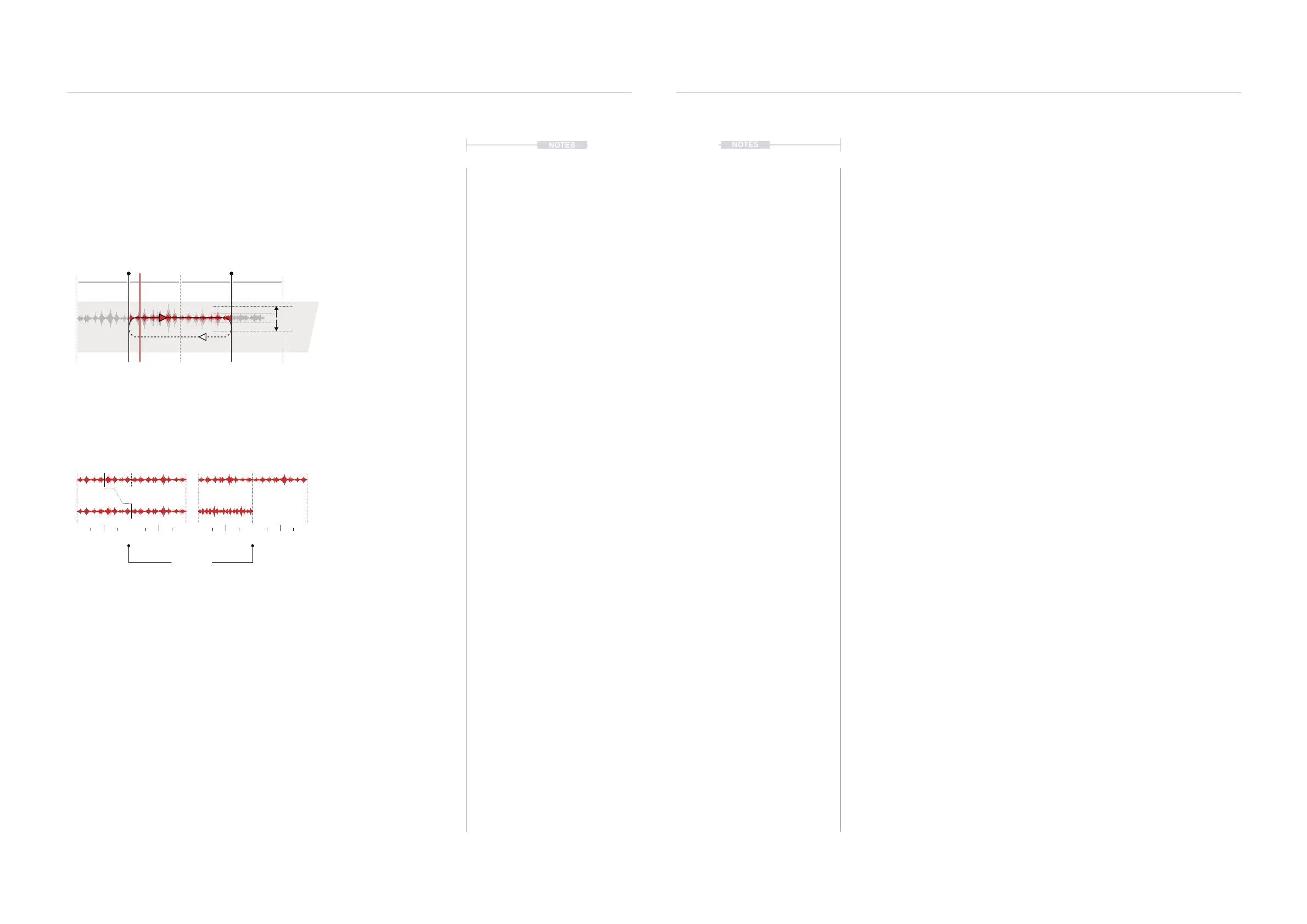
A sample can be recorded or
loaded from the sample library.
Start Length
Original Original
+12 ST BPM / 2
0 04s 4s8s 8s
Play/Rec Head
Bar
1
Bar
2
Bar
3
Bar
4
Level
▌ EDITING A TAPE
1. Select the desired track 1-4 and ensure that a tape device is assigned
to the material slot and a sample is present in the tape device.
2. Press [MATERIAL] to cycle the pages and select page 1.
3. Adjust the start position.
• Turn (START) to adjust the start position of the tape.
• To change the start position quantize resolution or set to free
adjustment, Push and Turn (START). The pop-up mode select list is
presented to select from.
• The tape markers will reect the resolution selected.
4. Adjust the length position.
• Turn (LENGTH) to adjust the end position of the tape.
• To change the end position quantize resolution or free adjustment,
Push and Turn (LENGTH). The pop-up mode select list is presented
to select from.
• The tape markers will reect the resolution selected.
5. Iterate step 3 & 4 to ne tune the sample loop positions.
6. If required turn (ROTATE) to shift the audio sample within the current
start / end window. This will shift the sample within the window.
7. The pitch and time based elements can be applied for sound design to
mangle or transition the audio sample or to help correct tuning or t the
sample to the project tempo.
• Turn (SPEED) for pitch adjustment. Reduce the speed and
therefore time duration will decrease pitch. Increasing speed will
increase pitch. The quantization can be adjusted, Press + Turn
(SPEED).
• Turn (TEMPO) to time stretch. This adjusts the BPM and hence
affect pitch. Note: If Keylock is on, time stretching is applied which
will retain pitch characteristics but lengthen or shorten the sample.
Keylock option is accessed by holding [CTRL] + Press [KEYLOCK],
action button.



 To Next Page