18 AU-OPR-AureFloFT-EN,
Rev H
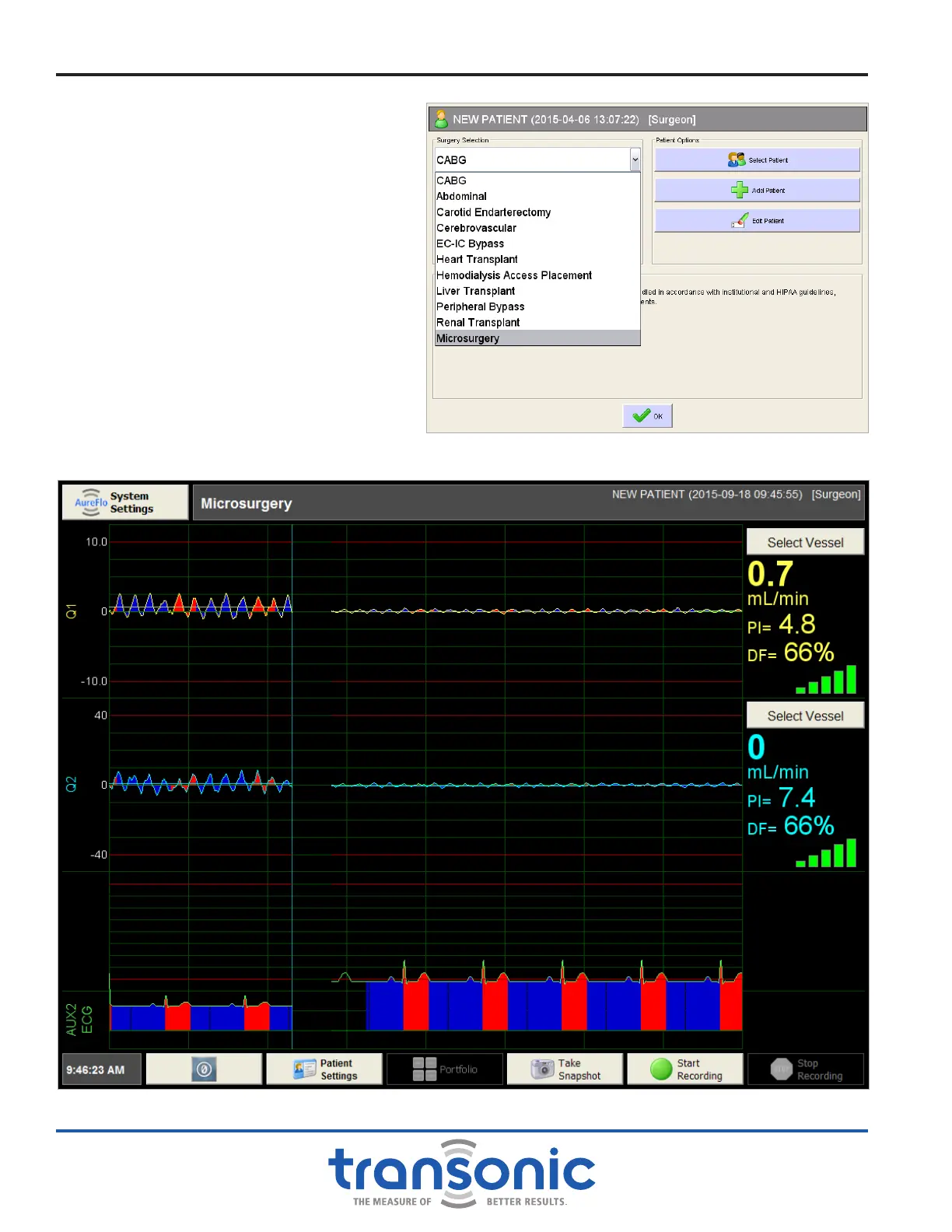
If Microsurgery is selected as the surgery
type from the Surgery Selection Menu
(Fig. 5.5), then the option to zero the
offset is made available on the Realtime
screen (Fig. 5.6). The zero offset must be
set before beginning a recording. Once
a recording is started the option to zero
the offset is not available during that
recording. The zero offset can be reset
anytime "Microsurgery" is selected, a
new patient is selected, or FlowTrace
®
is
restarted.
User Interface Menus
Fig. 5.5: Selecting Microsurgery from the Surgery Selection dropdown
menu on the Patient Settings window.
Fig. 5.6: Zero offset button (bottom left) is only available when the Surgery is set to Microsurgery. No pressure displayed.



 To Next Page