24 AU-OPR-AureFloFT-EN,
Rev H
D. Portfolio Mode: Review and Print Waveforms & Data
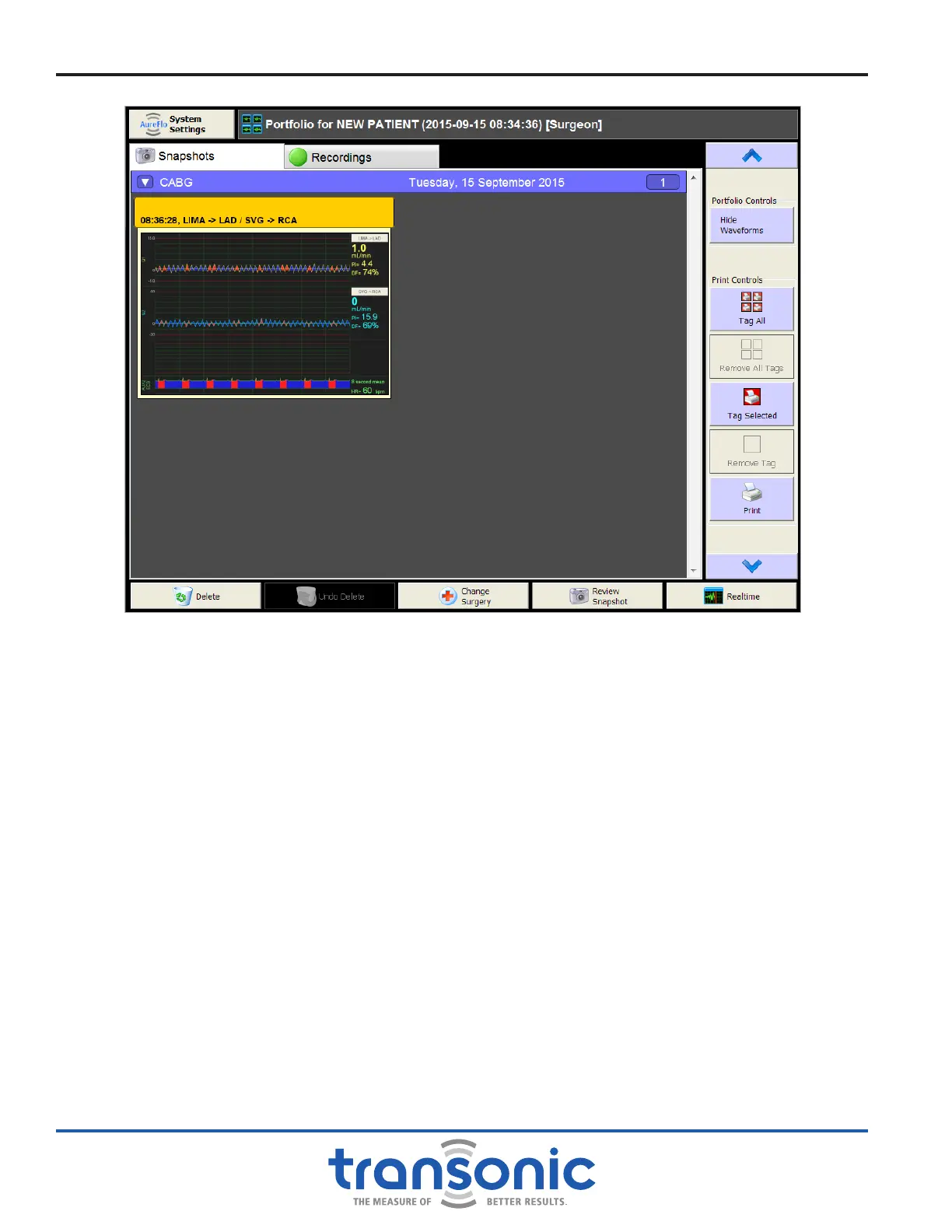
Two types of les from a surgical session can be reviewed in Portfolio mode: Snapshots (Fig. 6.7, page 25)
and Recordings (Fig. 6.8, page 26). These les are accessed from the upper left-hand side of the Portfolio
display (Fig. 6.5).
From the Portfolio screen you can:
● [Hide Waveforms] to view a list of Snapshots without the waveforms. The same actions may be
performed with or without the waveforms hidden(Fig. 6.6, page 25).
● [Tag All] to select all Snapshots for printing. Note: returning to Realtime removes all tags.
● [Remove All Tags] to untag all Snapshots.
● [Tag Selected] to tag only the selected Snapshot for printing. Note: returning to Realtime removes tags.
● [Remove Tag] to untag only the selected Snapshot.
● [Print] to print tagged Snapshots to connected printer or as a pdf. Up to four Snapshots may be printed
on a page (Fig. 4.3, page 13).
● [Delete] the current Snapshot or Recording from the Portfolio. A box asks you to conrm your request.
You must select either [Yes] or [No], and then [OK] in order to return to Portfolio mode.
● [Undo Delete] to restore a deleted item to the Portfolio.
● [Change Surgery] for the current Snapshot. The surgery is listed on the blue header above the
Snapshots.
● [Review Snapshot] or [Preview Recording] to display the selected Snapshot or Recording in full
screen.
● [Realtime] to return program to Realtime mode.
Fig. 6.5: Portfolio mode showing multiple Snapshots (with time and vessel selection) for a single surgery.
[Snapshot] and [Recordings] views are on the top; [Hide Waveforms] on the right.
AureFlo
®
Operation



 To Next Page