AU-OPR-AureFloFT-EN,
Rev H
21
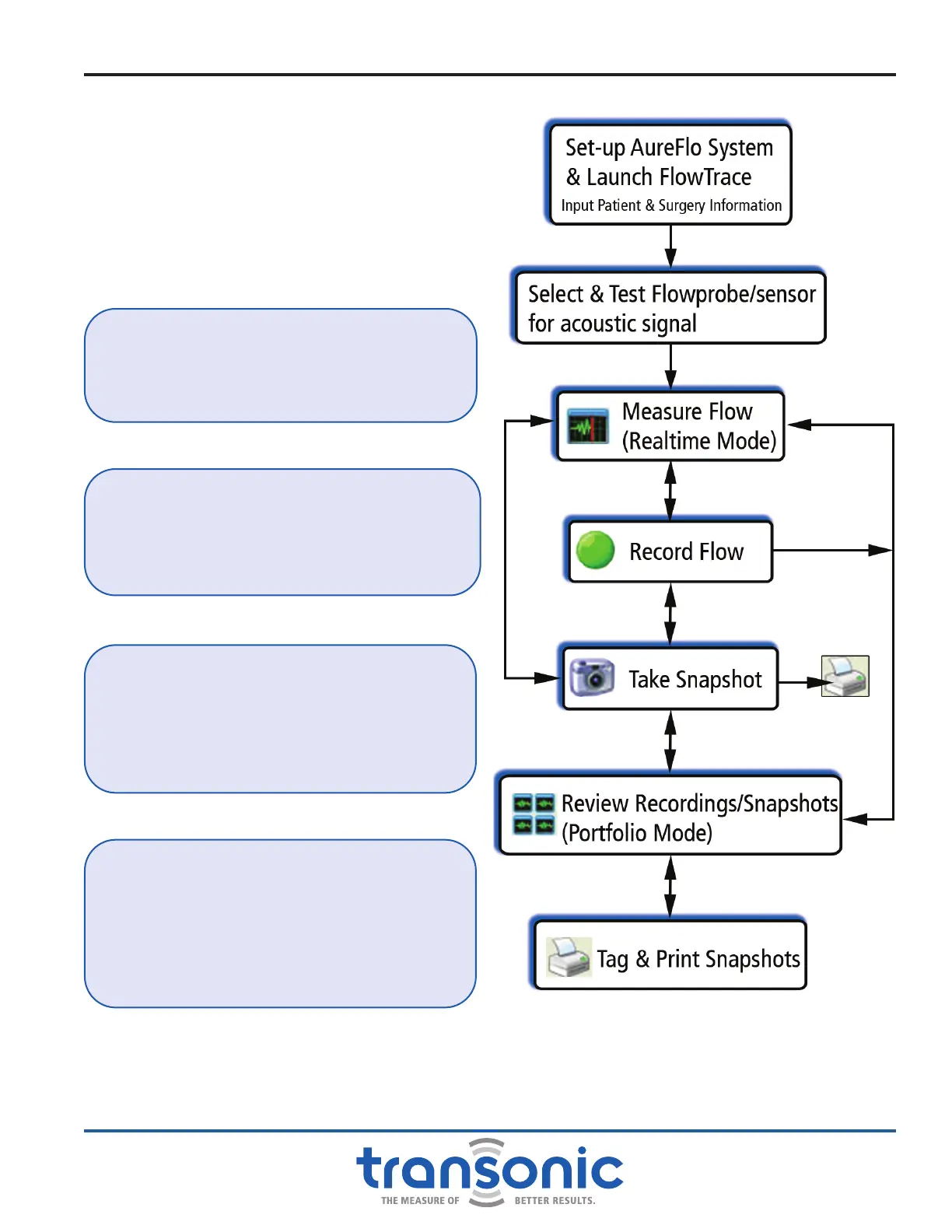
Fig. 6.1: Flow chart of AureFlo
®
modes of operation
The major modes of operation and their
relationships are shown in Fig. 6.1. When a
Flowprobe is connected the HT300 Series
Compatible Flowmeter, FlowTrace
®
software
Realtime mode lets you enter new patients, change
patient settings, take snapshots, or start recording
by tapping the [Patient Settings], [Take
Snapshot] and [Start Recording] elds at the
bottom of the display (Fig. 6.3, page 22).
FAQ: DO I NEED A FLOWPROBE/FLOWSENSOR
CONNECTED TO ESTABLISH COMMUNICATIONS?
Answer: No, the FlowTrace
®
screen will come up
and read “PLUG IN A FLOWPROBE.”
FAQ: IS FLOWTRACE
®
SOFTWARE READY TO
MEASURE AFTER I PLUG IN A FLOWPROBE?
Answer: Yes, as soon as adequate signal strength
is achieved. If the screen reads “NO SIGNAL,” there
is not enough signal to make a measurement.
VI. AureFlo
®
Operation
FAQ: HOW DO I GET A WAVEFORM TO SHOW UP
ON THE SCREEN?
Answer: You would need to either place the
Flowprobe in saline or place Flowprobe on the
vessel with an ultrasonic couplant (e.g. Ultrasound
Transmission Gel).
FAQ: CAN I SETUP THE SYSTEM FOR SURGERY
WITHOUT PLUGGING IN A FLOWPROBE?
Answer: Yes, you can access [Patient Settings],
[System Settings] and [Portfolio] without
a Flowprobe connected to input patient and
surgery information or review past measurement
information.



 To Next Page