AU-OPR-AureFloFT-EN,
Rev H
37
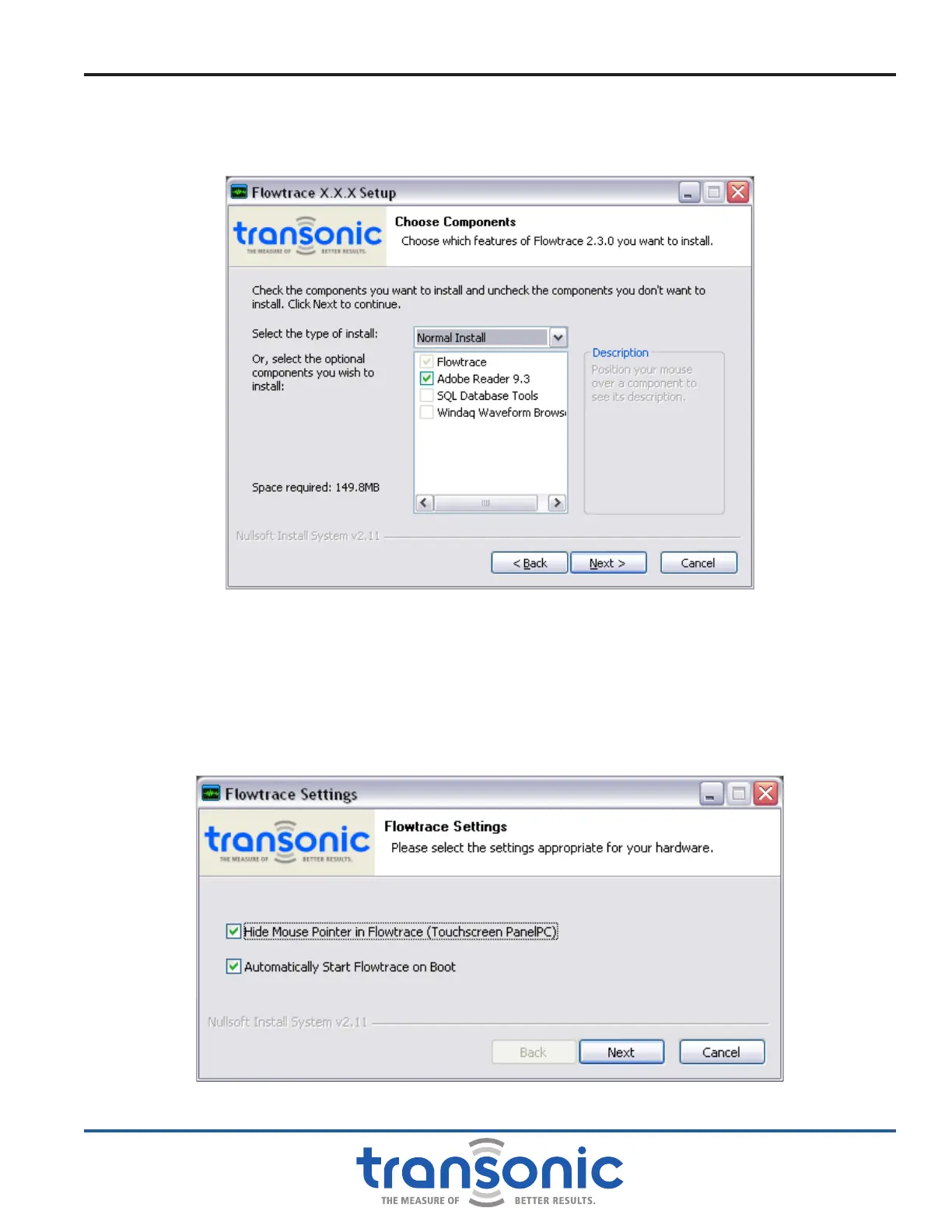
8) Select any additional features to be included in the installation (Fig. A.5). Then press [Next]. Follow any
additional instructions for installing chosen additional features.
NOTE: It is unnecessary to reinstall Adobe Reader, older versions are compatible with updated FlowTrace
®
software.
9) Choose a location to install FlowTrace
®
. It is recommend to use the default location (C:\). Press [Install]
to begin installation. It may take several minutes for installation to occur, during which time an
installation screen will be visible.
10) Once the installation has completed, the hardware settings box will appear. (Fig. A.6) It is recommended
to select both options. Press [Next] to proceed. A conrmation of installation screen will then appear.
Press [Finish] to complete installation and close the setup wizard.
Fig. A.5: Select components to install screen
Fig. A.6: Hardware settings screen
Initial AureFlo
®
Setup



 To Next Page