Connecting to a TriStation PC 159
Chapter 4 Installation and Maintenance
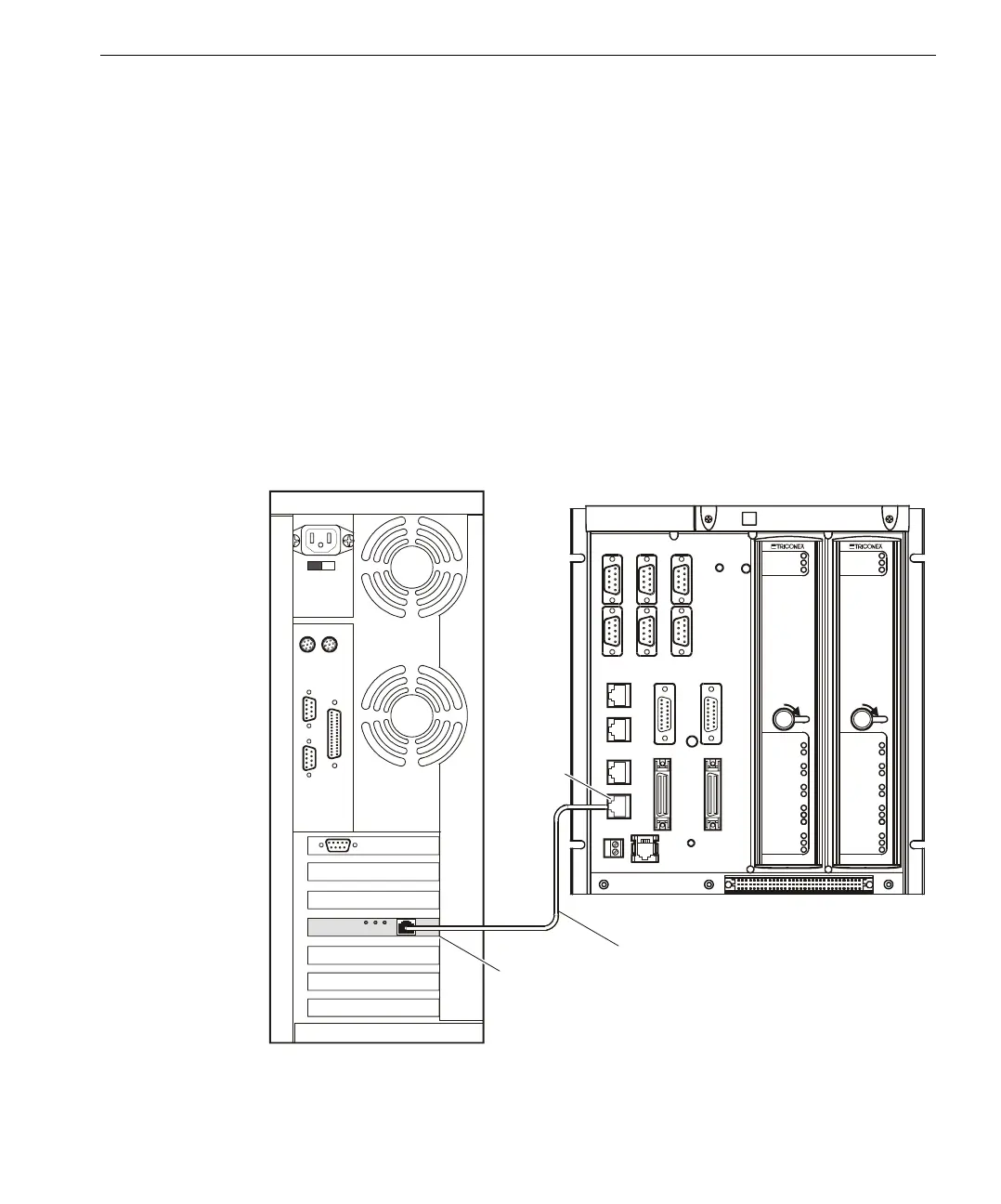
Connecting TriStation to a CM Port
If your Trident system includes a CM and you want to use a TCP/IP connection to
the TriStation PC, you can connect the TriStation PC to the NET1 or NET2 port on
the CM. A 10BaseT cable must be used for a NET1 connection. A 10BaseT or
100BaseTX cable can be used for a NET2 connection. On the CM Baseplate, you
can attach the cable to an RJ-45 connector or to a MAU. For information about the
types of MAUs you can use, see the Trident Communication Guide.
▼ To connect a TriStation PC to a CM port using a cross-over cable:
1
Attach one end of a cross-over cable to a NET1 or NET2 connector on the CM
Baseplate, as shown in the example below.
2 Attach the other end of the cross-over cable to the network adapter card in the
TriStation PC.
Connecting a CM
Using a Cross-
Over Cable
T
X
CM Baseplate with Modules
TriStation PC, Rear View
Network Adapter Card
Cross-Over Cable
RJ-45
Connector
(NET2 on
Right CM)
LOCK
TX
RX
TX
RX
TX
TX
RX
RX
LINK
LINK
TX
RX
PAS S
FAU LT
CTIVE
3201
CM
COMMUNICATIONS
SERIAL
SERIAL
SERIAL
NET 1
NET 2
LOCK
TX
RX
TX
RX
TX
TX
RX
RX
LINK
LINK
TX
RX
PAS S
FAU LT
ACT IVE
3201
CM
COMMUNICATIONS
SERIAL
SERIAL
SERIAL
NET 1
NET 2



 To Next Page