User's Manual
750 50 0042 03 48
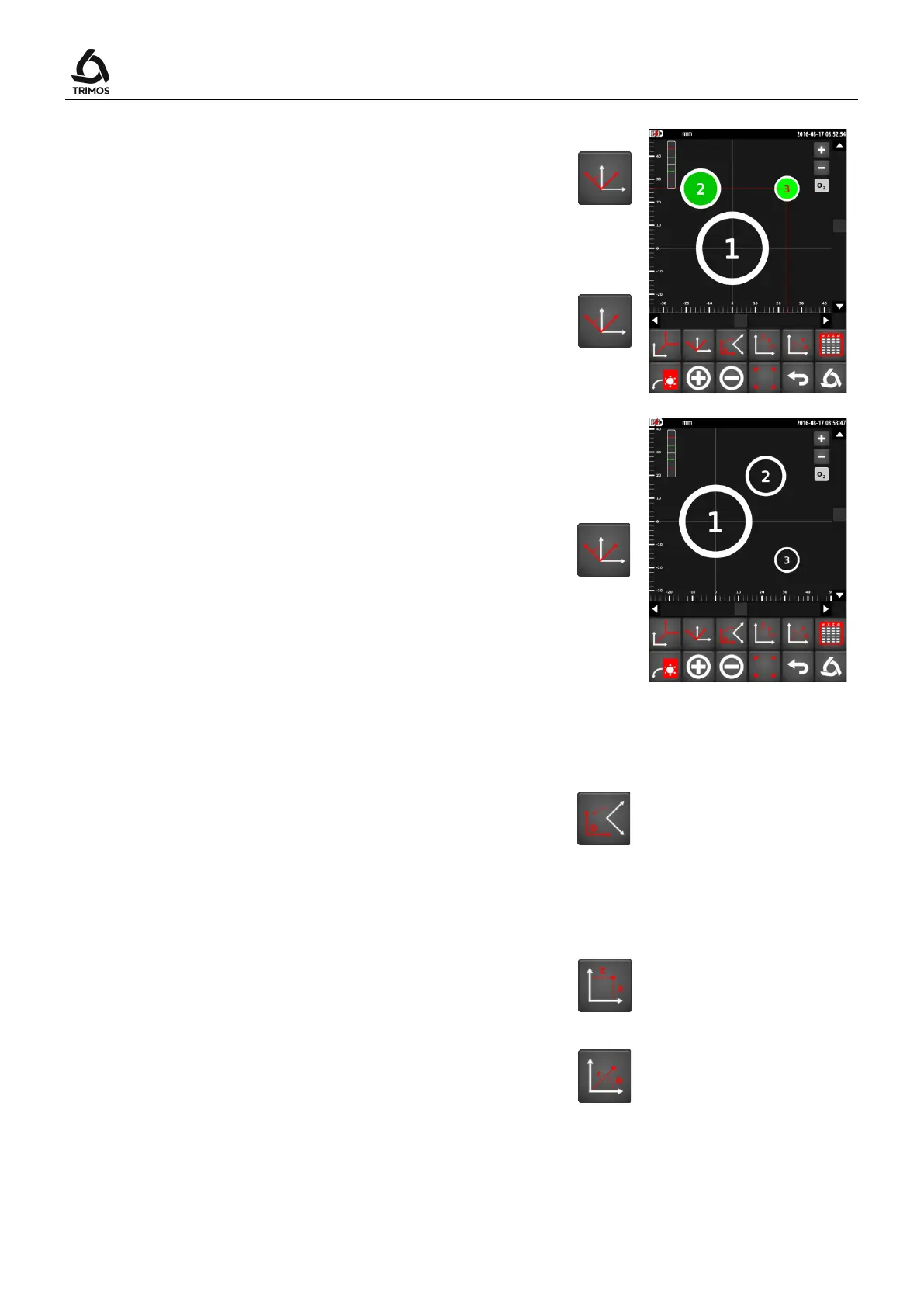
Alignment of X-axis on 2 bore centres
1. Select the 2 bores with which the X-axis should be
aligned
2. Press the rotation key
Alignment of Z-axis on 2 bore centres
1. Select the 2 bores with which the X-axis should be
aligned
2. Press the rotation key for 2 seconds
>2 s
Rotation of plane along a given angle
1. Deselect all the bores
2. Press the rotation key
3. Enter the desired rotation angle
4. Confirm with the OK key
9.4.3 Return to the Original System
To go back from a transformation, press the key shown
alongside:
To return to the original system, press the same key for 2
seconds.
9.4.4 Cartesian or Polar Coordinate System
Coordinates of points can be displayed based on a
Cartesian (default system) or polar axis system. To
change from one mode to another, press the
corresponding key:
Cartesian
Polar



 To Next Page