V7 / V9
750 50 0042 03 49
9.5 Measurements and Analyses
9.5.1 Measurements of Angles
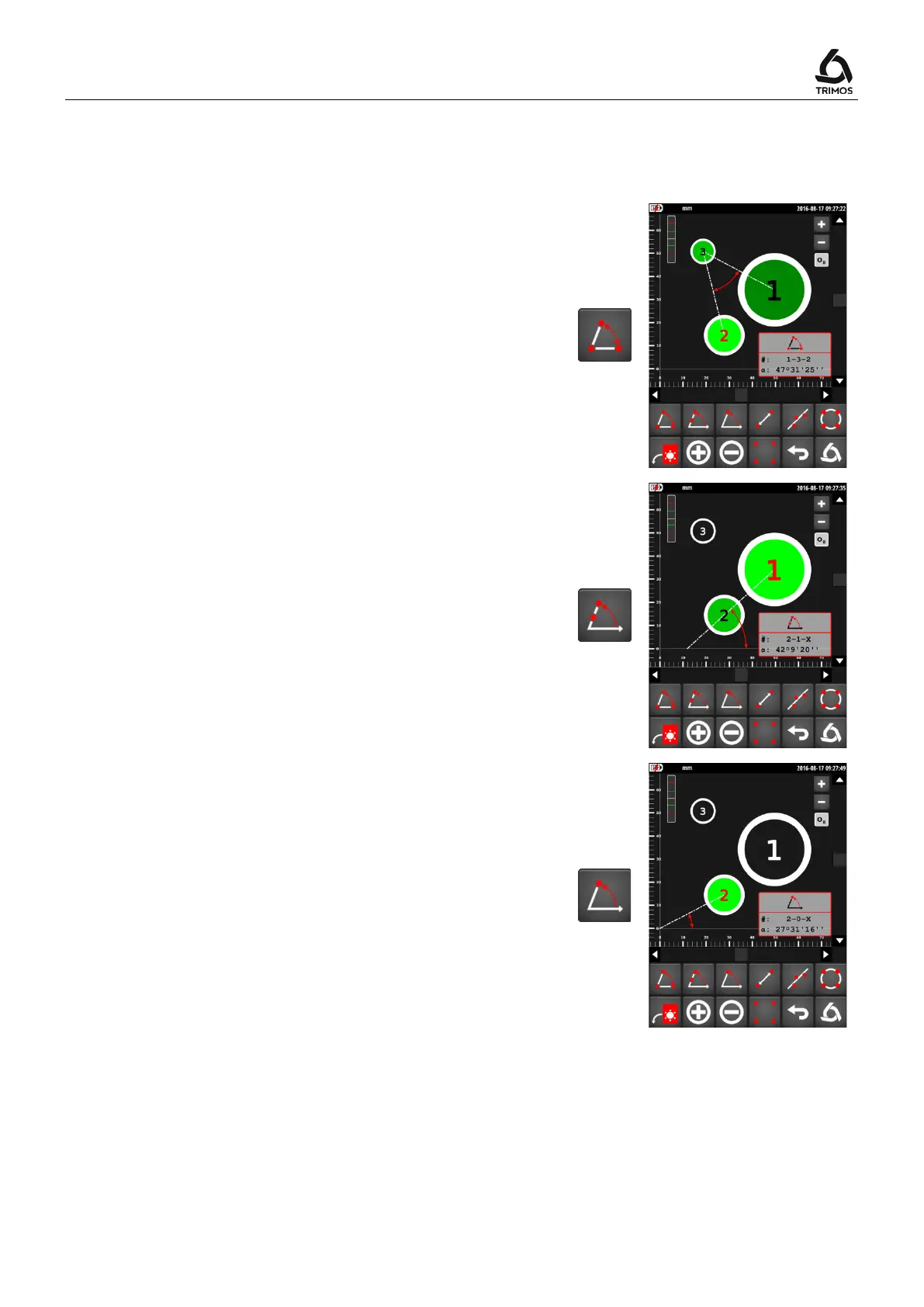
Angle between 3 points
1. Select the 3 bores (in the order desired!)
2. Press the 3-point angle key
3. The angle is displayed on the screen
#: No. of points
L: Angle
Angle between 2 points and the X-axis
1. Select 2 bores (in the order desired!)
2. Press the 2-point angle key
3. The angle is displayed on the screen
#: No. of points
L: Angle
Angle between 1 point, the origin and the X-axis
1. Select a bore
2. Press the 1-point angle key
3. The angle is displayed on the screen
#: No. of points
L: Angle
Note:
For each function above, the explementary angle can be
displayed by pressing on the correspondent function key
for 2 seconds.
> 2 s



 To Next Page