V7 / V9
750 50 0042 03 19
6.2 Diameter and Centreline Measurement
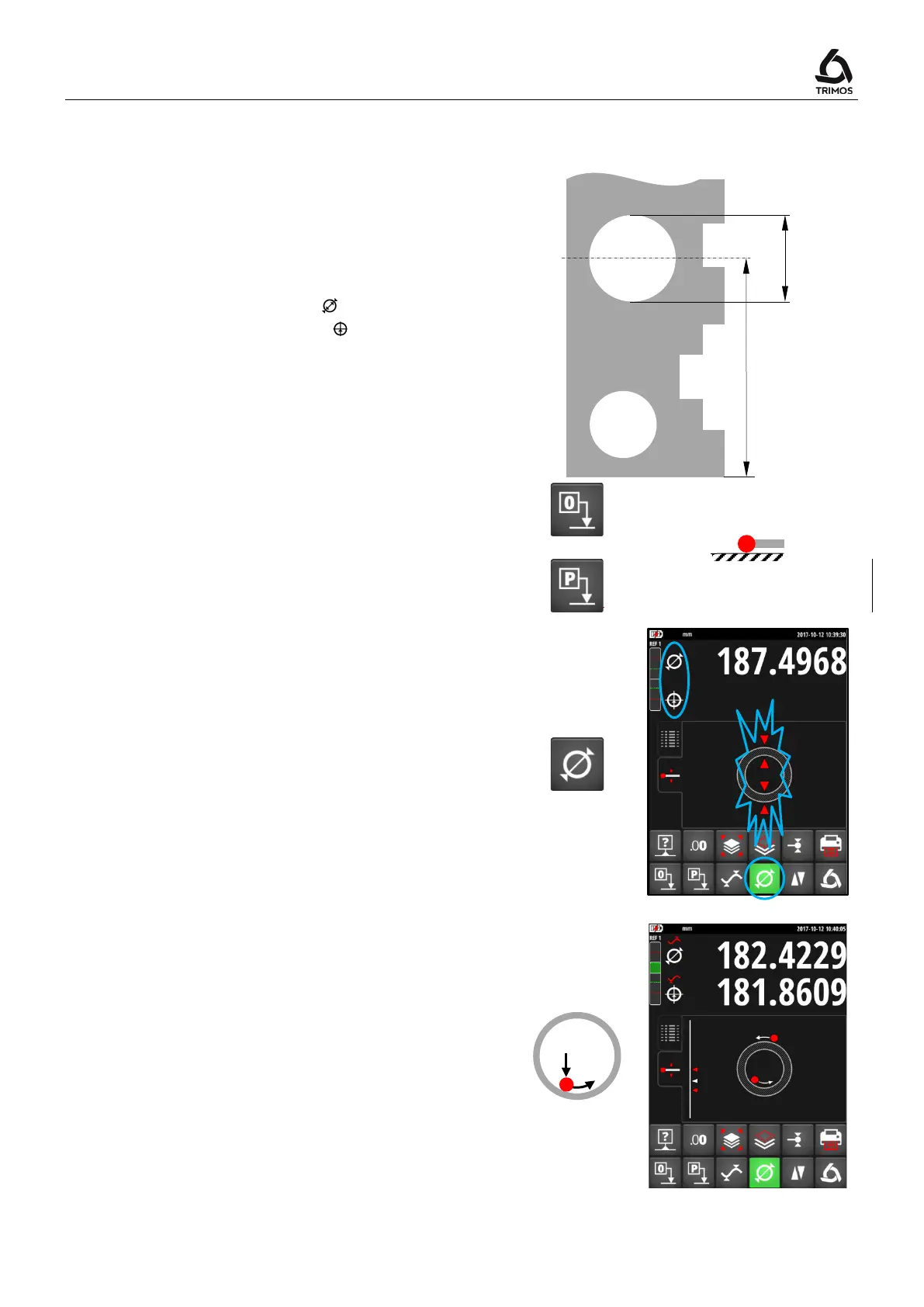
D = Diameter measurement ( )
C = Centreline measurement ( )
1.
Set the display at zero or at a preset value with
the measuring insert probing a reference
surface (see § 7.1 and § 7.2).
2. Select the diameter / centreline mode by
pressing the key shown alongside.
Internal diameter
3a. Position the measuring insert into the bore and
probe a point near the reversal point (1). Move
the instrument (or the part) laterally to
determine the reversal point (2). It is
automatically stored.



 To Next Page