EasyManua.ls Logo

Ulvac RFP-N - Page 75

Default Icon
107 pages
Print Icon
To Next Page IconTo Next Page
To Previous Page IconTo Previous Page
Loading...
RF POWER SUPPLY and MATCHINGBOX
5. Operation
67
RF-ON/OFF
EXT.CONT(1-2)
PRG STROBE
EXT.CONT(33-31)
ACK
EXT.CONT(42-43)
PRG SELECT
EXT.CONT
(27/28/29/30-31)
MOTO STROBE
EXT.CONT(32-31)
TUNE/MATCH
Position Monitor
EXT.CONT(44-45/46-47)
ON
OFF
CLOSE
OPEN
0V
10V
0V
10V
100msec1sec 100msec1sec
CLOSE
OPEN
500msec 500msec
100msec1sec 100msec1sec
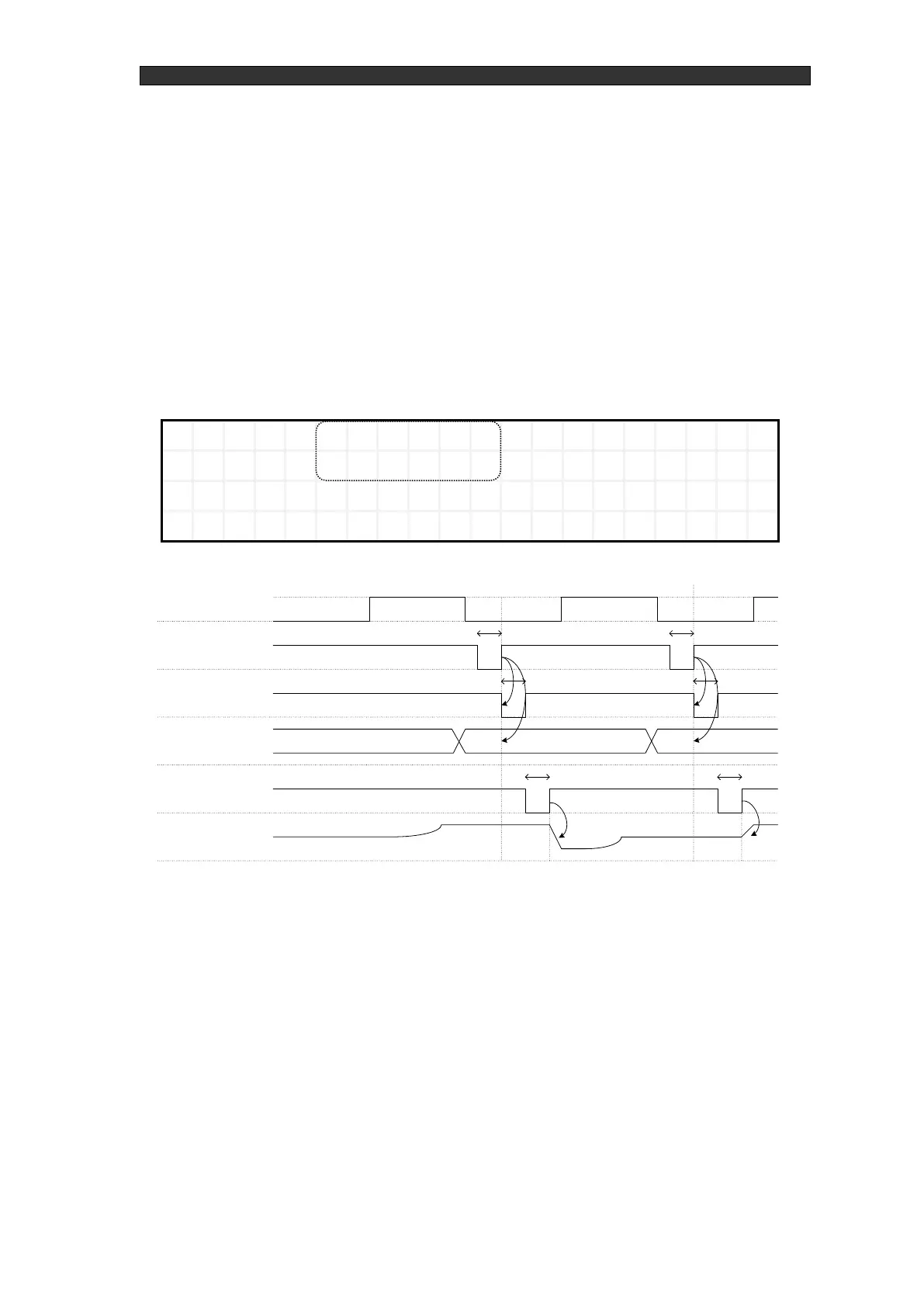
Preset operation setting by program number
On the P2 control mode selection screen, change the settings to "RFOP=ANALOG" and
"AMOP=SELECT".
While RF is off, change the program number with the program strobe signal and input the
motor strobe signal to perform a preset operation.
Set the one-shot signal pulse width for the program strobe signal and the motor strobe signal
to a width between 100 ms to 1 s. If the pulse is less than 100 ms or greater than 1 s, stable
operation may not be possible. We recommend using a 500 ms pulse width for the most
stable operation possible.
Figure 5-9 Control mode selection screen (P2)

R
F
O
P
=
A
N
A
L
O
G
O
S
C
=
I
N
T
A
M
O
P
=
S
E
L
E
C
T
A
D
L
Y
=
0
s
Figure 5-10 Timing chart for preset operation by program number

Table of Contents

Related product manuals