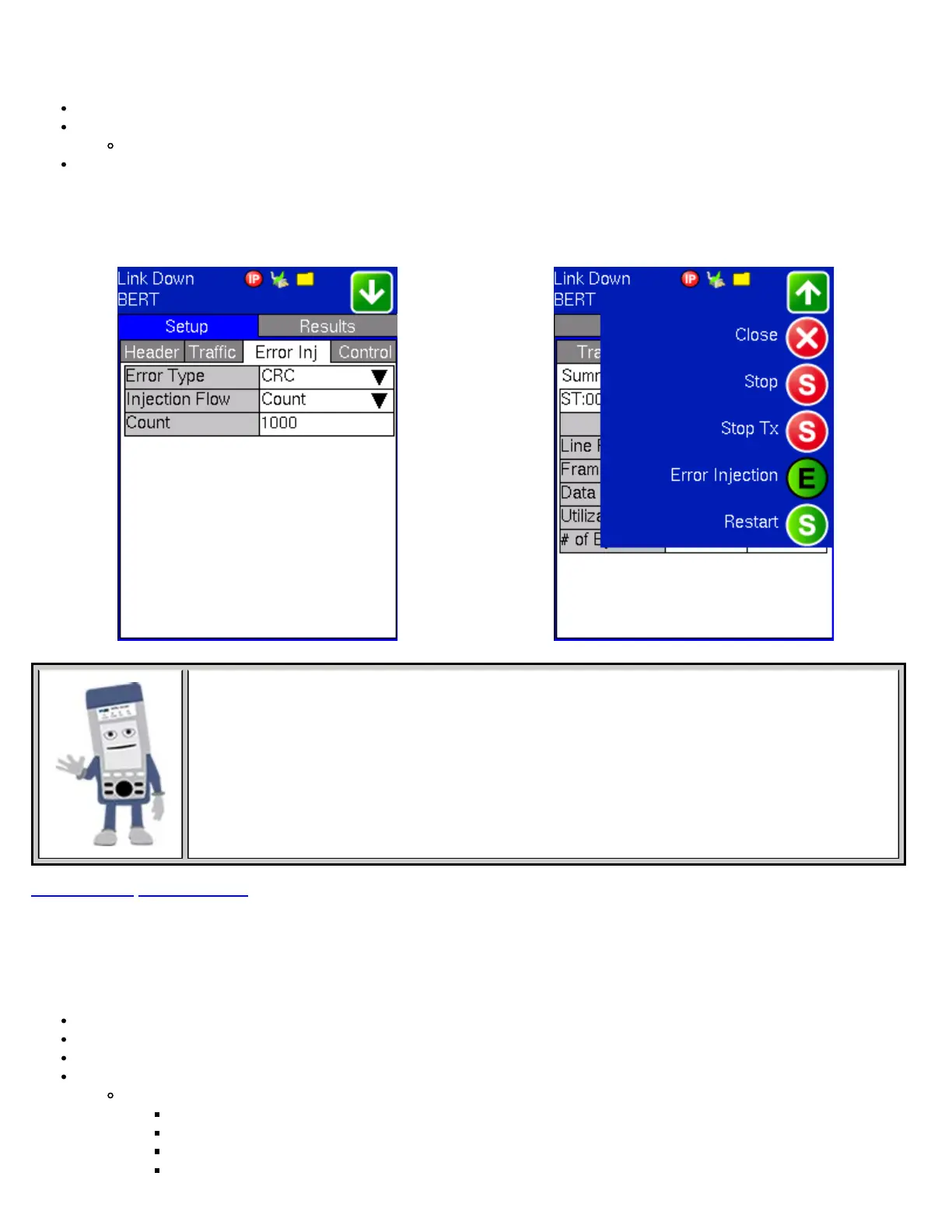
Error injection can only be performed during testing. The error type and injection rate are configured in the Error Injection tab.
Error type: Select from Bit, CRC, Bit and CRC, IP Checksum (layer 3 only), TCP/UDP Checksum (layer 4 only), or Pause.
Injection Flow: Determines how the selected errors will be injected.
Select a single error injection, specific count, or error rate.
Rate and Count: Configures the error rate and error count via the numeric pop-up keypad
Once the test is running, error injection is enabled by selecting the “Error Injection ” icon from the action pull down menu at the
top of the screen. Press the “error inject” button to injecting error at the predetermined settings.
BERT - Error Injection Setup BERT - Error Injection Action Menu
Error Injection
Once a test is running, error injection can be enabled by selecting the "Error Injection" icon from the
action pull-down menu at the top of the screen. Press the "Error Injection" button to start injecting
errors.
Go back to top Go back to ToC
7.1.4 Control Settings
In the Control settings tab, the user configures the loop-up and loop-down commands necessary to control a far-end unit.
Looping back test traffic is possible as follows:
Layer 1: All incoming traffic is looped back unchanged.
Layer 2: All incoming unicast traffic is looped back with the MAC source and destination addresses swapped.
Layer 3: All incoming unicast traffic is looped back with MAC and IP source and destination addresses swapped.
Mode: Manual or Asymmetric
Manual: User must input the destination MAC/IP address of the far-end device along with the type of command.
IP Destination: Enter the IP address of the far-end test set that is to be looped up/down.
Prior to starting the test, manually send the loop up command by pressing the Loop Up button
A "Loop-up successful" message will appear
After completing the test, manually send a loop down command by pressing the Loop Down button
TX130M+_e-manual_D07-00-051P_RevD00



 To Next Page