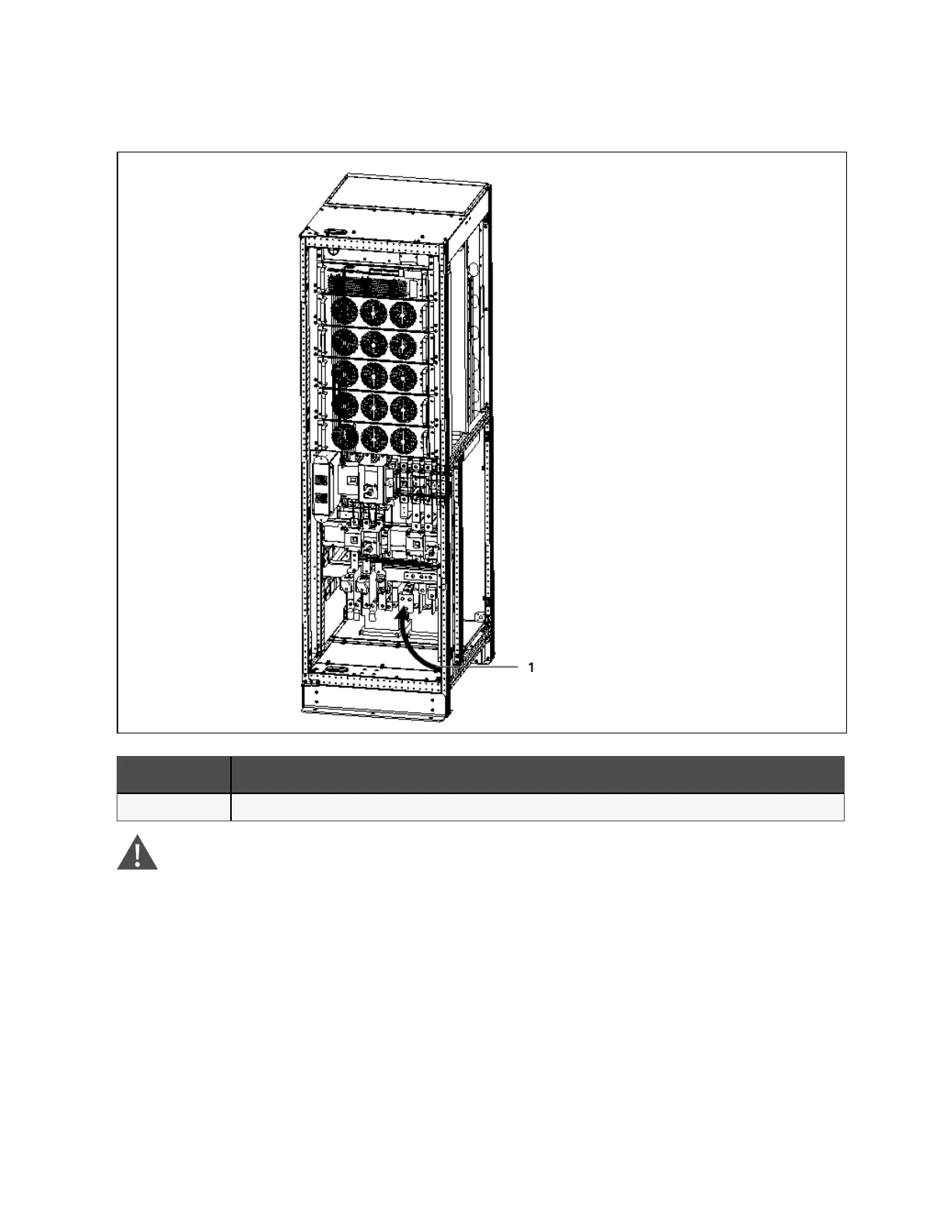
Figure 4.3 Power cables w iring route of 200kV A ~ 250 kV A (standard cabin et)
N O. Description
1 Remove the bottom plate, connect cables to corresponding terminals
W A RN IN G! Before cables connection, m ake sure that all external and internal power switches
of the U PS are off, and post necessary warning sig n s to p reven t inadvertent operation of the
switches. M eanwhile, m easure the voltages between the U P S term inals and the voltages
betw een the term inals and the earth.
Refer to Figure 4.2 on page40 ~ Figure 4.3 above, open the front door of the UPS to reveal the power cable connection
terminals (see Figure 4.2 on page40). Connect the protective earth cable to the PE input terminal in the cabinet.
4 Electrical Installation
44
Vertiv™ Liebert® EXM2 UPS User Manual











 To Next Page