Videojet DataFlex 6530 Operator Manual - Rev AA
Section 4 Startup
Introduction
This chapter contains the following topics:
• Switching the Power ON
• Setting the Screen Orientation
• Starting the Printer
• Stopping the Printer
• Understanding Printhead LEDs
• Setting the Time and Date
• Setting the Language and Region Display
• Loading the Ribbon
• Printing a Test Image
4.1 Switching the Power ON
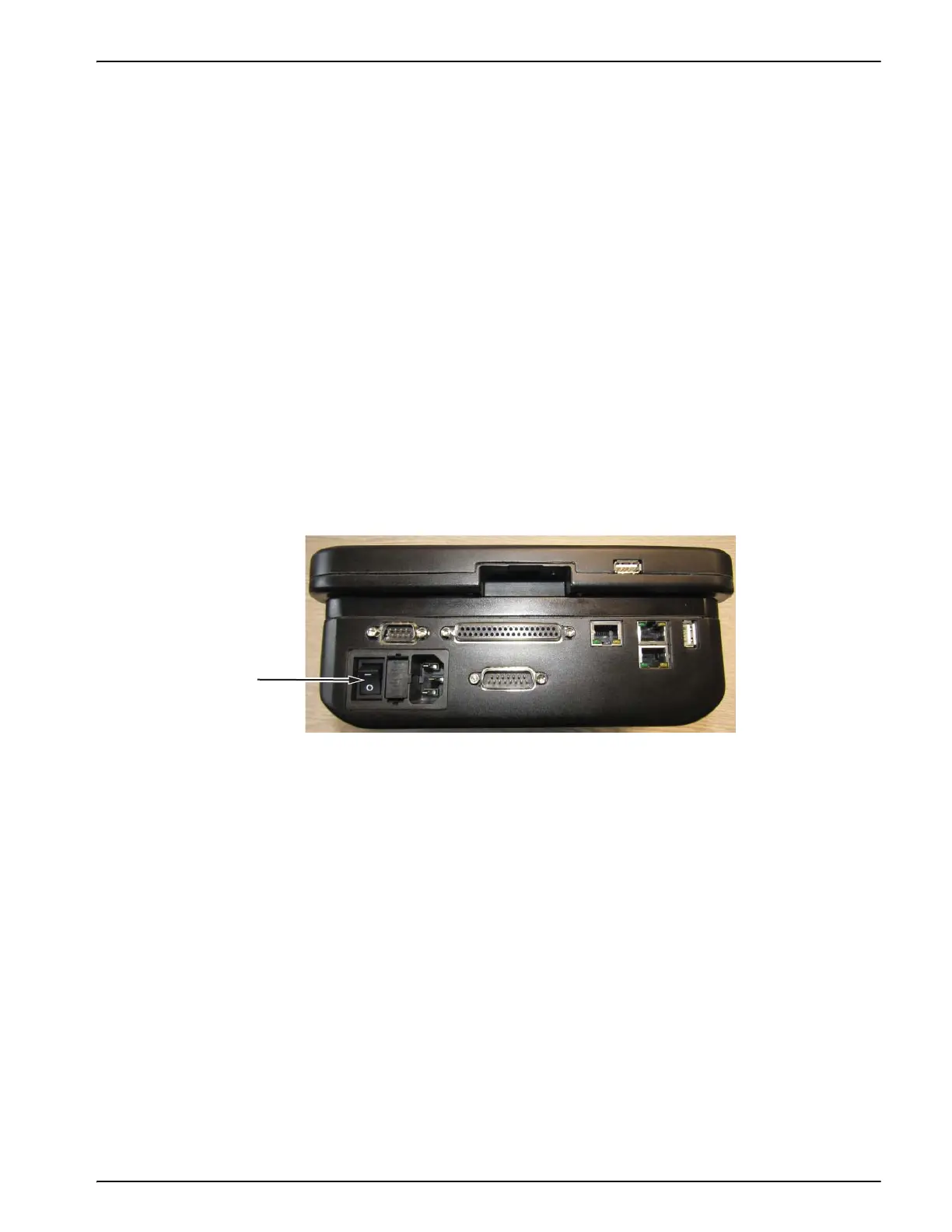
Turn the power switch on the CLARiTY controller to the I (On) position (Figure 4-1).
Note: Ensure that all cables are connected prior to turning on the printer.
Once power is switched ON, the CLARiTY controller will boot-up and the blue LED (power) on
the printer is illuminated. This will take approximately 60 seconds, during which the startup
screen appears.
On successful boot-up, the Home screen appears.
An initialization process of 15 seconds begins, during which the printer calibrates the ribbon
drive. The status bar flashes the words STARTING UP and the red LED flashes on and off. When
the process is complete, the Home screen changes, as follows:
• The status panel changes from STARTING UP to OFFLINE.
• The Consumables area displays the percentage of ribbon remaining.
• In the Control Frame, the Start and Stop buttons are enabled.
Figure 4-1: Printer Power Switch



 To Next Page