6-14 Videojet DataFlex 6530 Operator Manual - Rev AA
Job Editor
6.5.4 Setting the Print Speed
Note: This feature can be applied only on intermittent mode applications.
The thermal transfer ribbon used by the printer adheres more readily to some types of packaging
materials than others. The print speed can be reduced to improve the bonding and print quality,
and increased to achieve greater throughput in terms of packs per minute, by reducing the
overall print cycle time.
To change the print speed, proceed as follows:
1. Navigate to Tools > Setup > Printhead. The Printhead screen is displayed (Figure 6-8 on page
6-10).
2. Touch Print Speed. The Print Speed screen is displayed.
3. Enter a new value using the keypad.
4. Touch to return to the Home screen.
6.5.5 Setting the Printhead Position
Note: This feature can be applied only on continuous mode applications.
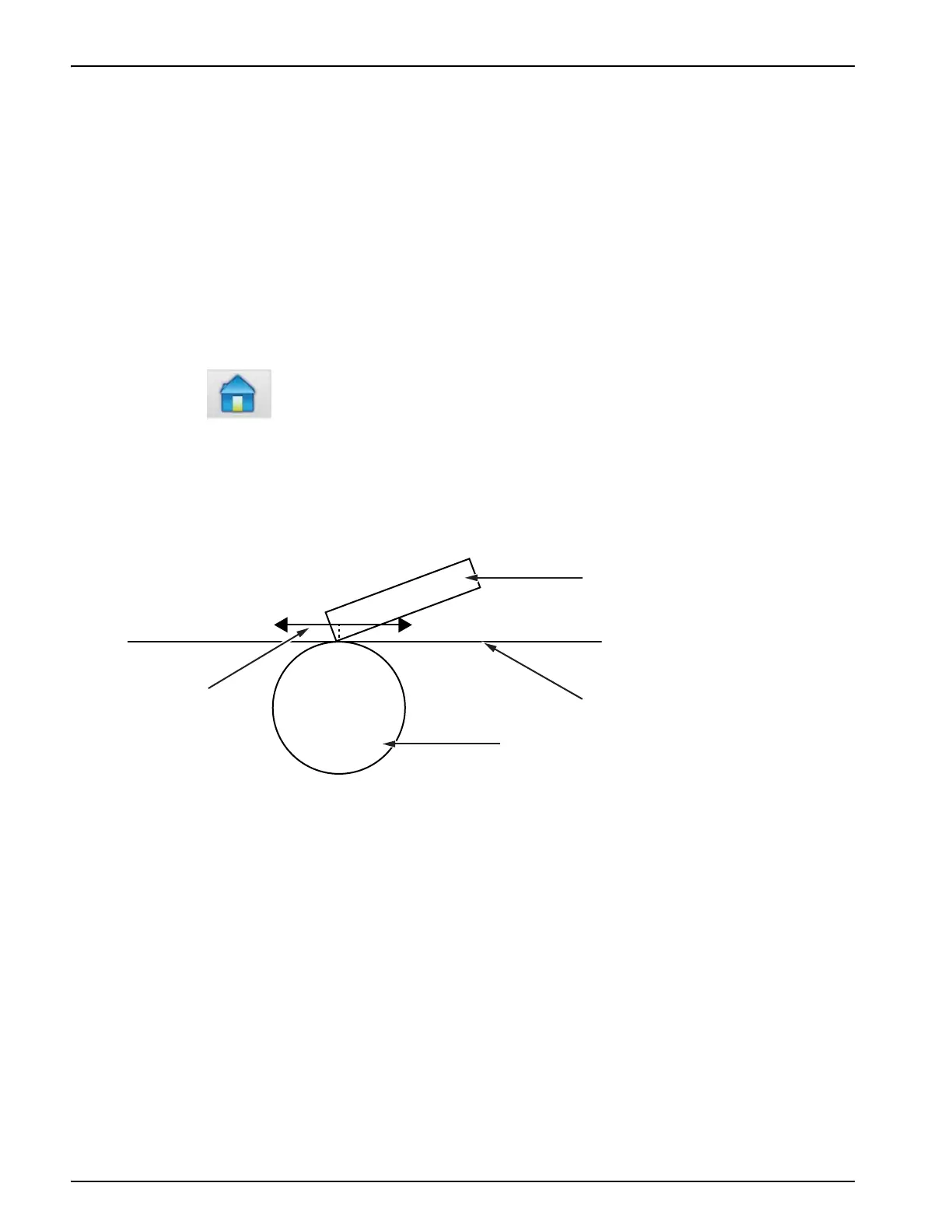
When printing continuously, the printhead will press the target material down against the roller,
as shown in Figure 6-11.
You can change the angle of the printhead against the target material, by changing the printhead
position. This angle affects the print quality. If the angle is not suitable, the resulting print may
appear faded.
To find a suitable printhead position, proceed as follows:
1. Navigate to Tools > Setup > Printhead. The Printhead screen is displayed (Figure 6-8 on page
6-10).
2. Touch Print Position.
3. Enter a new value using the keypad.
Note: You should change the print position parameters in steps of 1 mm. The print position parameter
is in 0.01 mm units, so a change of 100 units will move the printhead by 1 mm.
Figure 6-11: Printhead Print Position
1. Printhead
2. Target Material
3. Roller
4. Printhead Position Adjustment



 To Next Page