Videojet DataFlex 6530 Operator Manual - Rev AA 5-9
CLARiTY Operating System
5.3 Using the Tools Screen
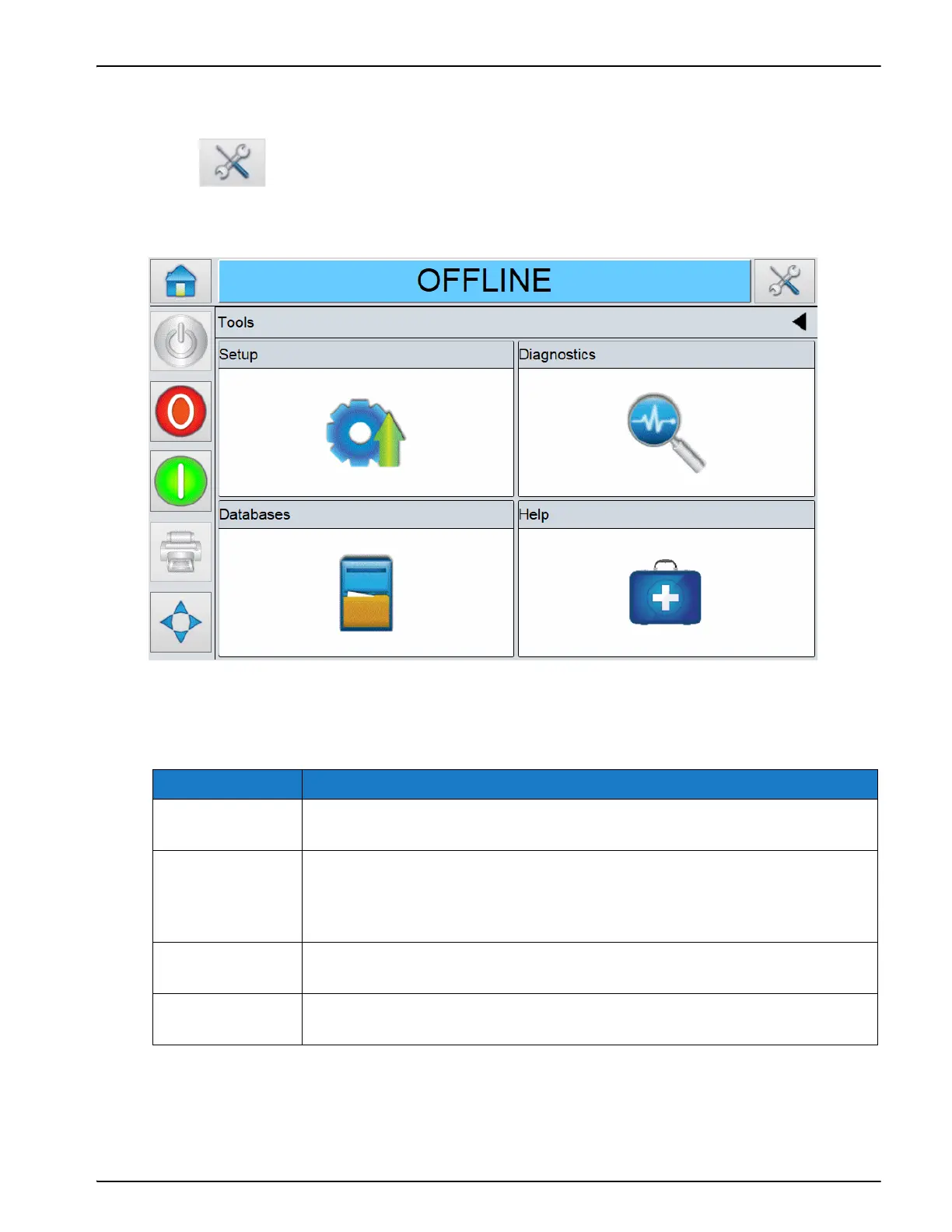
Tools screen displays the tools available for the printer.
Touch on the Home screen to access the Tools screen. The Tools screen opens
as shown in Figure 5-5.
The Tools screen provides access to the following options as shown in Table 5-6.
Option Description
Setup Options to view and modify the printer setup parameters. For more
information on Setup screen refer Service Manual.
Diagnostics Information on the current values of key parameters for the printer setup
as well as that support the printer operation and can assist in
troubleshooting issues. Refer to “Using the Diagnostics Screen” on
page 5-10.
Databases Information on available databases, their capacity and the stored jobs.
Refer to “Using the Database Screen” on page 5-38.
Help The tutorial videos and documentation for specific tasks and basic
troubleshooting. Refer to “Using the Help Screen” on page 5-40
Table 5-6: Tools Option



 To Next Page