4-6 Videojet DataFlex 6530 Operator Manual - Rev AA
Startup
4.7 Setting the Language and Region Display
To set the language displayed by CLARiTY Controller, proceed as follows:
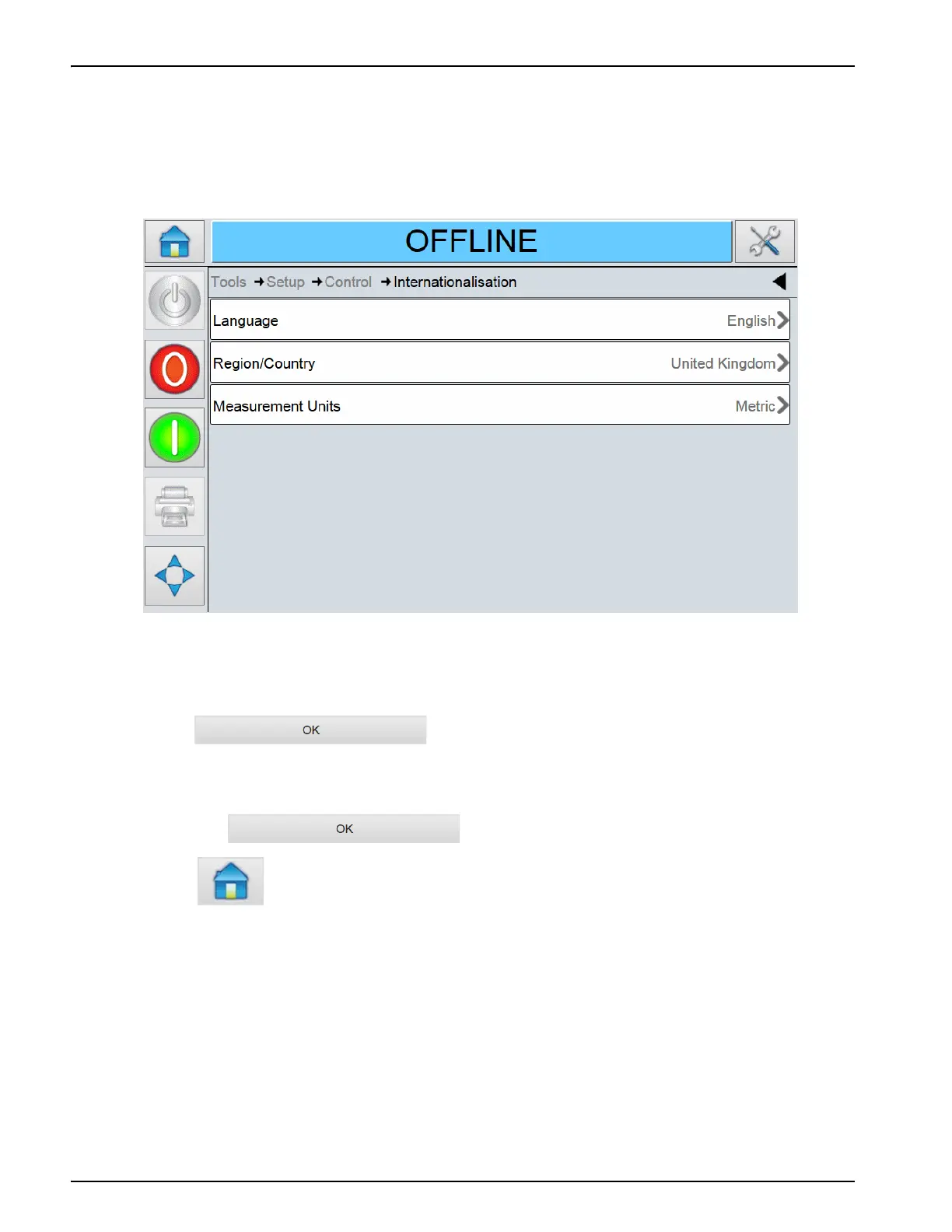
1. Navigate to Tools > Setup > Control > Internationalisation. The current language and region is
displayed (see Figure 4-7).
2. Touch Region/Country. A list of available regions is displayed.
3. Select the required region from the list (all the currently available regions will be listed) and
touch .
4. Touch Language. A list of available languages is displayed.
5. Select the required language from the list (all the currently available languages will be listed)
and touch .
6. Touch to return to the Home Screen.
The date format displayed in the Home Screen changes according to the region selected.
Figure 4-7: Language and Region



 To Next Page