5-26 Videojet DataFlex 6530 Operator Manual - Rev AA
CLARiTY Operating System
5.3.1.3 Using the Control Screen
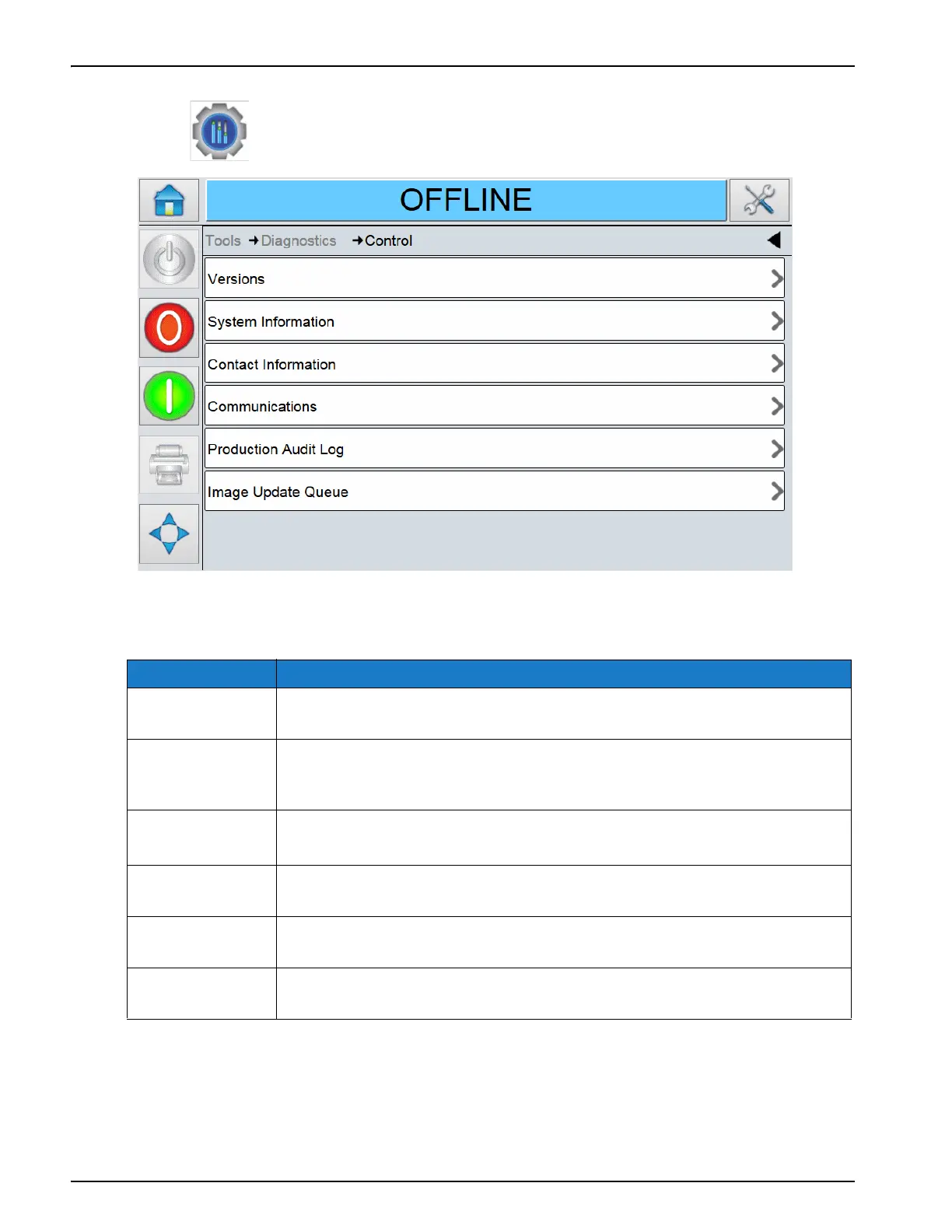
Touch on the Diagnostics screen to access the control parameters (Figure 5-23).
The Control Diagnostics screen provides access to the following parameters:
Option Description
Versions The software information for the system and each of the sub-components.
Refer to “Using the Versions Screen” on page 5-29.
System
Information
The serial number and revision number of Printed Circuit Board (PCB),
CPU speed and equipment reference information. Refer to “Using the
System Information Screen” on page 5-30.
Contact
Information
The contact information of the customer service contact. Refer to “Using
the Contact Information Screen” on page 5-31.
Communications The printer serial and network ports. Refer to “Using the Communica-
tions Screen” on page 5-32.
Production
Audit Log
The log of machine changes and user changes. Refer to “Using the Pro-
duction Audit Log Screen” on page 5-36.
Image Update
Queue
The list of all jobs in the printer queue. Refer to “Using the Image Update
Queue Screen” on page 5-37.
Table 5-18: Control Diagnostics Screen Description
Figure 5-22: Control Diagnostics Screen



 To Next Page