4-16 Videojet DataFlex 6530 Operator Manual - Rev AA
Startup
4.9 Printing a Test Image
Typically, the printer is used on a packaging machine where the print is triggered by a sensor or a
Programmable Logic Controller (PLC).
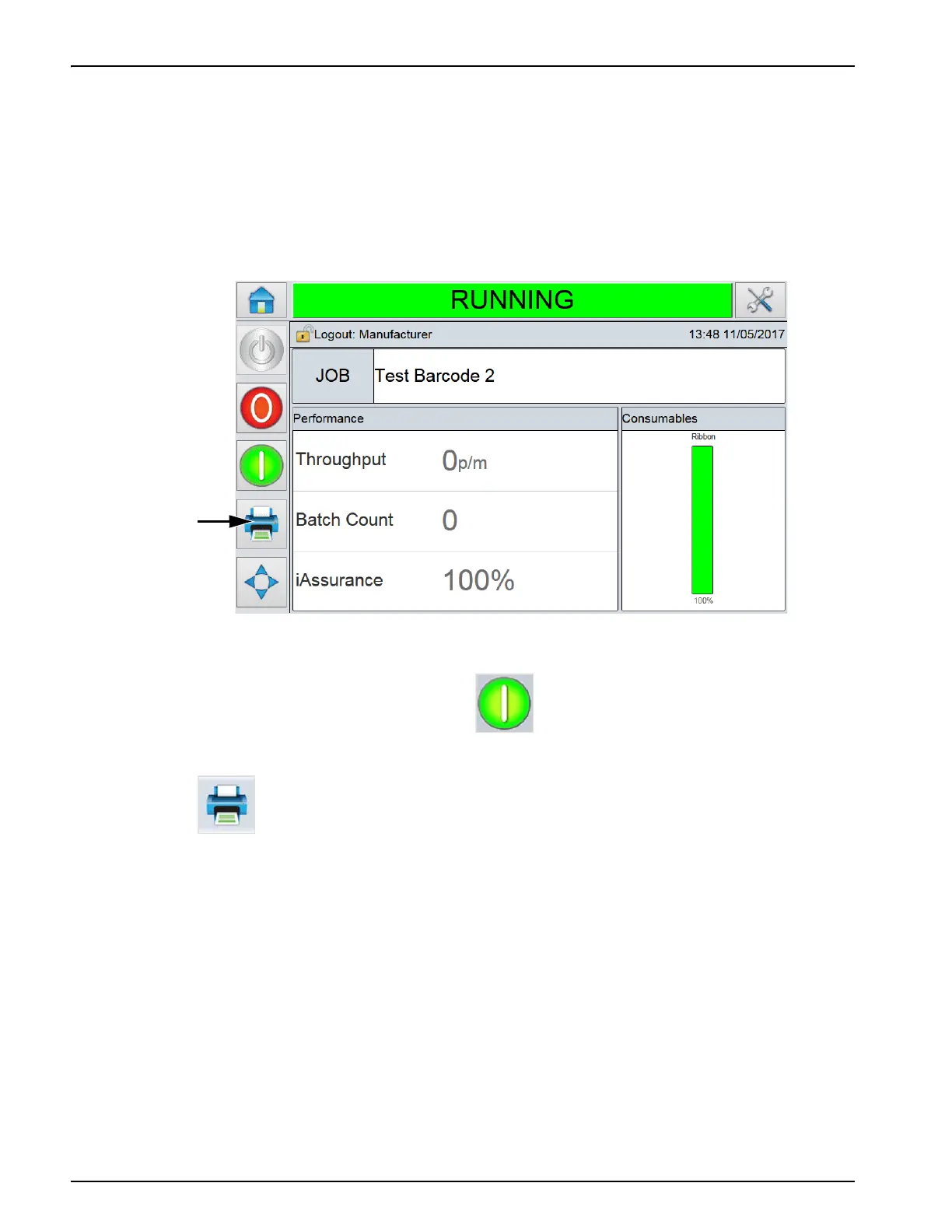
A test image can be printed before running the printer to check if the printed image is of
acceptable quality. The Test Print button (Figure 4-20), will appear greyed out if this feature has
been disabled by the installation engineer. Also, the printer must be set to the RUNNING state for
the Test Print button to be available.
To perform a test print, proceed as follows:
1. If the printer is in the OFFLINE state, press to put the printer in the RUNNING state.
2. Ensure that the packaging film is placed under the printhead, if the printer is in an intermittent
application, otherwise ensure that the packaging film is travelling past the printhead.
3. Touch in the CLARiTY's control frame (Figure 4-20). The printer performs the test
print.
4. Examine the test print to check if the image has been printed correctly.
Figure 4-20: Test Print Button
Test Print
Button



 To Next Page