4-8 Videojet DataFlex 6530 Operator Manual - Rev AA
Startup
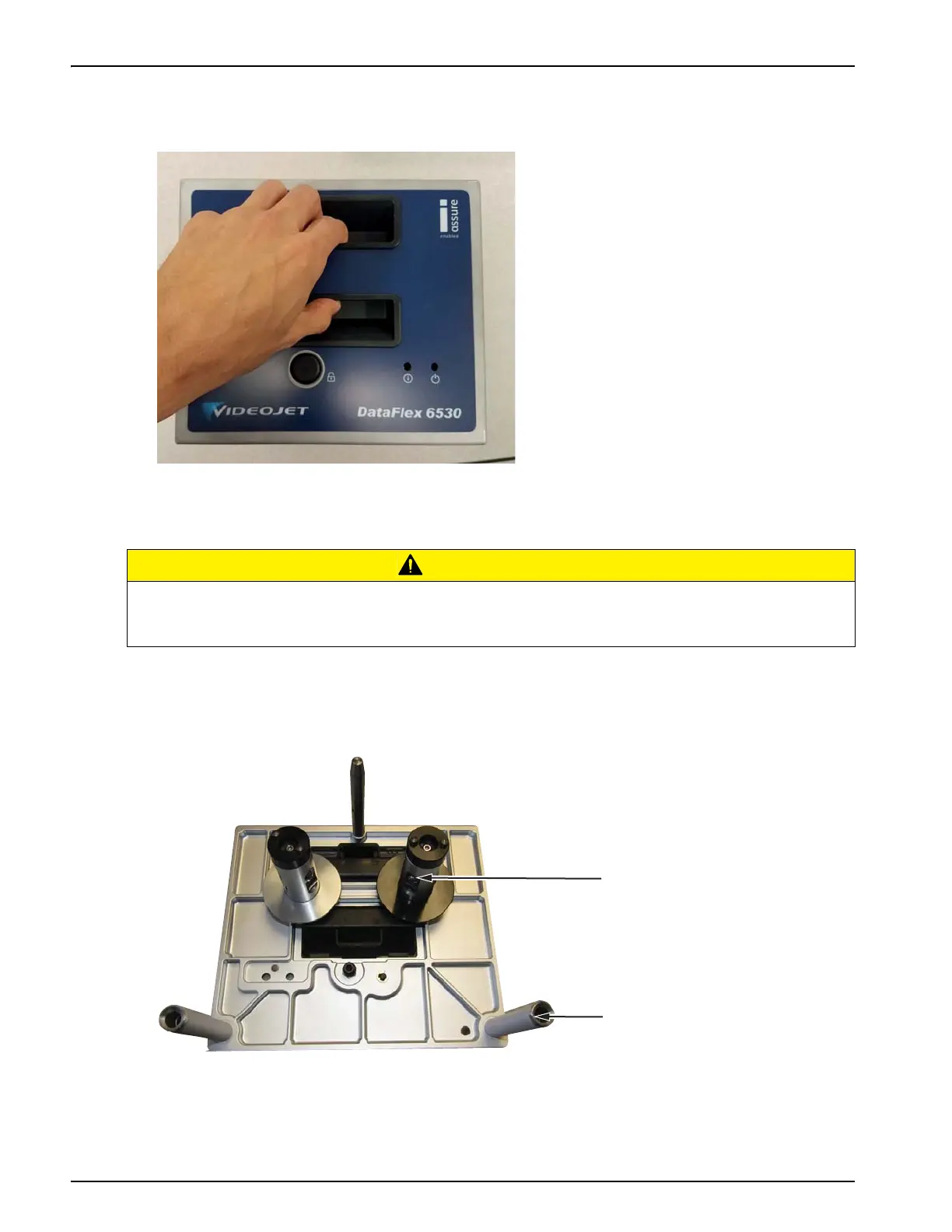
3. Hold the recessed handles and extract the cassette away from the printer body, as shown in
Figure 4-10.
4.8.2 Inserting a New Ribbon
To insert a new ribbon, proceed as follows:
1. Put the cassette down on a flat surface with the ribbon spools facing upwards and the ribbon
rollers towards you, as shown in Figure 4-11.
CAUTION
EQUIPMENT DAMAGE.
The use of incompatible ribbon can seriously damage your printer and such damage will not
be covered by your printer warranty. Use only the ribbon that is approved by your supplier.
Figure 4-10: Cassette Removal
Figure 4-11: Cassette Removal
1. Ribbon Spool (x2)
2. Ribbon Roller (x2)



 To Next Page