MXPRODV USER GUIDE CHAPTER 2
16
QUICK START STEPS
Setting Up
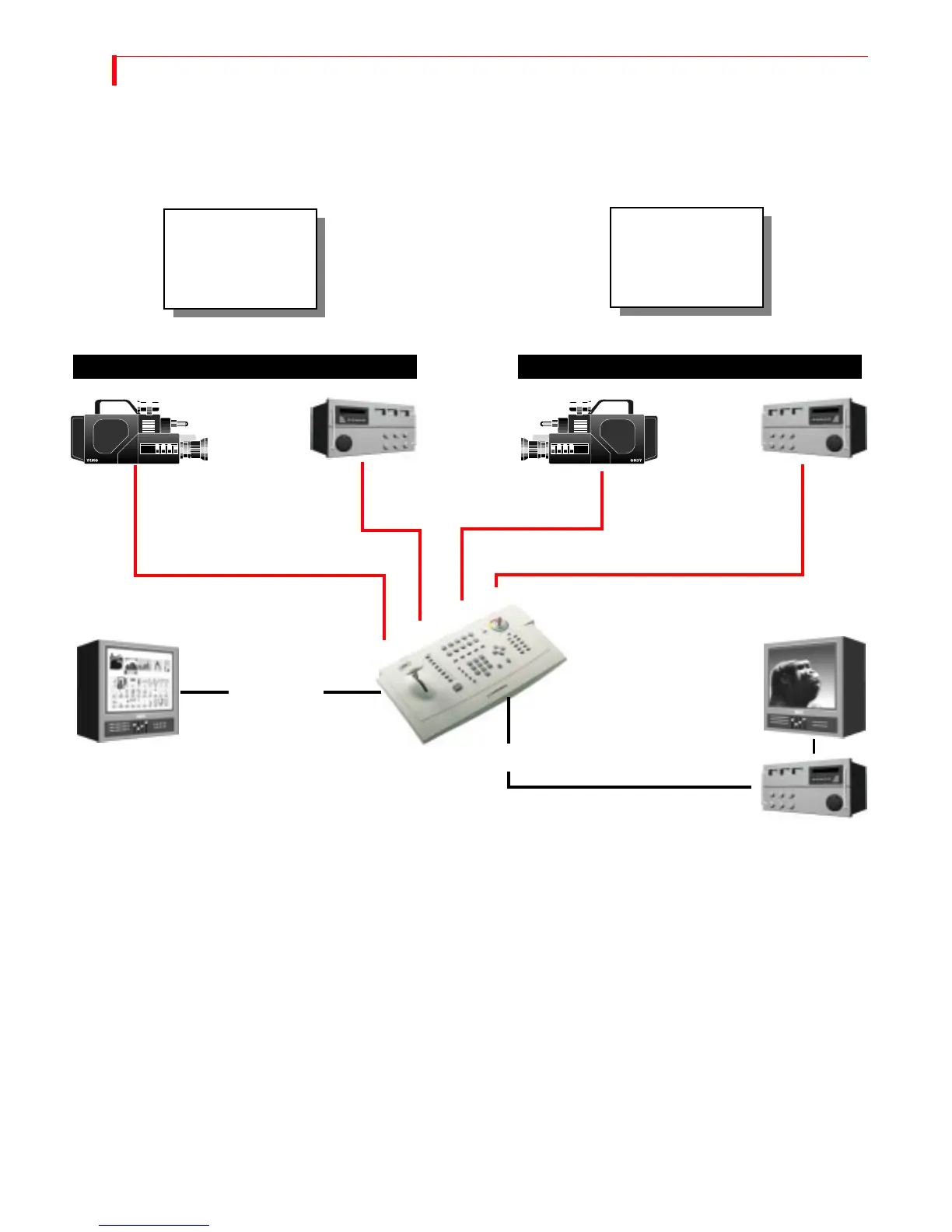
• Connect a COMPOSITE-type monitor to MXProDV’s PREVIEW OUT jack.
• Connect a DV input device to MXProDV’s DV IN 1 jack.
• To use a second DV input device, connect it to MXProDV’s DV IN 2 jack.
• To use a Y/C input device, connect it to MXProDV’s Y/C IN 3 jack.
• To use a second Y/C input device, connect it to MXProDV’s Y/C IN 4 jack.
MXProDV is set up, by default, to expect DV devices to be connected to the
DVIN1 and DVIN2 input jacks, and S-Video (Y/C) devices to be connected to the
IN 1 and IN 2 input jacks. If you connect a different assortment of input devices,
you must tell MXProDV this fact. See “Route” beginning on page 92 after com-
pleting the following steps.
• Connect an output device to the OUT jacks on the MXProDV rear panel. This is
the device where you record the program.
Preview Monitor
Output Device
Output Monitor
This is a fairly
typical MXProDV
setup.
PREVIEW OUT
OUT Jacks
DV DV Y/C Y/C
This setup has two
FireWire (DV)
inputs and two Y/C
inputs.
DV IN 1
DV IN 2
Y/C IN 3
Y/C IN 4
DV Inputs Y/C Inputs



 To Next Page