MXPRODV DIFFERENCES ROUTE MENU DIFFERENCES
183
Route Menu Differences
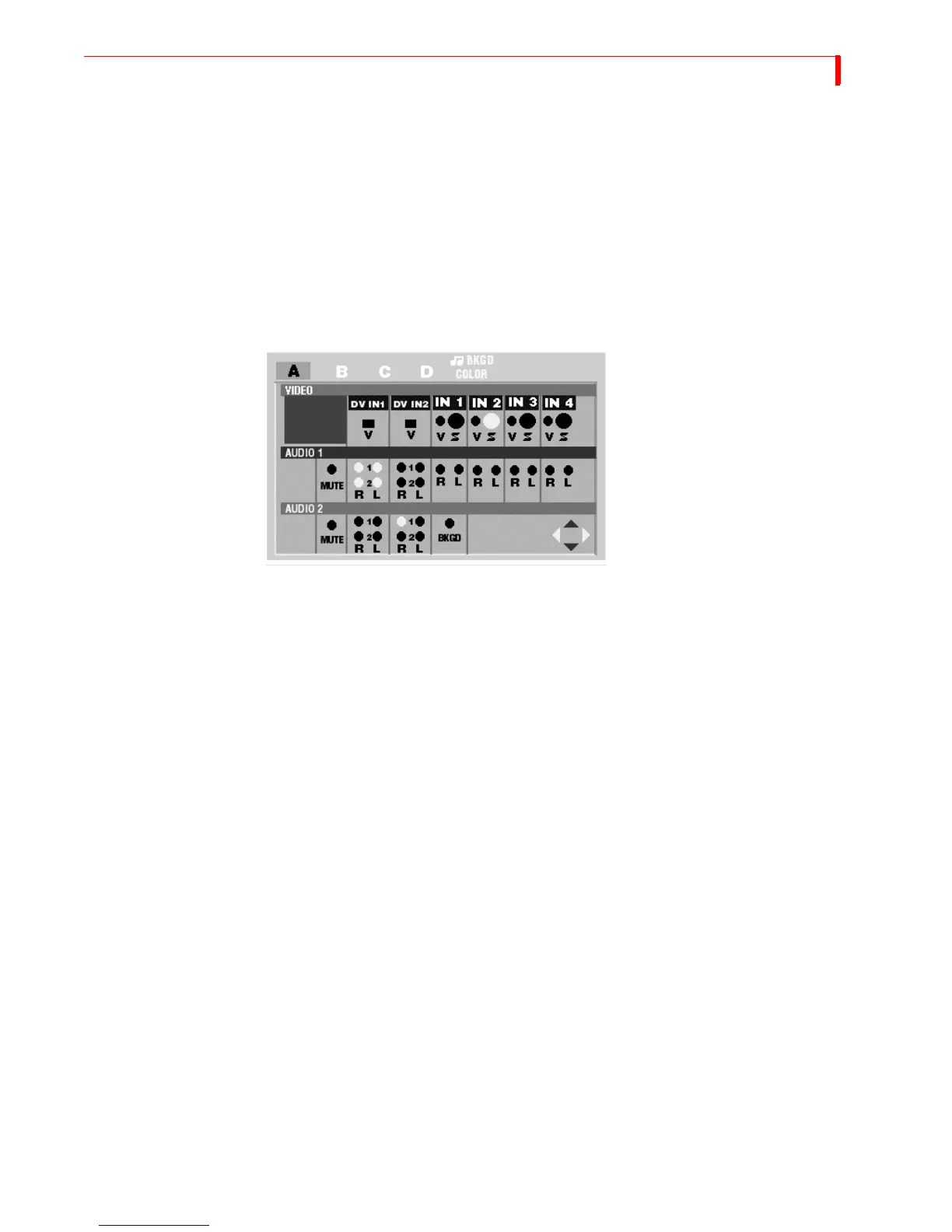
The structure of the Route menu changed to support the addition of DV inputs and
4-channel audio. The approach to using the menu is similar to the approach used
with MX-1 and MXProDV:
1 Select a channel (A, B, C, D, Color, or Background Audio)
2 Select a video source to display on that channel (only applies to channels A, B, C and
D)
3 Select an audio source for the channel (Audio 1)
4 If 4-channel audio output, select a second audio source for the channel (Audio 2)
See “Route” on page 92 for more information.
Background Audio
You can use any of the audio inputs as a source for background audio. In the
Route menu (above), press
SHIFT+NEXT/COLOR to access Background audio. Next,
use the
LEFT/RIGHT ARROW keys to select the Audio 1 source you want to use. You do
not use an Audio 2 source with Background. After you select a Background source,
use the Audio Mixer (below) to mix background audio with main audio.



 To Next Page