INSTALLING MXPRODV POWER C ONNECTOR
31
Power Connector
The MXProDV package contains the required transformer and power cord for the
unit.
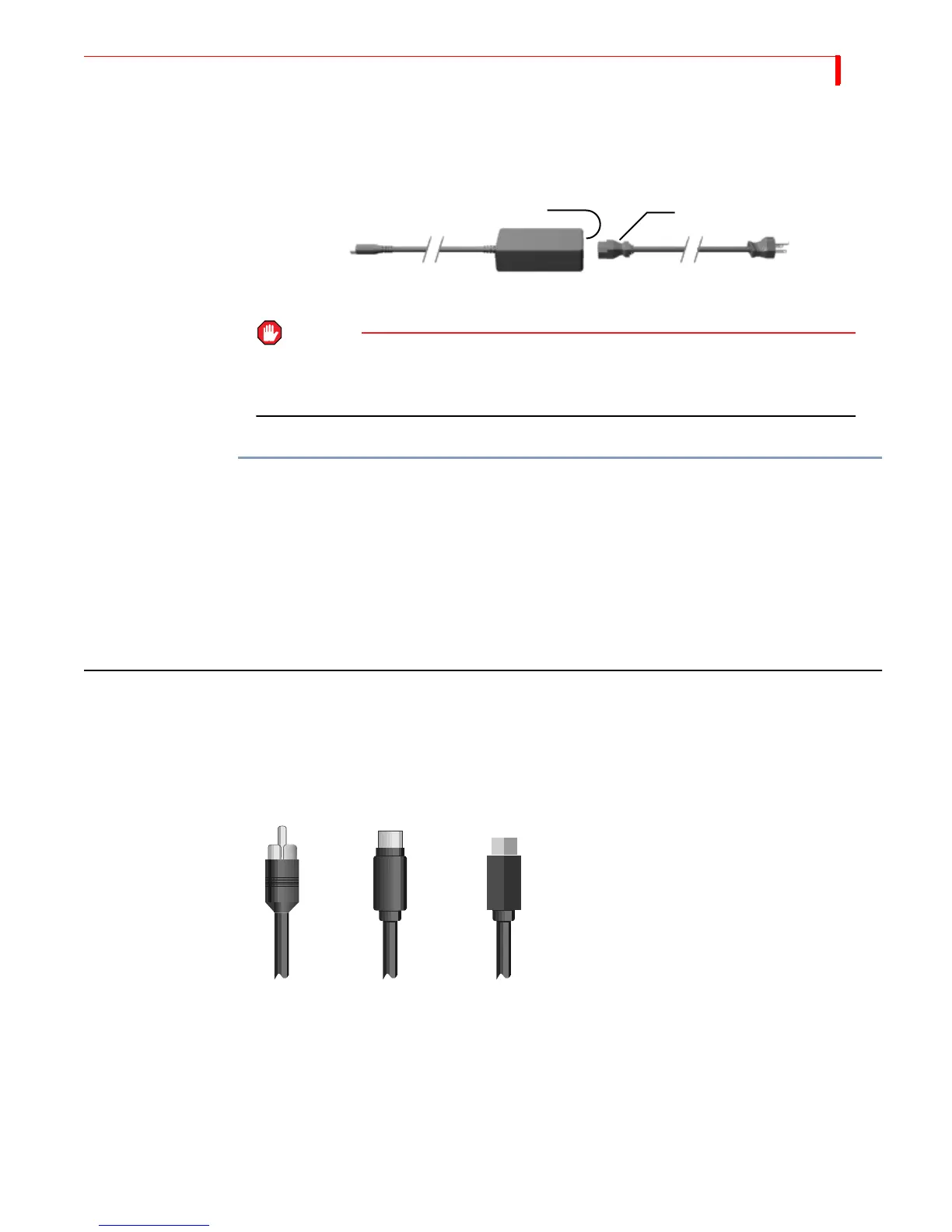
To connect the power cord and transformer:
1 Connect the female plug on the power cord into the male socket on the transformer.
2 Connect the male plug on the power cord to a suitable power outlet.
3 Connect the power adapter plug on the transformer cord into the power connector
on the MXProDV rear panel.
4 Turn the MXProDV power switch (located on the right side of the unit) to the ON
position.
CABLES AND ADAPTERS
To connect video devices to MXProDV you need specific types of cables. You might
also need one or more adapters, depending on your equipment.
Look closely at the jacks on the MXProDV rear panel and note that they accept RCA
Composite, S-Video, or Digital Video (DV) cables.
Power
Adapter
Plug
Male
Plug
Male Socket Female Plug
Transformer Power Cord
WARNING
USE ONLY THE POWER CORD AND TRANSFORMER PROVIDED IN THE PACKAGE. DO NOT USE
THIS POWER CORD AND TRANSFORMER WITH ANY OTHER EQUIPMENT. FAILURE TO OBSERVE
THESE CONDITIONS CAN DAMAGE YOUR EQUIPMENT AND VOID YOUR WARRANTY.
RCA S
-
Video
Composite (Y/C)
Digital Video
Connector
Each type of device (composite, S-Video,
or Digital Video) has its own, unique type
of jack at the end of the cable



 To Next Page