FUNCTIONS 2/4-CHANNEL AUDIO OUTPUT
91
Select 2-channel or 4-channel output based on your recorder capabilities and on
your quality needs. The choice you make for this option affects several other
MXProDV choices/displays:
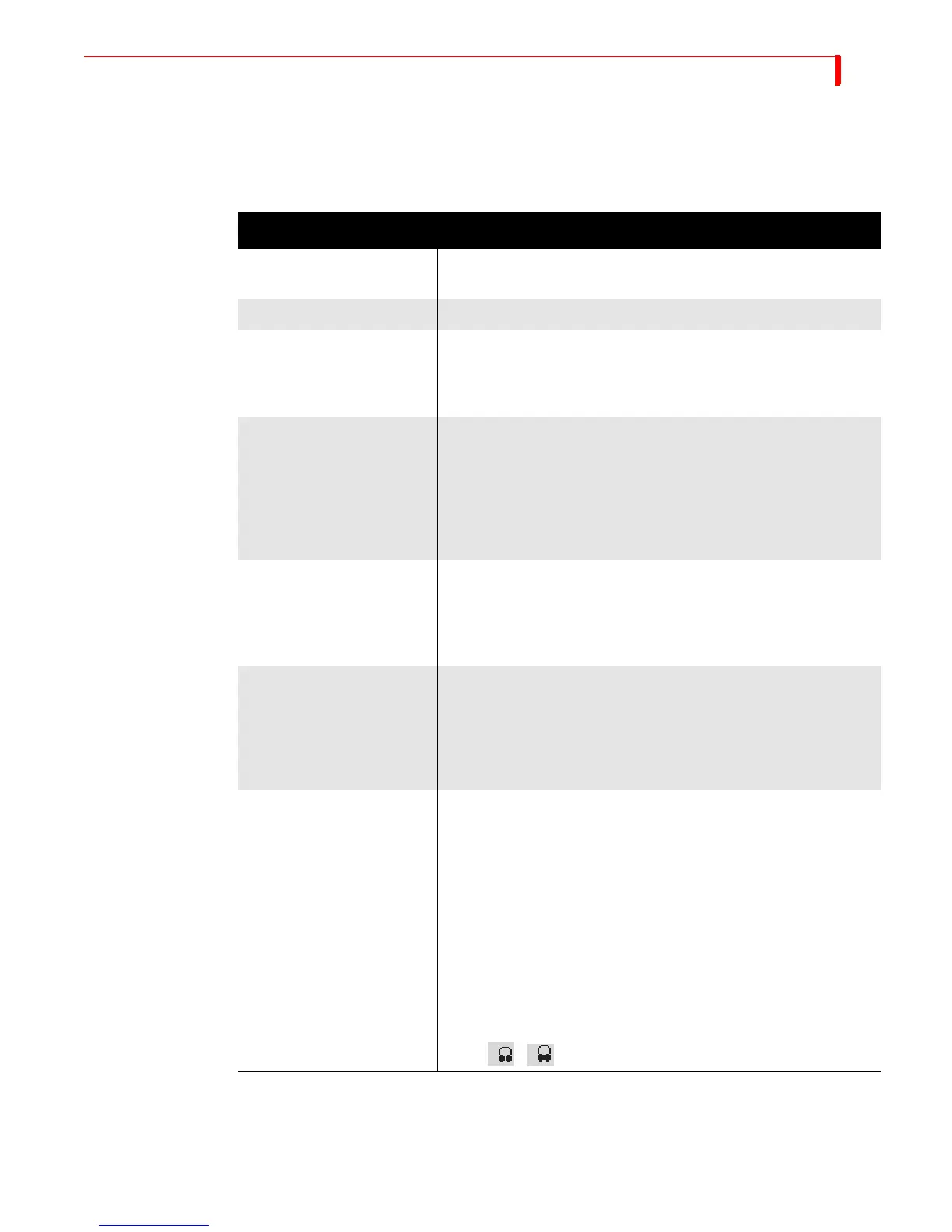
Table 10: MXProDV Audio Channel Options
FEATURE PARAMETER VALUE = 0 PARAMETER VALUE = 1
2-channel / 4-channel
Output
4-channel output 2-channel output
DV Audio Output 32 kHz, 12-bit samples 48 kHz, 16-bit samples
Analog Audio Output Provides one 4-channel out-
put (Output jacks L1+R1=
pair 1; L2+R2=pair 2).
Provides two pairs of out-
puts (Output jacks L1+R1
and L2+R2 each carry the
same pair of signals)
Usable Audio Input Input can be analog audio
(IN1-4) or 32 kHz DV or 48
kHz DV.
44.1 kHz DV audio can
NOT be used; it will be
either muted or distorted.
Input can be analog input
(IN1-4) or 48 kHz DV.
32 kHz and 44.1 kHz DV
audio can NOT be used. If
used, the audio will be
muted or distorted.
Route Menu The Audio 2 section of the
Route menu is enabled.
This is where you select the
audio to be routed to chan-
nels 3 and 4 (pair 2).
The Audio 2 section of the
Route menu is disabled
(since channels 3 and 4 are
not used).
Audio Mixer The volume sliders are seg-
mented. Left segment
adjusts volume for channels
1&2; right side adjusts
channels 3&4; middle
adjusts all four channels.
The volume slider is not
segmented. Channels 1&2
are adjusted to the same
level.
Headphone audio and
icons
Toggling the headphones
(SHIFT+AUDIO/VIDEO) alter-
nates the headphone audio
between current audio
(channels 1&2), current
audio (channels 3&4), next
audio (channels 1&2) and
next audio (channels 3&4).
The headphone icon is pre-
ceded by a 1 or a 2 to indi-
cate whether you are listen-
ing to pair 1 (channels 1&2)
or pair 2 (channels
3&4): ,
Toggling the headphones
(SHIFT+AUDIO/VIDEO) alter-
nates the headphone audio
between the current and
next audio sources.
1
2



 To Next Page