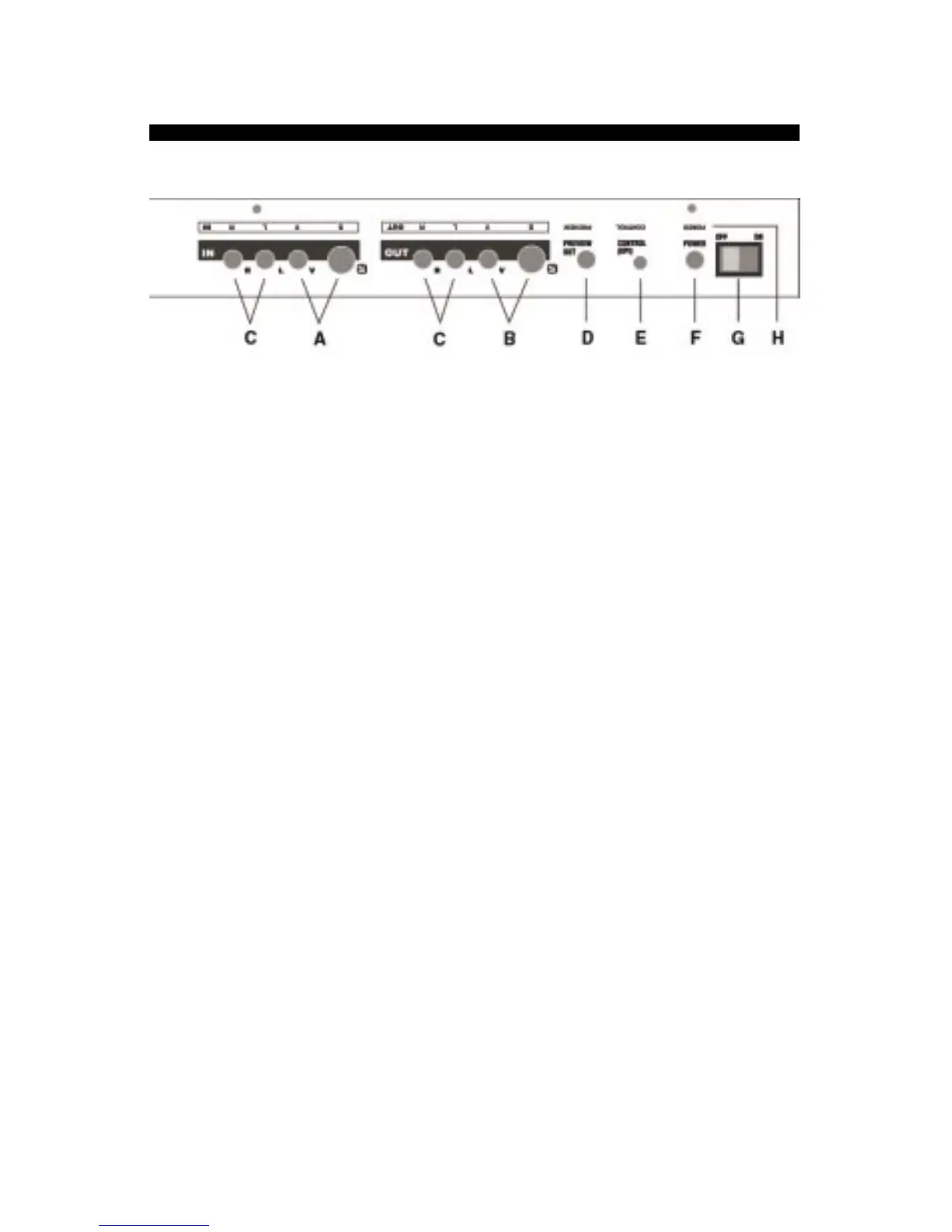
REAR PANEL
NOTE: S-video (Y/C) and composite (RCA-style) video jacks are provided. Use same type
for input and output — for instance, if your video source only has RCA jacks, use RCA for
both even if the recorder has S-video.
A. VIDEO IN. Optional. Connect either S-video or RCA type cable from video source.
B. VIDEO OUT. Connect either S-video or RCA type cable (same as used for input) to
recorder or monitor.
C. AUDIO IN and OUT. Audio connections are provided for convenience; the audio
signals pass straight through without modification.
D. PREVIEW OUT. Optional. When used in live title setup, permits you to modify titles
and typing is not seen on main output.
Important: Leave unconnected when not in use.
(Chapter 21)
E. CONTROL (GPI). Allows remote trigger of titles using switch or controller with GPI
(“General Purpose Interface”) output.
Warning: Always turn power off before connecting
or disconnecting GPI jack.
(Chapter 20)
F. POWER. Connect TitleMaker 3000 power supply.
Important: Do not use power sup-
plies designed for any other equipment.
G. POWER SWITCH. Controls the power supply. When the POWER SWITCH is turned
on and the keyboard power is turned off, video is routed from the VIDEO IN to the
VIDEO OUT and no titles are added. Note: keyboard must have been cycled on and off
since the last time the unit was powered on at the POWER SWITCH in order for video
pass-through to work.
H. Upside-down legends make it easy to make connections without turning unit around.



 To Next Page