5-86 Maintenance Procedures
Fitting the new APCI probe heater
Required materials
• Chemical-resistant, powder-free gloves
• APCI probe heater
To fit the new APCI probe heater
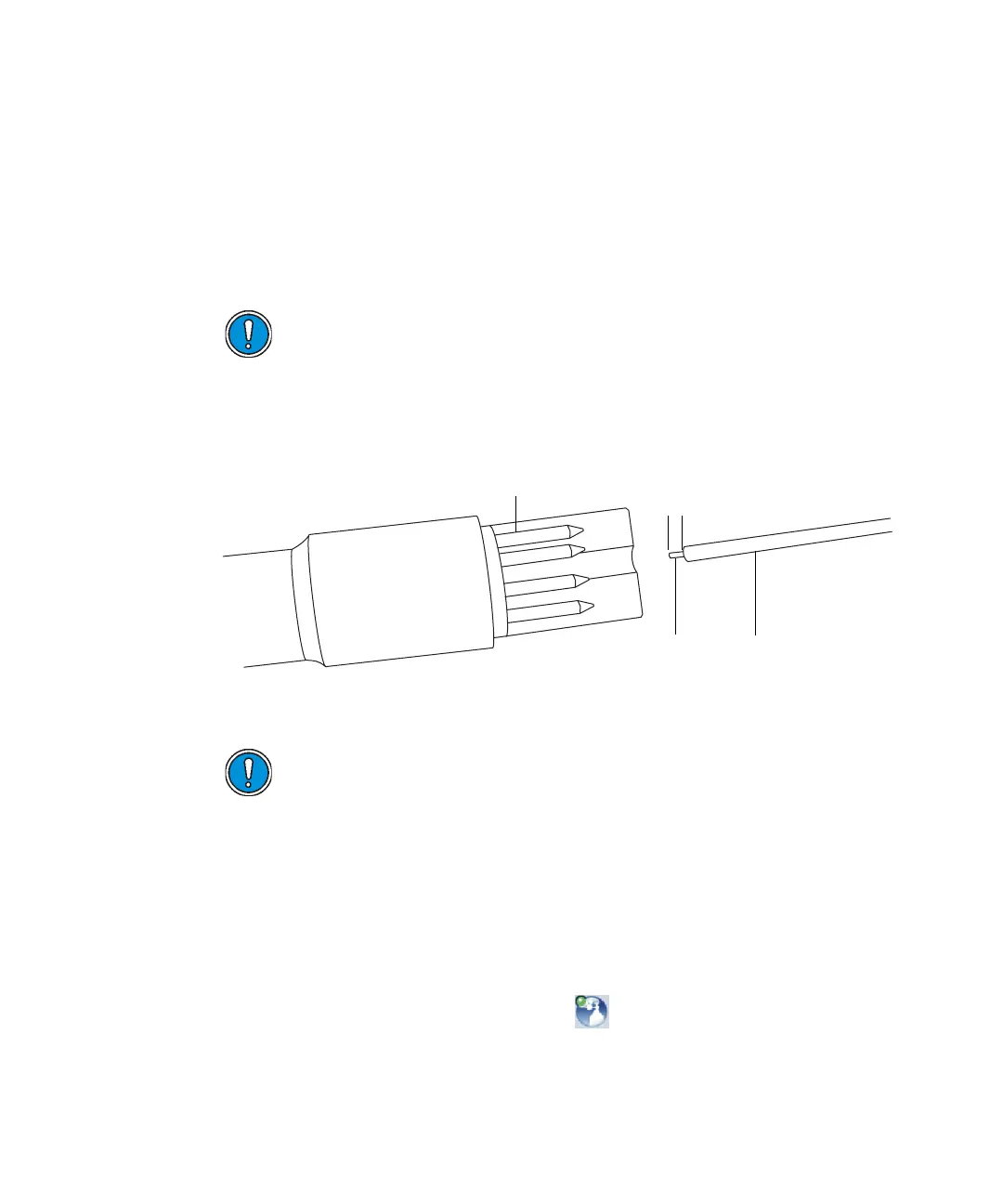
1. Using the probe adjuster knob, adjust the capillary so that it protrudes
approximately 0.5 mm from the end of the capillary sleeve.
2. Carefully slide the probe heater over the capillary sleeve on the probe
assembly.
3. Fit the probe heater to the probe assembly, ensuring that the heater is
fully seated on the probe assembly.
4. Fit the probe heater cover to the probe assembly.
5. Fit the probe to the instrument (see page 3-14).
6. In the Instrument Console, click API to start the desolvation gas
flow.
Caution: Take great care not to damage the probe heater’s
electrical connections, the capillary sleeve, or capillary when
fitting the heater over the capillary sleeve.
Caution: To avoid damaging the probe heater’s electrical
connections, do not twist the heater when fitting it to the probe
assembly.
TP02670
Probe heater connections
Capillary sleeveCapillary
0.5 mm













 To Next Page