84
DETAILED PARAMETER DESCRIPTION
Range
[Factory Setting]
Parameter Unit Description / Notes
Parameters
Parameters
EEPROM
EEPROM
INVERTER
B
INVERTER
A
HMI→keypad
(paste)
P215 = 2
Press
INV→keypad
(copy)
P215 = 1
Press
Keypad
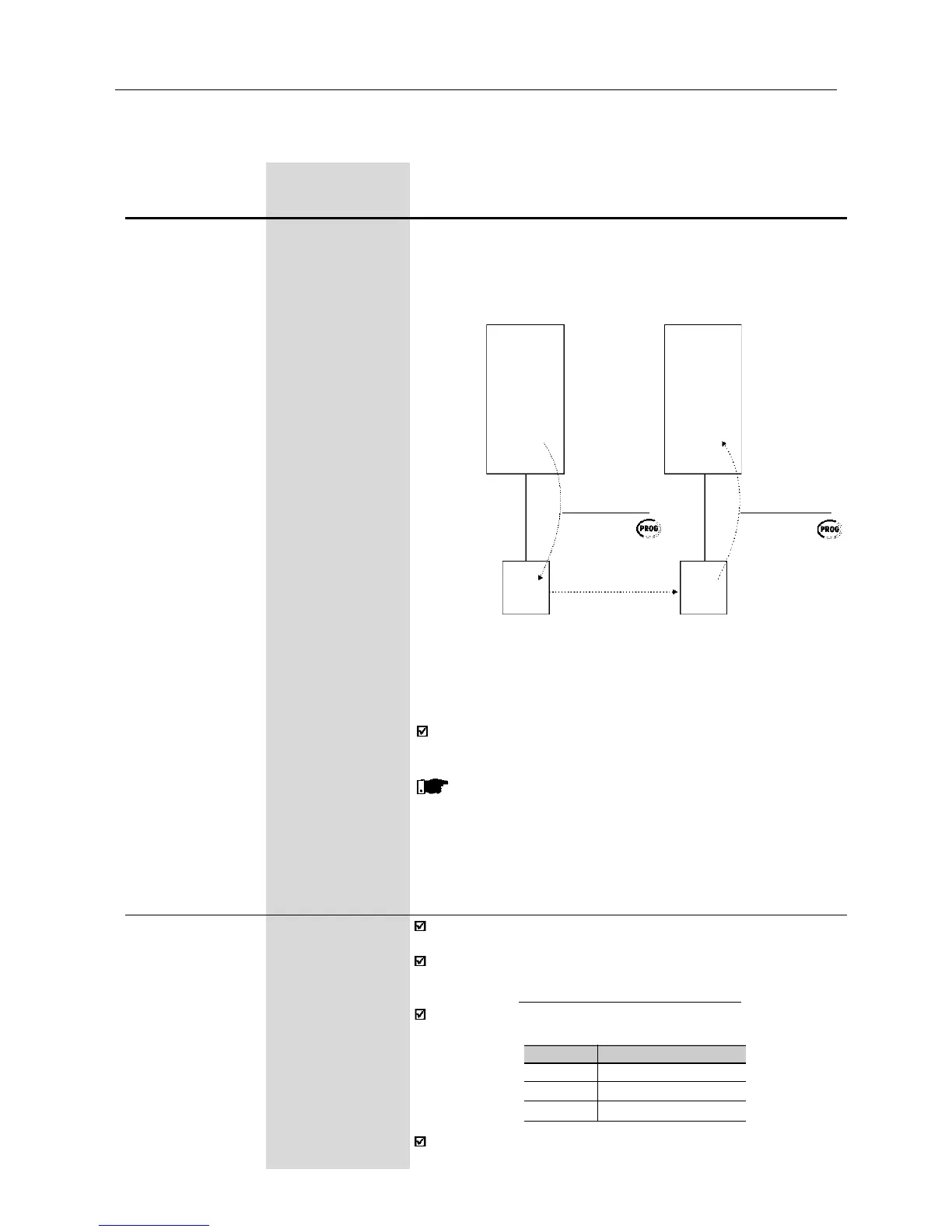
Figure 6.16 - Copying the parameters from the inverter A to the
inverter B, by using the Copy Function and the
HMI-CFW08-RS keypad
While the keypad (HMI) is running the Copy Function (read or write
procedures), you can not operate it.
NOTE!
The copy function is only available when the inverters are of the
same model (voltage and current) and when compatible software
versions are installed. The sofware version is considered
compatible when the digits x and y (Vx.yz) are equal. If they are
different, E10 will be displayed and the parameters will not be
loaded to the destination inverter.
P219
(1)
0.00...25.00Hz
Switching [ 6.00Hz ]
Frequency 0.01Hz
Reduction
Point
Defines the point where the switching frequency is modified
automatically to 2.5kHz.
This improves considerably the measurement of the output current
at low frequencies, and consequently improves the inverter
performance, mainly when in vector control mode (P202=2).
It is recommended to set P219 according to the switching frequency
as shown below:
P297 (f
sw
)
4 (5kHz)
6 (10kHz)
7 (15kHz)
Recommended P219
6.00Hz
12.00Hz
18.00Hz
In application where it is not possible to operate the inverter at
2.5kHz (for instance, due to acoustic noise), set P219=0.00.
(1)
This parameter can be changed only with the inverter disabled (motor stopped).
Keypad
Please consider still the following:
-If the inverters A and B are driving different motors, check the
motor parameters (P399 ... P409) related to inverter B.
-To copy the parameter content of the inverter A to other
inverter(s), repeat steps 4 to 6 above.



 To Next Page