Operation
Working with the vehicle 7.8
127
[en] | 05/2019 | 1000408123 | 4080T Basic Line | Operator’s Manual
7.8.4
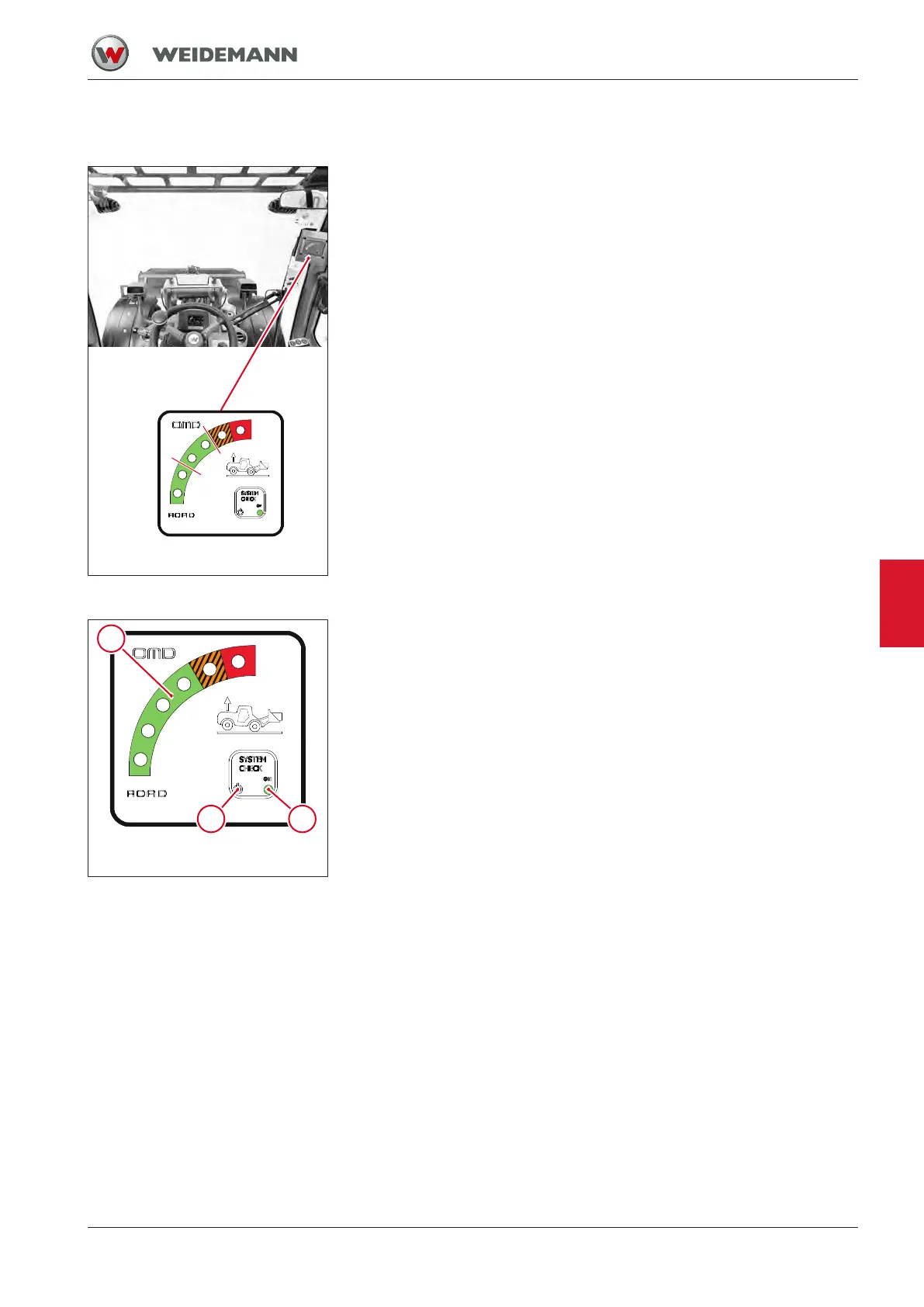
Stability indicator
Fig.112: Stability indicator and work-
ing load diagram
Stability indicator
Always watch the stability indicator display when working. The display of
the stability indicator shows the steadiness of the vehicle in relation to the
lifted load. The stability indicator provides visual and acoustic signals.
• Green to 45%: There is no risk of the vehicle tipping over, all driving
and working movements can continue to be carried out.
• Green to 85%: There is a slight risk of the vehicle tipping over, watch
the stability indicator display during all other driving and working
movements.
• Orange: There is an increased risk of the vehicle tipping over. All
other driving and working movements are to be carried out with care.
• Red: There is an acute risk of the vehicle tipping over. Immediately
interrupt any working movements being carried out currently. Retract
the telescoping arm or lower the loader unit.
The stability indicator warns only in case of insufficient steadiness in a
longitudinal direction and to the front. Lateral loads are not shown by the
stability indicator.
Fig.113: Elements of the stability in-
dicator
Function check of stability indicator
1 Warning lights (green, orange, red)
2 Ready light (green)
3 “SYSTEM CHECK” button
As soon as the vehicle’s ignition is switched on (ignition key in position I),
the ready light 1 illuminates. If light 1 does not light up, stop the vehicle
immediately and contact an authorized service center.
As soon as the vehicle’s ignition is switched on (ignition key in position I),
all diodes of the stability indicator moreover light up briefly and an acous-
tic signal is given. If this is not the case or if the diodes light up perman-
ently, or if the acoustic signal is continuous, the stability indicator is de-
fective. In such case, do NOT use the vehicle. The stability indicator must
be checked, adjusted and/or repaired by qualified personnel.
Manual function check of the stability check
The function check can be carried out at any time, even during operation.
▪ Press “SYSTEM CHECK” button.
ð All diodes light up at the same time and an acoustic alarm
sounds.
ð Stability indicator works flawlessly.
▪ Press “SYSTEM CHECK” button.
ð Diodes flash and an acoustic alarm sounds.
ð System error! Stop the vehicle immediately and contact an authorized
service center.
7



 To Next Page