Operation
7.9 Operating the front hydraulic connections
140
Operator’s Manual | 4080T Basic Line | 1000408123 | 05/2019 | [en]
Operating additional hydraulic connections on the mast
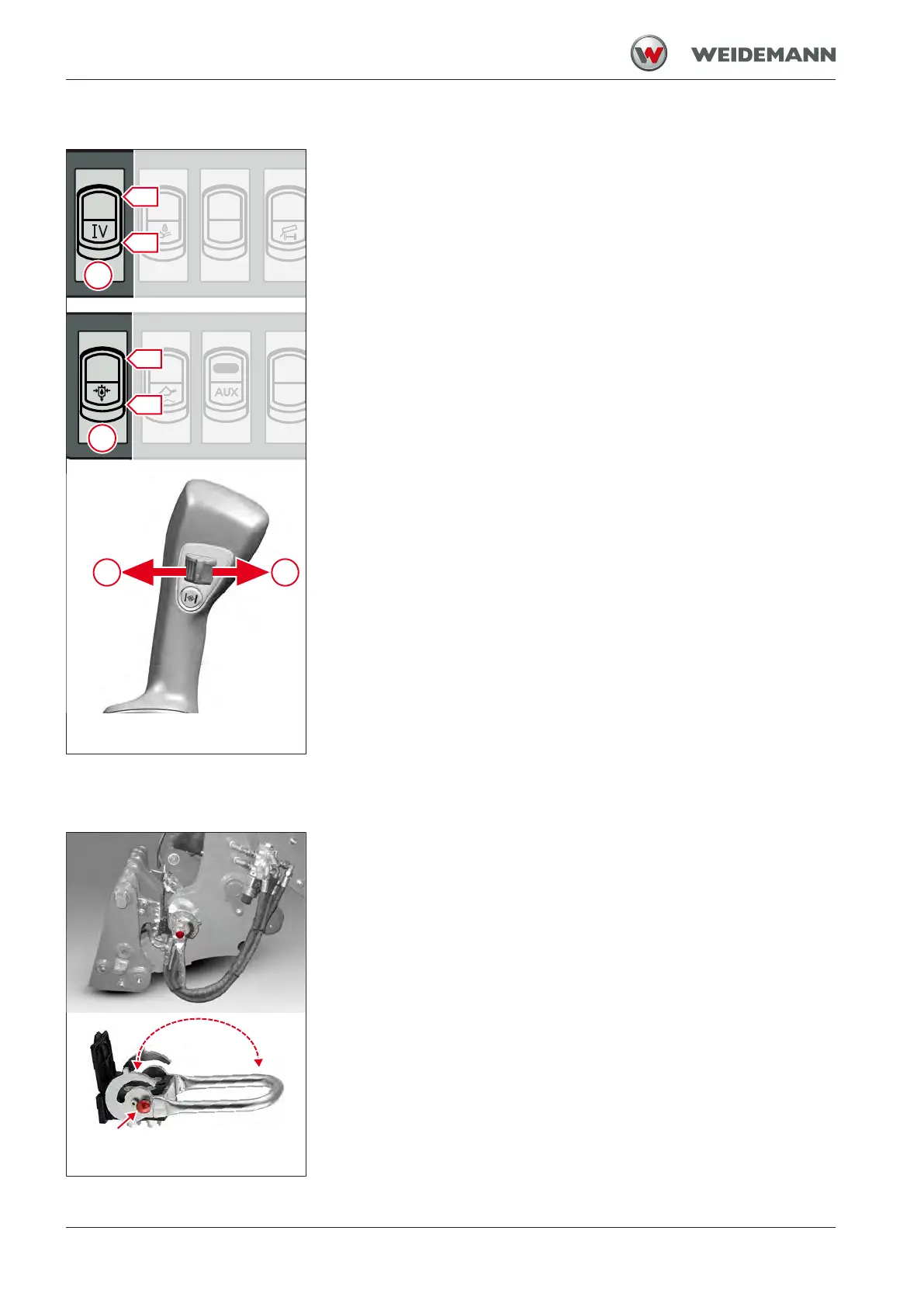
Fig.127: Operating hydraulic con-
nections of the fourth control circuit
Switch 1 in the switch panel can be used to switch from the standard hy-
draulic connections to the additional hydraulic connections. The addi-
tional hydraulic connections can be actuated using the control wheel on
the joystick.
1. Move switch 1 to position I.
ð Additional hydraulic connections can be operated.
2. Move the joystick control wheel in direction A and hold it.
ð Connection A is pressure side, connection Bis return flow.
3. Move the scroll wheel in directionB and hold it.
ð Connection A is return flow, connection B is pressure side.
4. Set switch 1 to position 0.
ð Standard hydraulic connections can be operated.
The hydraulic lock cannot be operated if the additional hydraulic connec-
tions on the mast are activated.
The attachment can only be uncoupled if the standard hydraulic connec-
tions are activated and can be operated.
Operating additional hydraulic connections in continuous
operation
Operation takes place as described in the chapter .
To activate the function, the switch must first be set to position I.
7.9.5
Operating the hydraulic connections Multi-quick coupler
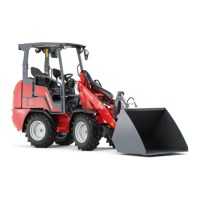
Fig.128: Operating the Multi-quick
Coupler
The hydraulic connections multi-quick couplers are located on the loader
unit. With this option, up to four hydraulic connections can be coupled
simultaneously in a simple and time-saving manner. The attachment
must have the appropriate counterpart.
To couple the multi-quick coupler hydraulic connections, the hydraulic
connections must first be depressurized. Depressurize the hydraulic con-
nections: see Coupling attachments on page 130.
For the operation of the hydraulic connections see:
• Operating standard hydraulic connections
• Operating additional hydraulic connections


 To Next Page