Commissioning
6.2 Setting up the operator station
82
Operator’s Manual | 4080T Basic Line | 1000408123 | 05/2019 | [en]
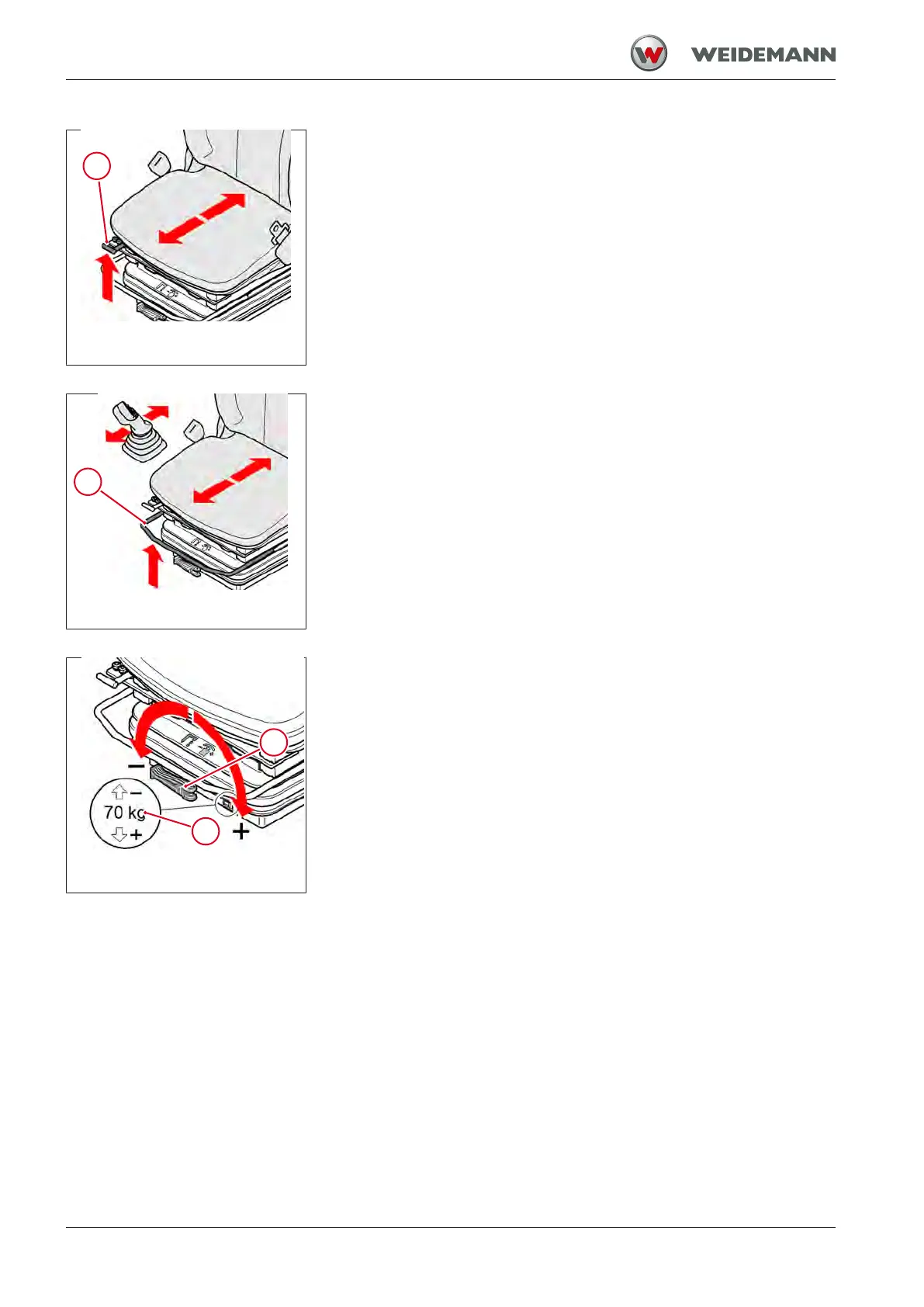
Fig.55: Longitudinal adjustment
(without side console)
Adjusting longitudinal direction separately from the side console
1. Pull lever 1 upward and hold.
2. Push the seat forwards or backwards into the desired position.
3. Release lever1.
After adjustment, lever 1 must engage in the desired position. It shall not
be possible to move the seat after it has been locked.
Fig.56: Longitudinal adjustment
(with side console)
Adjusting longitudinal direction together with the side console
1. Pull lever 2 upward and hold.
2. Push the seat forwards or backwards into the desired position.
3. Release lever2.
After adjustment, lever 2 must engage in the desired position. It shall not
be possible to move the seat after it has been locked.
Fig.57: Adjust suspension with dis-
play
Adjusting the suspension
The currently set operator weight in kg can be read off in the viewing win-
dow 4.
▪ Turn lever 3 clockwise.
ð The weight displayed in viewing window 4 decreases.
ð Spring tension is reduced - suspension becomes softer.
▪ Turn lever 3 counterclockwise.
ð The weight displayed in viewing window 4 increases.
ð Spring tension is increased- suspension becomes harder.
The suspension is correctly adjusted when the weight displayed in view-
ing window 4 matches the operator's weight.



 To Next Page