PROCEDURE
1 Operate the turning gear to move the piston to BDC.
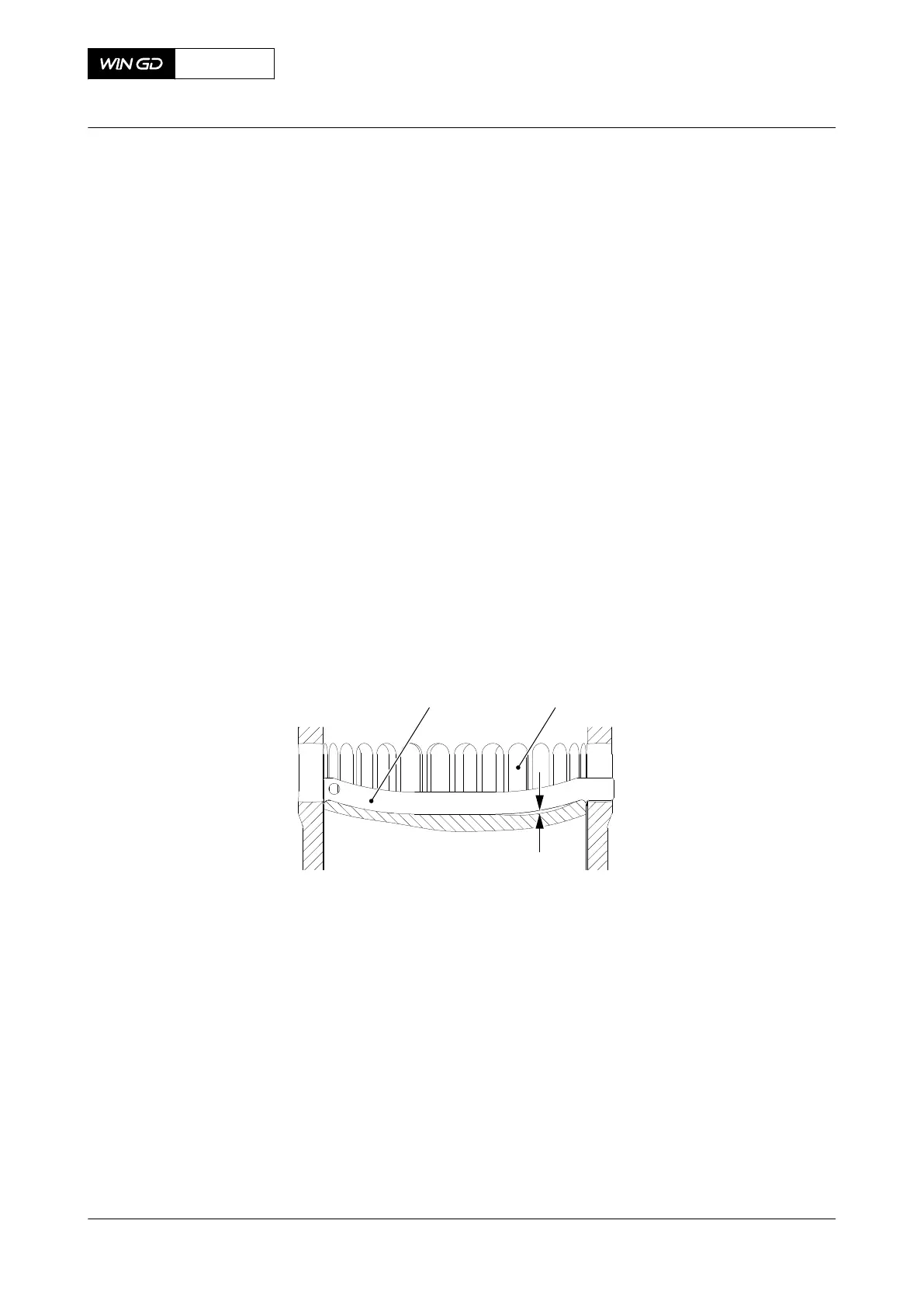
2 Look through the scavenge ports (002) for burn scars on the piston head (001, Figure
8-66).
3 Put the template (001) through the related scavenge port (002).
4 Use the feeler gauge to measure the depth of the burn scar(s).
NOTE: You can also use a depth gauge to measure the depth of the burn scar(s).
5 Remove the template (001).
6 If there are more burn scars, do Step 3 to Step 5 again through an other scavenge port.
7 If the burn scars are less than 10 mm, do as follows:
7.1 Use an applicable tool to grind the burn scars.
7.2 Use an emery cloth to make sharp edges smooth.
8 If the burn scars are 10 mm or more, do as follows:
8.1 Remove the piston, refer to section 8.7.3 Piston - remove.
8.2 Disassemble the piston, refer to section 8.7.4 Piston - disassemble.
8.3 Use surface welding to repair the piston head to its original thickness.
8.4 Assemble the piston, refer to section 8.7.6 Piston - assemble.
8.5 Install the piston, refer to section 8.7.7 Piston - install.
Fig 8-66 Top surface - dimensions check
9 Find the cause of the burn scars and repair the fault.
X72DF
AA00-3403-00AAA-360A-A
Maintenance Manual Piston (installed) - do checks of the surface and clearances
Winterthur Gas & Diesel Ltd.
- 473 - Issue 002 2020-10



 To Next Page