7. SYSTEM ASSEMBLY
7 System Assembly
7.1 General Descripon
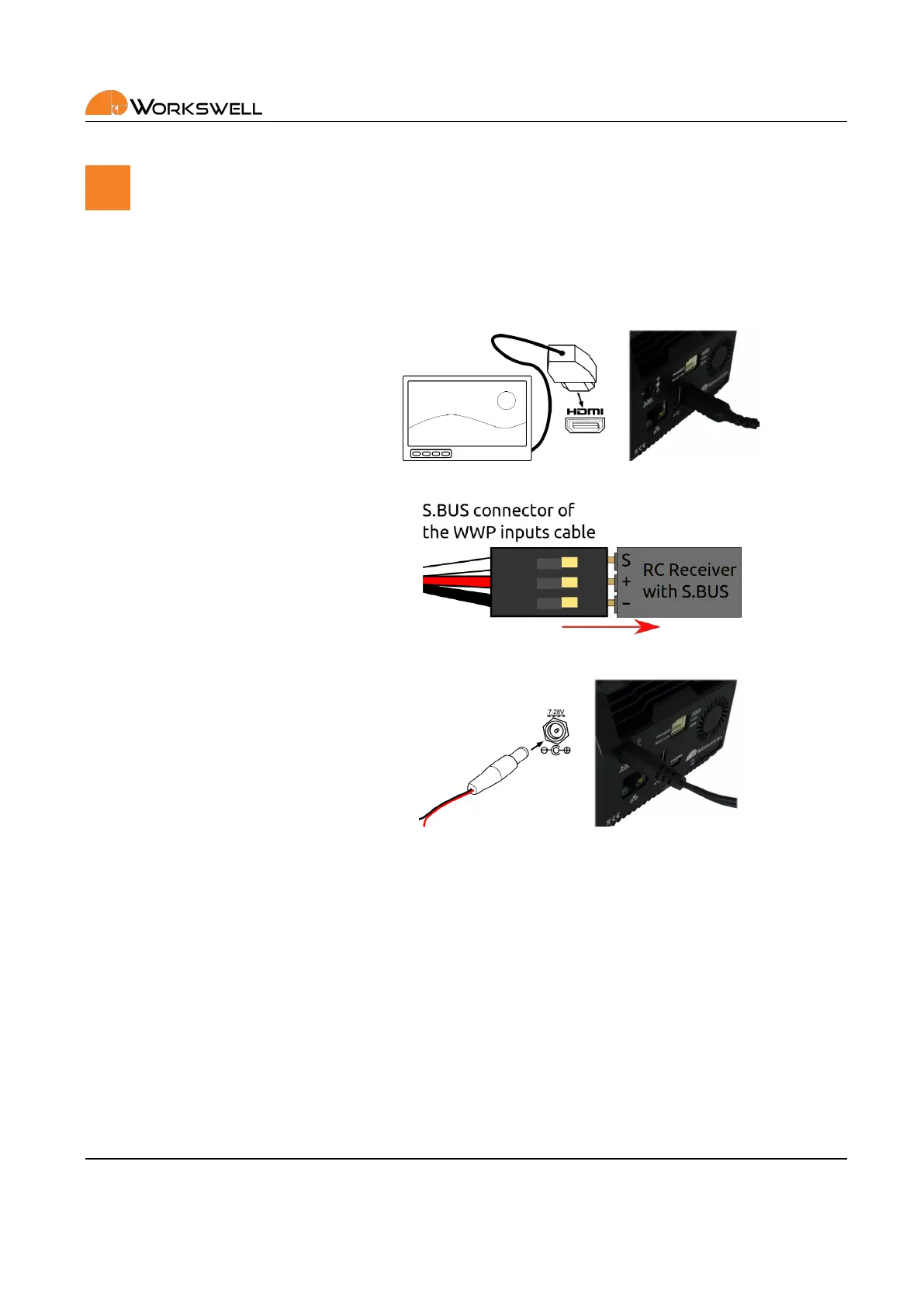
Follow these steps to prepare the system:
1) Connect the system to a wire‐
less video link or a display using
HDMI micro cable (included).
2) Connect the system to a stan‐
dard RC receiver using S.BUS. Use
channels 1 and 2 to control the
main funcons. System can also
be controlled via USB keyboard.
3) Connect the power supply
using power supply cable (in‐
cluded). Red wire is +9 to +36
VDC, black wire is GND.
E‐mail and Web
info@workswell.eu
www.workswell.eu
Mobile:
+420 725 877 063
ID:
Reg. No.: 29048575
VAT No.: CZ29048575
Headquarters
U Albrechtova vrchu 12
155 00, Prague 13
Czech Republic
Version: 201215 EN, 15
th
Dec, 2020
All pictures are only for illustraon.
Real values may vary.
11



 To Next Page