13. MAIN MENU (SETTINGS)
13.7.7 Memory
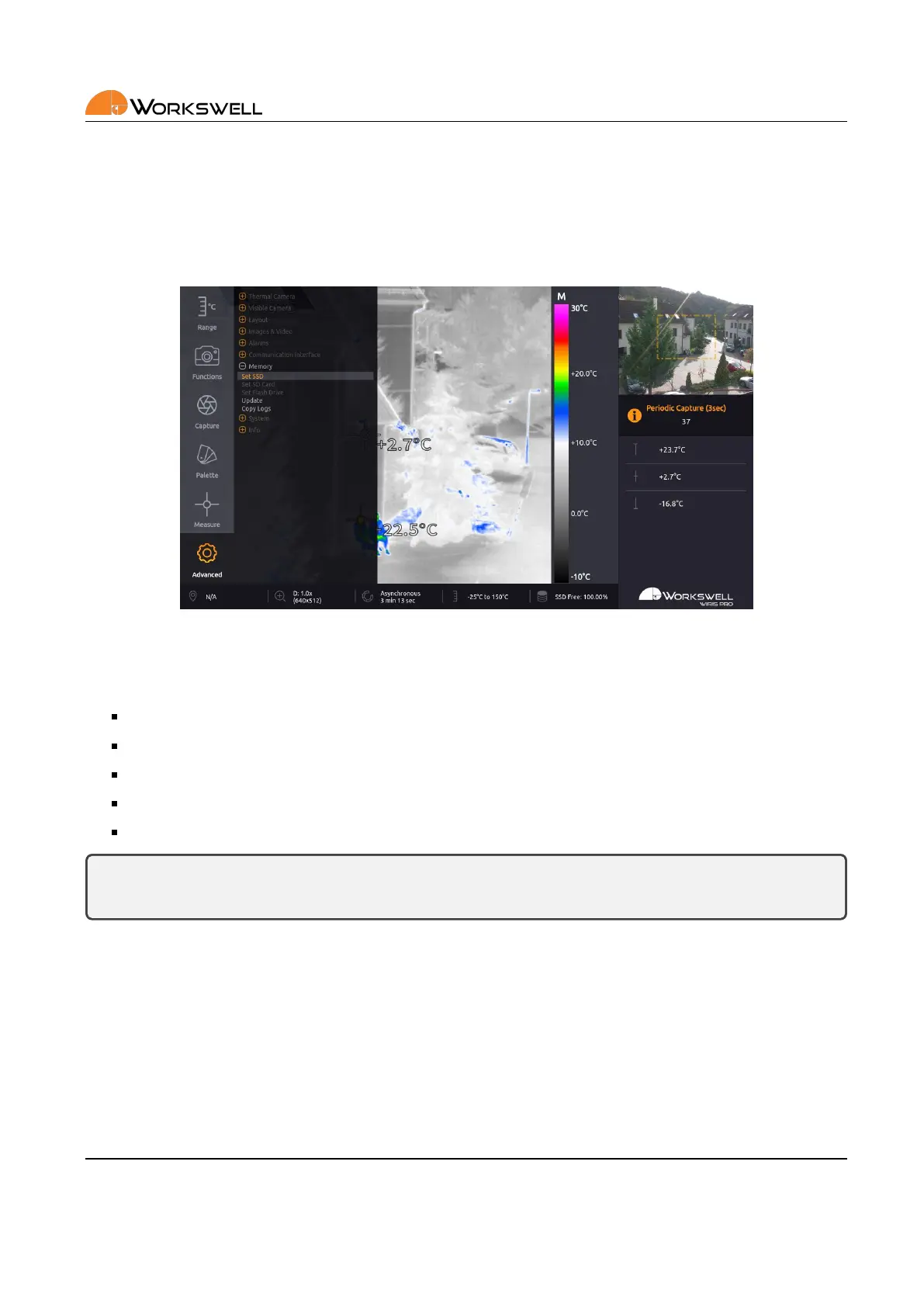
MEMORY submenu allows user to format storage devices and to move stored les between them or erase them
altogether. It also allows the user to trigger a search for an update le and to copy system logs to external storage
devices.
Figure 13.15: Memory menu.
MEMORY menu consists of the following items:
SET SSD ‐ Access further opons for work with the internal SSD storage.
SET SD CARD ‐ Access further opons for work with the SD Card storage.
SET FLASH DRIVE ‐ Access further opons for work with Flash Drive storage.
UPDATE ‐ Iniate a search for an update le on all of the device storage devices.
COPY LOGS ‐ Copies internal system logs to all the storage devices, making the les accessible to the user.
Note: The SET SD CARD and SET FLASH DRIVE opons are only accessible if the respecve storage device
is present and recognized by the system.
More about transferring data in chapter 15.
E‐mail and Web
info@workswell.eu
www.workswell.eu
Mobile:
+420 725 877 063
ID:
Reg. No.: 29048575
VAT No.: CZ29048575
Headquarters
U Albrechtova vrchu 12
155 00, Prague 13
Czech Republic
Version: 201215 EN, 15
th
Dec, 2020
All pictures are only for illustraon.
Real values may vary.
53



 To Next Page