13. MAIN MENU (SETTINGS)
13.7.3 Layout
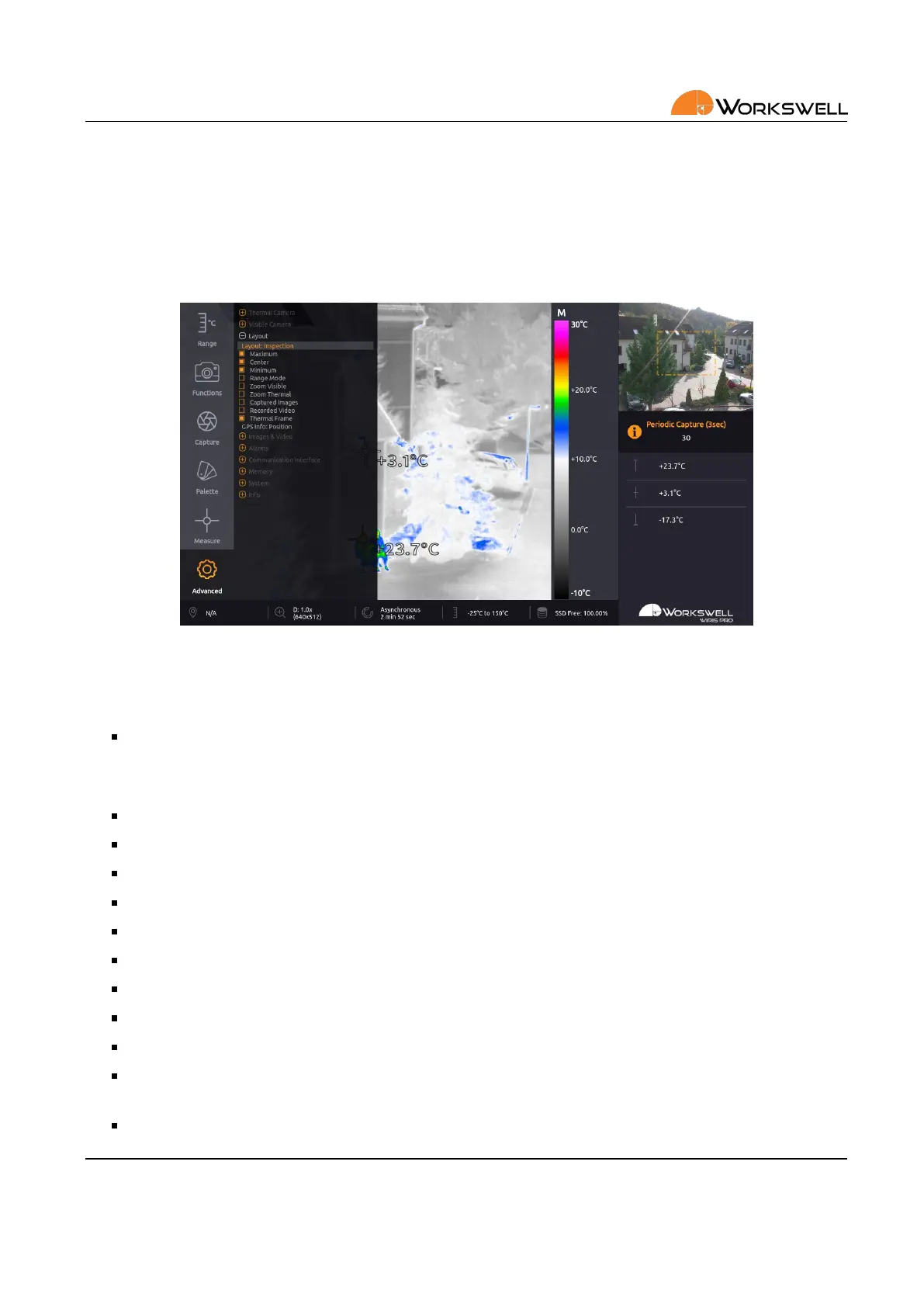
LAYOUT submenu allows user to toggle informaon datapoints that appear in the inspecon panel on the right
side of the screen. It also allows the user to cycle through the possible GPS informaon displayed.
Each Layout can have dierent item sengs, some sengs are exclusive to some Layouts.
Figure 13.11: Layout submenu and Inspecon Panel.
First, you can select Layout:
Layout ‐ Select between dierent layouts (Inspecon, Security, Fullscreen, PiP Fusion)
LAYOUT menu consists of the following items, toggling the inspecon or overlay panel display of the following
values:
MAXIMUM ‐ Maximal temperature measured in the image
CENTER ‐ Temperature measured at the center point of the image
MINIMUM ‐ Minimal temperature measured in the image
RANGE MODE ‐ Currently acve range mode and its edge values
ZOOM VISIBLE ‐ Zoom level and resoluon of the visible camera image
ZOOM THERMAL ‐ Zoom level and resoluon of the thermal camera image
Correcon (NUC) ‐ Current NUC status
GPS ‐ Current GPS status
ENVIRONMENT ‐ Current thermal camera environment sengs
CAPTURED IMAGES ‐ Number of images currently captured to SSD and to the storage medium currently
chosen for image capture saving
RECORDED VIDEO ‐ Duraon of video recordings currently saved to the SSD
E‐mail and Web
info@workswell.eu
www.workswell.eu
Mobile:
+420 725 877 063
ID:
Reg. No.: 29048575
VAT No.: CZ29048575
Headquarters
U Albrechtova vrchu 12
155 00, Prague 13
Czech Republic
Version: 201215 EN, 15
th
Dec, 2020
All pictures are only for illustraon.
Real values may vary.
48



 To Next Page