13. MAIN MENU (SETTINGS)
13.7 Advanced
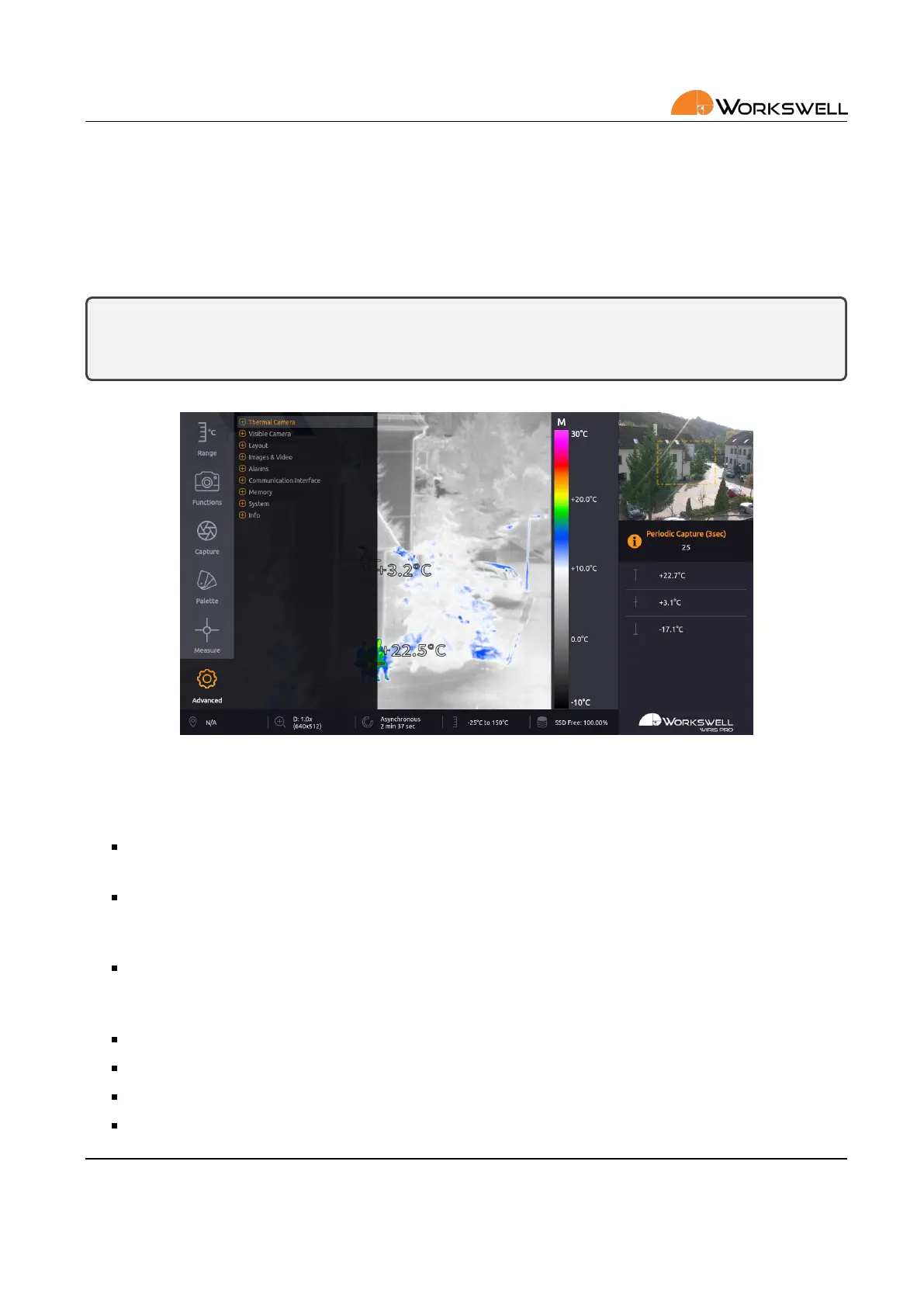
ADVANCED category allows user to set advanced behavior of the device. It is divided into nine more categories
– THERMAL CAMERA, VISIBLE CAMERA, LAYOUT, IMAGES & VIDEO, ALARMS, COMMUNICATION INTERFACE,
MEMORY, SYSTEM and INFO.
Note: The Advanced menu cannot be accessed while Video or Image Series capture is underway. The
user will be noed of this and prompted to stop the capture or recording before accessing the Advanced
menu.
Figure 13.8: Advanced sengs.
ADVANCED MENU consists of the following categories:
THERMAL CAMERA ‐ Emissivity, Atmospheric temperature, Shuer correcon (NUC) period and reset to
Default sengs
VISIBLE CAMERA ‐ Gamma, White Balance, Vibraon Compensaon, Backlight Compensaon, Wide Dy‐
namic Range Mode, Defog, Noise Reducon (2D), Noise Reducon (3D), Color Gain, Exposure Mode, Shut‐
ter, Iris, Gain, Exposure Compensaon and reset to Default sengs
LAYOUT ‐ Layout mode toggle, Toggle of which datapoints should be displayed in the INSPECTION PANEL
(Maximum, Center, Minimum, Range Mode, Zoom (Visible), Zoom (Thermal), Captured Images, Recorded
Video), Thermal Frame toggle, GPS Info cycling
IMAGES & VIDEO ‐ Toggles for capture le types, Image Save to, Video Radiometric, Video Visible
ALARMS ‐ Alarm Palee, Alarm Above, Alarm Below, Alarm Between, Alarm Opacity
COMMUNICATION INTERFACE ‐ IO Channel funcon bindings, S.Bus Oset, Trigger binding
MEMORY ‐ Set SSD, Set SD Card, Set Flash Drive, Update, Copy Logs
E‐mail and Web
info@workswell.eu
www.workswell.eu
Mobile:
+420 725 877 063
ID:
Reg. No.: 29048575
VAT No.: CZ29048575
Headquarters
U Albrechtova vrchu 12
155 00, Prague 13
Czech Republic
Version: 201215 EN, 15
th
Dec, 2020
All pictures are only for illustraon.
Real values may vary.
44



 To Next Page