15. DATA TRANSFER AND MEMORY MANIPULATION
15 Data Transfer and Memory Manipulaon
Workswell WIRIS Pro system is equipped with internal SSD storage for captured images and recorded video. This
storage can be further extended and copied from using an oponal SD Card and a Flash Drive.
There’s two ways of extracng recorded data from the device. Either through a direct connecon to another
device acng as an USB Host is made, which makes the internal SSD accessible as a generic Mass Storage device,
or by using the removable SD Card or Flash Drive to transfer the les. Files can be either captured directly to
these removable media, or moved to them manually from the internal SSD storage.
15.1 Applicaon Menu
Note: Only sll image capture can be done directly to the SD Card and Flash Drive external devices, se‐
quence recordings are always saved to the internal SSD storage and have to be either recovered via USB
transfer or copied to the external storage media manually.
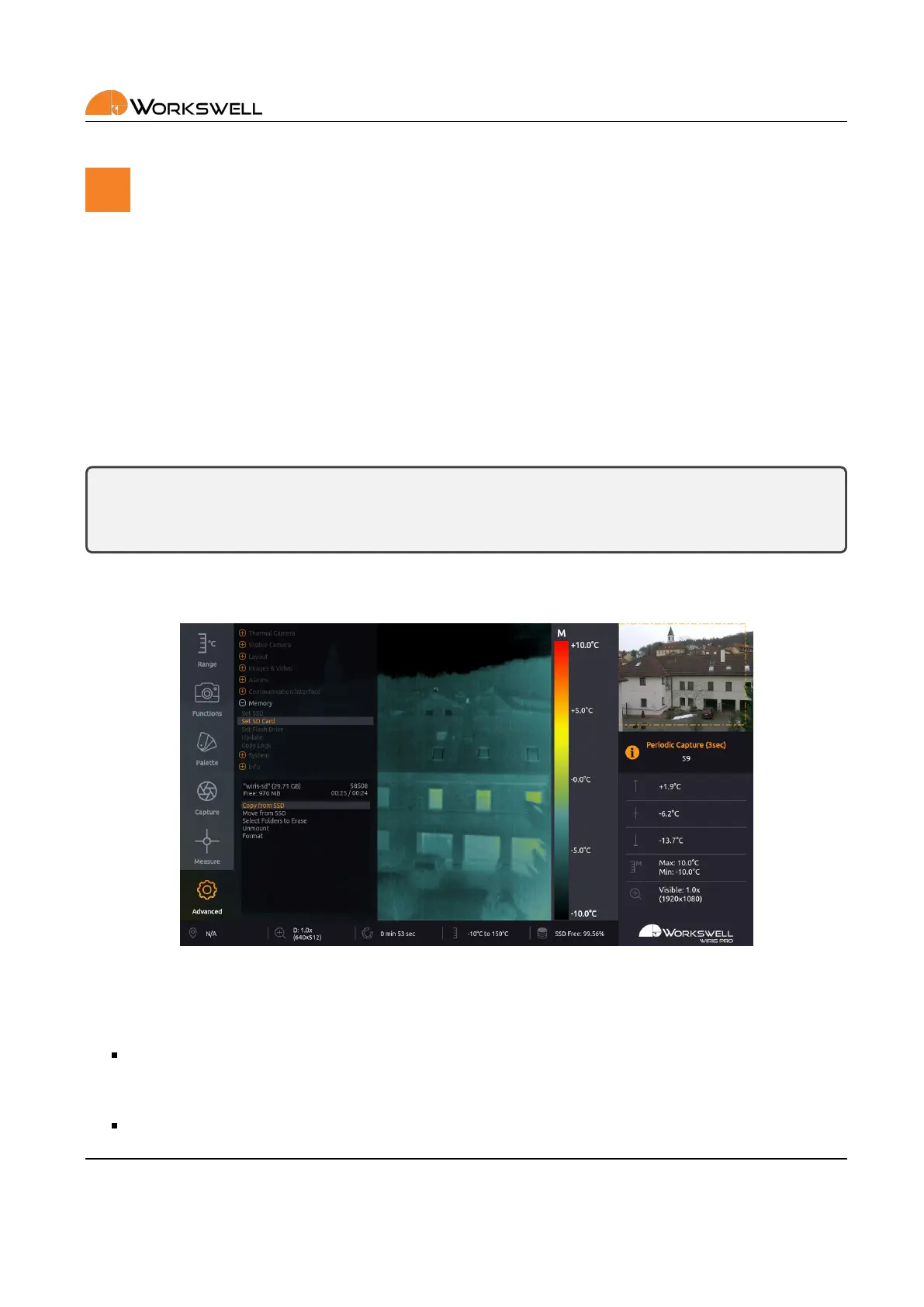
All of the three storage media (SSD, SD Card, Flash Disk) can be managed within the menu through the opons
ADVANCED > MEMORY > SET [SSD/SD Card/Flash Drive].
Figure 15.1: Storage manipulaon submenu.
The memory management menu for the SD CARD and FLASH DRIVE have the following opons:
COPY FROM SSD ‐ Aer scanning the SSD storage for available data, allows selecve copy of folders con‐
taining the captured images and sequences to the chosen external medium. Copied les are NOT removed
from the internal SSD storage.
MOVE FROM SSD ‐ Aer scanning the SSD storage for available data, allows selecve move of folders
E‐mail and Web
info@workswell.eu
www.workswell.eu
Mobile:
+420 725 877 063
ID:
Reg. No.: 29048575
VAT No.: CZ29048575
Headquarters
U Albrechtova vrchu 12
155 00, Prague 13
Czech Republic
Version: 201215 EN, 15
th
Dec, 2020
All pictures are only for illustraon.
Real values may vary.
59



 To Next Page