15. DATA TRANSFER AND MEMORY MANIPULATION
containing the captured images and sequences to the chosen external medium. Copied les ARE removed
from the internal SSD storage.
SELECT FOLDERS TO ERASE ‐ Aer scanning the selected storage medium for available data, allows selec‐
ve deleon of folders containing the captured images and sequences. If these les haven’t been copied
previously, they will be lost.
UNMOUNT ‐ Safely unmounts the chosen external medium so it can be physically removed without risk of
data loss. External media are automacally mounted again, aer being reinserted into the device.
FORMAT ‐ Performs a format of the storage device. Beware, this will delete all the data stored on the given
storage medium, including data unrelated to operaon of the device.
Note: The memory management menu for the internal SSD storage has only the SELECT FOLDERS TO
ERASE and FORMAT opons, which funcon as outlined above. Data cannot be copied or moved from
external storage media to the SSD. The SSD cannot be unmounted.
Note: The respecve media menu opons only become accessible if the given storage medium (SD Card,
Flash Disk) is physically connected to the device and successfully mounted
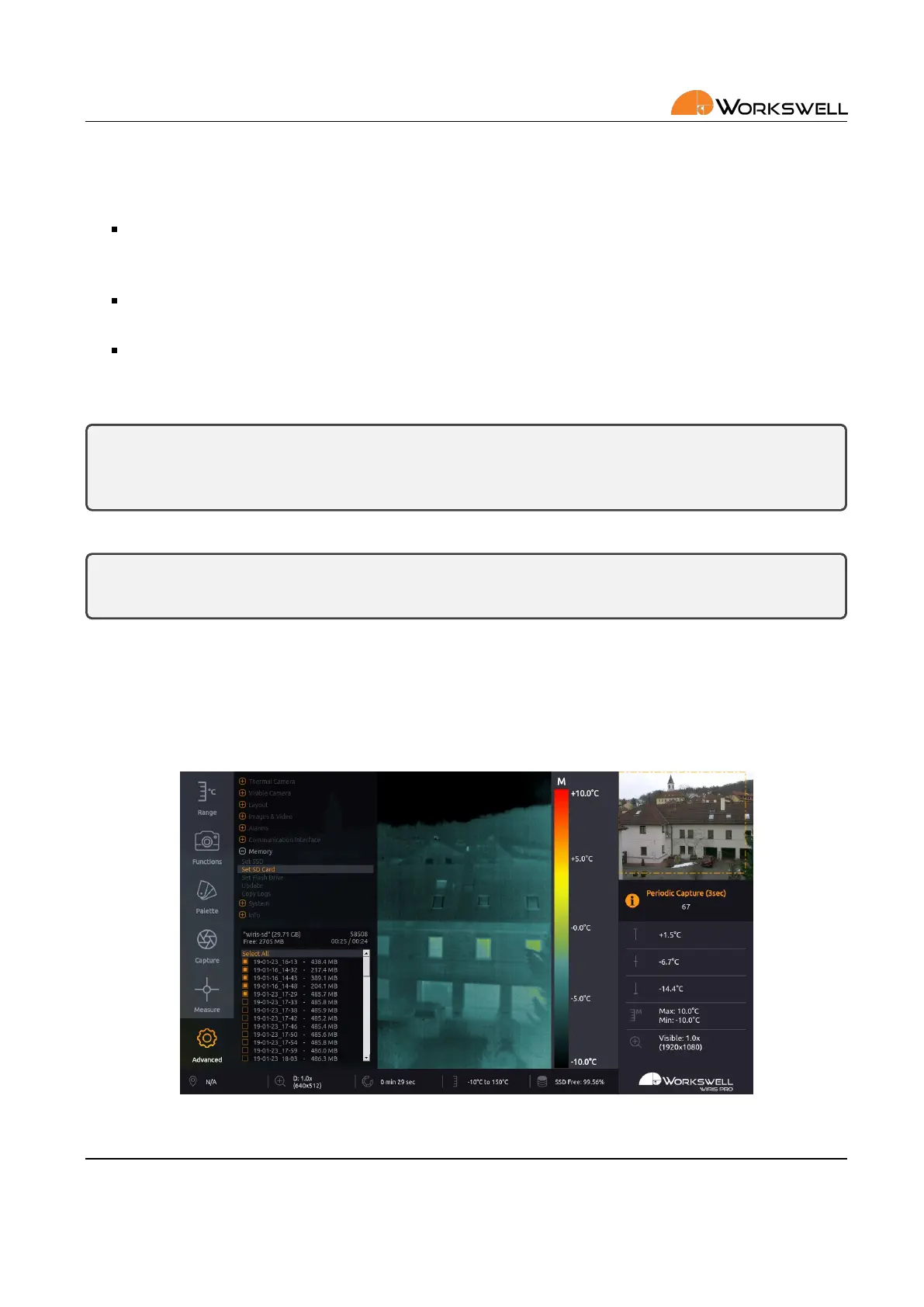
Once the COPY, MOVE or TO ERASE opon is selected, memory of the medium is scanned for data (this may take
a while). User is prompted to choose which folders should be copied, moved, or erased. New data folders are
always created automacally based on the current date and me.
Figure 15.2: Selecon of folders to be acted upon.
E‐mail and Web
info@workswell.eu
www.workswell.eu
Mobile:
+420 725 877 063
ID:
Reg. No.: 29048575
VAT No.: CZ29048575
Headquarters
U Albrechtova vrchu 12
155 00, Prague 13
Czech Republic
Version: 201215 EN, 15
th
Dec, 2020
All pictures are only for illustraon.
Real values may vary.
60



 To Next Page