13. MAIN MENU (SETTINGS)
IMAGE INTERPOLATION ‐ Opon to toggle digital smoothing in thermal camera image.
DEFAULT ‐ Opon to reset all the items above to their default values.
Note: The Lens opon only appears in the menu in case the WIRIS Pro camera has been calibrated for
use with mulple exchangeable thermal lenses.
13.7.2 Visible Camera
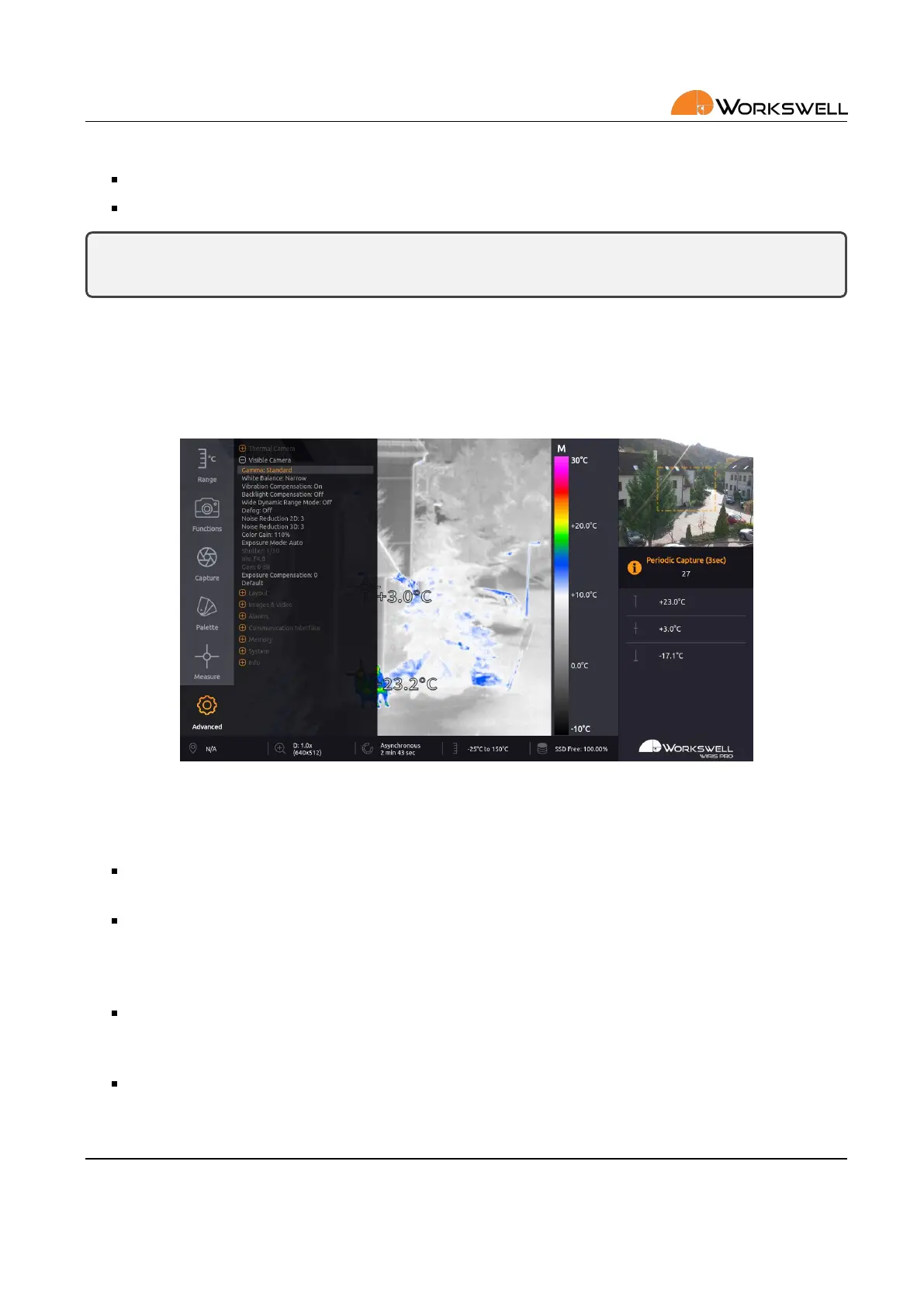
Visible Camera submenu allows user to set the parameters common to many regular digital video cameras. It
also allows these parameters to be reset to their default values.
Figure 13.10: Visible Camera submenu.
VISIBLE CAMERA submenu consists of the following items:
GAMMA ‐ cycles between STANDARD, STRAIGHT, NARROW and WIDE. This changes the gamma curve used
for mapping and compression of the values observed by the camera.
WHITE BALANCE ‐ cycles between WIDE, NARROW, INDOOR, OUTDOOR. WIDE and NARROW are automac
modes which cover color temperature range from about 10000K to 2200K and about 7000K to 2500K
respecvely. INDOOR and OUTDOOR are xed color temperature balance modes for about 3200K and
5800K respecvely.
VIBRATION COMPENSATION ‐ toggles ON and OFF. Opcal vibraon compensaon is implemented me‐
chanically and aempts to decrease blurring and shaking eects. It’s mostly eecve against vibraons
within the frequency range of 2‐17Hz.
BACKLIGHT COMPENSATION ‐ toggles ON and OFF. Backlight compensaon aempts to ignore small, very
bright areas of the scene when determining the correct exposure sengs which may allow intensely backlit
objects sll remain well visible in the resulng image. This is at the cost of potenally losing detail in very
E‐mail and Web
info@workswell.eu
www.workswell.eu
Mobile:
+420 725 877 063
ID:
Reg. No.: 29048575
VAT No.: CZ29048575
Headquarters
U Albrechtova vrchu 12
155 00, Prague 13
Czech Republic
Version: 201215 EN, 15
th
Dec, 2020
All pictures are only for illustraon.
Real values may vary.
46



 To Next Page