7. SYSTEM ASSEMBLY
7.5 USB On‐The‐Go
The Workswell WIRIS Pro’s internal SSD memory can be accessed directly using an USB On‐The‐Go connecon
between with any system capable of correctly accessing the standard USB mass storage such as a PC with MS
Windows or GNU/Linux.
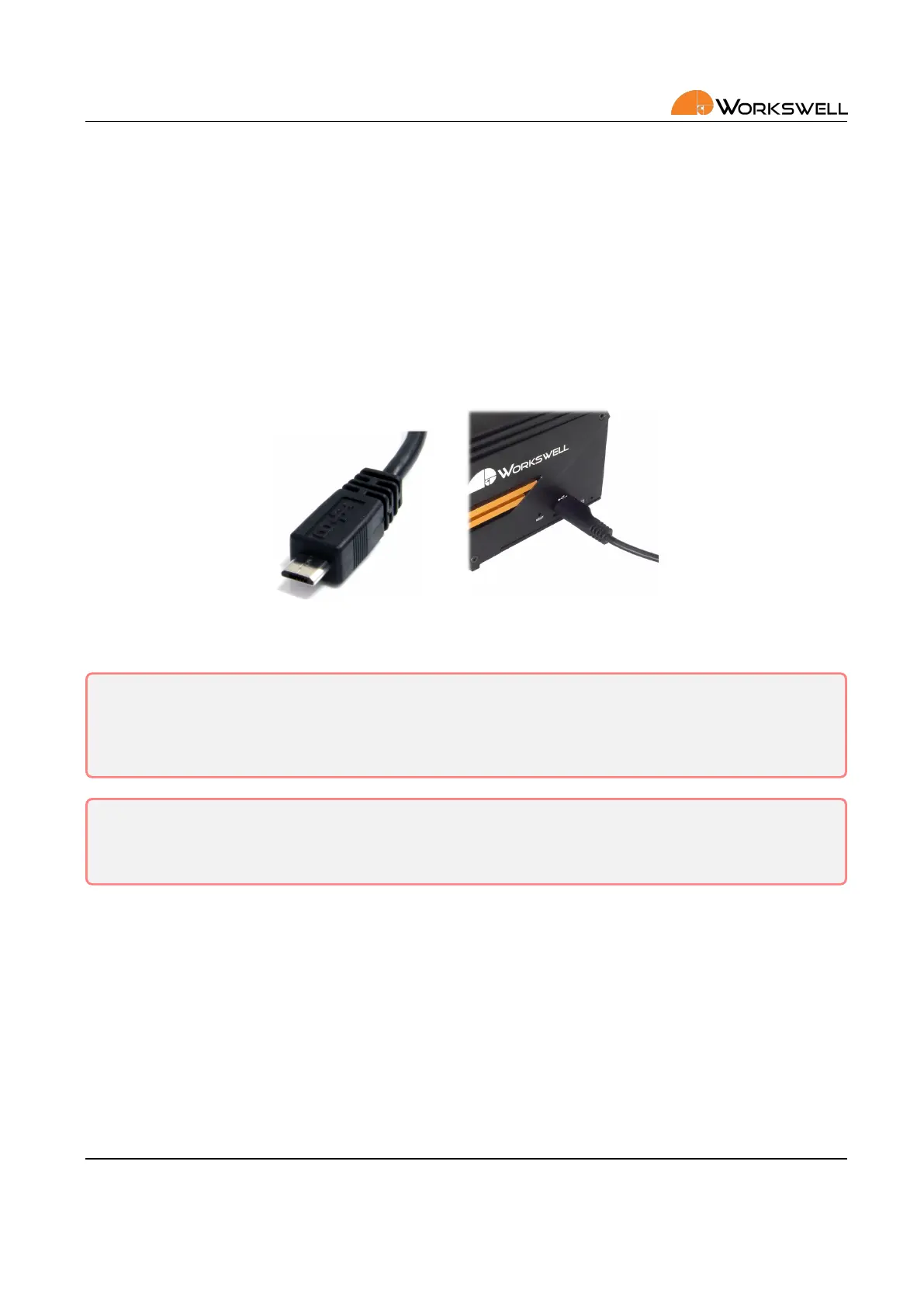
To connect to the internal memory, use a standard USB Micro B connector cable and plug it into the connector
in the side of WIRIS Pro.
If communicaon is successfully established, most modern operang systems will automacally report presence
of a mass storage device and allow access to the data.
Figure 7.5: Connecng WIRIS Pro using USB On‐The‐Go
Warning: Do NOT connect WIRIS Pro to any other powered device (such as PC) through the full size USB
port on the rear of WIRIS Pro ‐ only the side Micro USB port can be used for mass storage access. As the
rear USB port is powered, connecon to another powered USB port can lead to permanent damage to
either device.
Warning: Do NOT format the SSD of the camera as a device connected to the PC via USB OTG! Formang
the SSD in this manner will void the warranty and the camera will need to be sent for repair. Use only the
rmware GUI of the camera to format the SSD, while the camera is not connected to any other device.
7.6 SD Card
The Workswell WIRIS Pro can be oponally ed with a MicroSD memory card as a storage medium. Most
generic MicroSD cards should be compable. Video recordings cannot be saved directly to the MicroSD card and
have to be recorded only to internal storage (but can be moved over to the MicroSD o‐line within the device
itself).
To install the MicroSD card simply insert it into the MicroSD slot on le side of the device. Be mindful of the
SDCard orientaon; contacts should be facing upwards.
E‐mail and Web
info@workswell.eu
www.workswell.eu
Mobile:
+420 725 877 063
ID:
Reg. No.: 29048575
VAT No.: CZ29048575
Headquarters
U Albrechtova vrchu 12
155 00, Prague 13
Czech Republic
Version: 201215 EN, 15
th
Dec, 2020
All pictures are only for illustraon.
Real values may vary.
14



 To Next Page