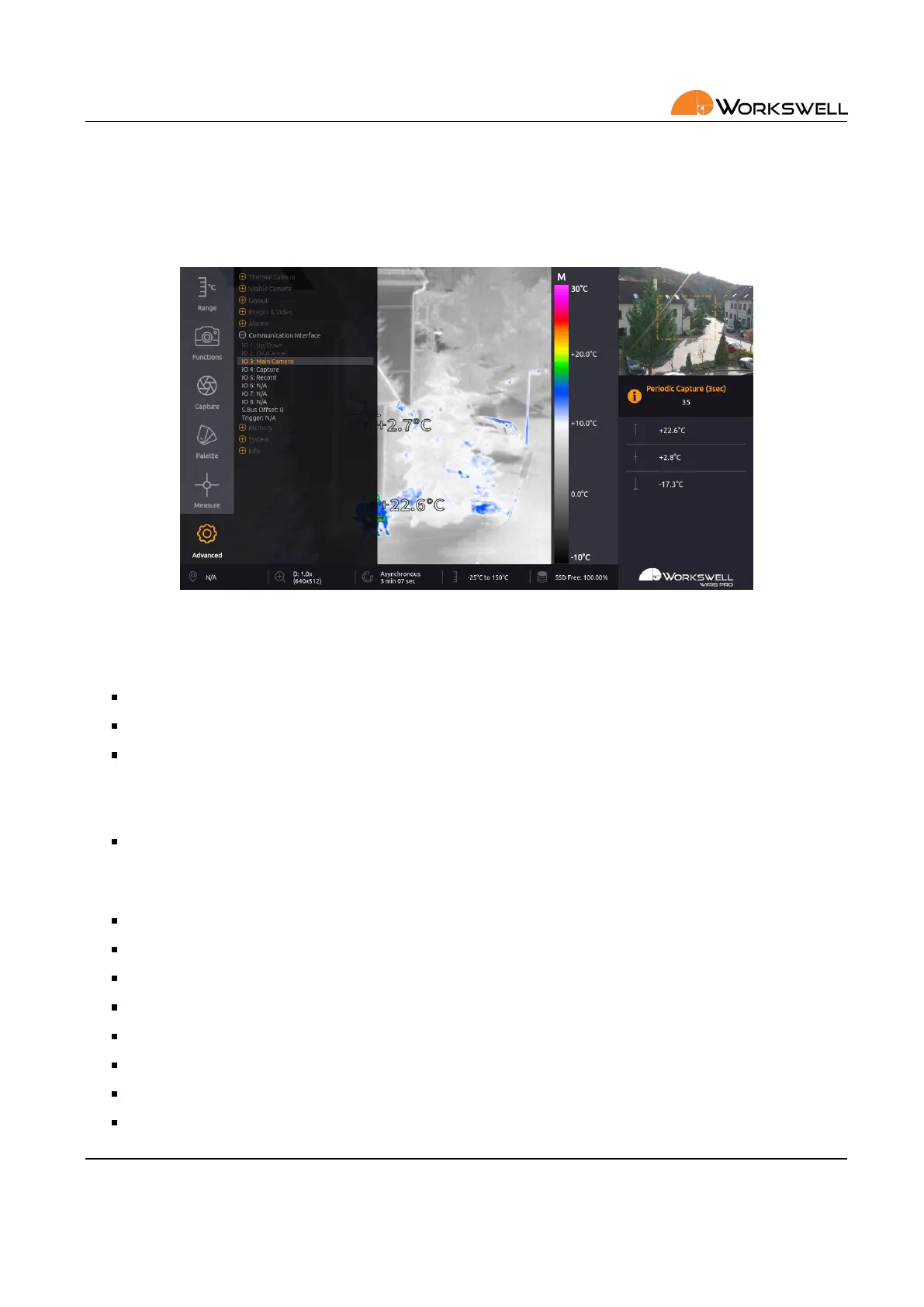
13. MAIN MENU (SETTINGS)
13.7.6 Communicaon Interface
COMMUNICATION INTERFACE submenu allows user to set behavior of the S.BUS port and the Trigger port. For
more informaon about digital input port connecon please see the secon 8 Digital inputs.
Figure 13.14: Communicaon Interface menu.
COMMUNICATION INTERFACE menu consists of the following items:
IO 1, IO 2 ‐ Not available, xed to menu control
IO 3 – IO 8 ‐ Behavior binding of each digital addional S.BUS channel
S.BUS OFFSET ‐ Sets the oset for S.Bus RC control
• It will shi S.Bus IO inputs by selected number as described in table 8.1
• For example, S.Bus Oset = 5 will make the S.Bus input IO 6 act as WIRIS IO 1
TRIGGER ‐ Behavior binding of the digital trigger (Capture Image, toggle Record or trigger shuer correcon
(NUC)
For each of the digital IO ports 3‐8, you can select one of the following funcons:
Main Camera ‐ Toggles which camera is presented on the main screen
Zoom ‐ Zoom camera currently shown on the primary screen
Zoom Visible ‐ Zoom visible spectrum camera
Zoom Thermal ‐ Zoom visible spectrum camera
Palee ‐ Cycle through the available color palees
Alarm ON/OFF ‐ Toggle the alarm overlay display
Range mode ‐ Toggle the range mode
Correcon (NUC) ‐ Manually trigger the shuer correcon (NUC) once
E‐mail and Web
info@workswell.eu
www.workswell.eu
Mobile:
+420 725 877 063
ID:
Reg. No.: 29048575
VAT No.: CZ29048575
Headquarters
U Albrechtova vrchu 12
155 00, Prague 13
Czech Republic
Version: 201215 EN, 15
th
Dec, 2020
All pictures are only for illustraon.
Real values may vary.
52



 To Next Page